Assistant
The Assistant is a helper built into Org Admin. Ask it a question about setting up REDENES, or tell it what you want done, in plain words.
Where: Any Org Admin tabAssistant (purple button, top right)
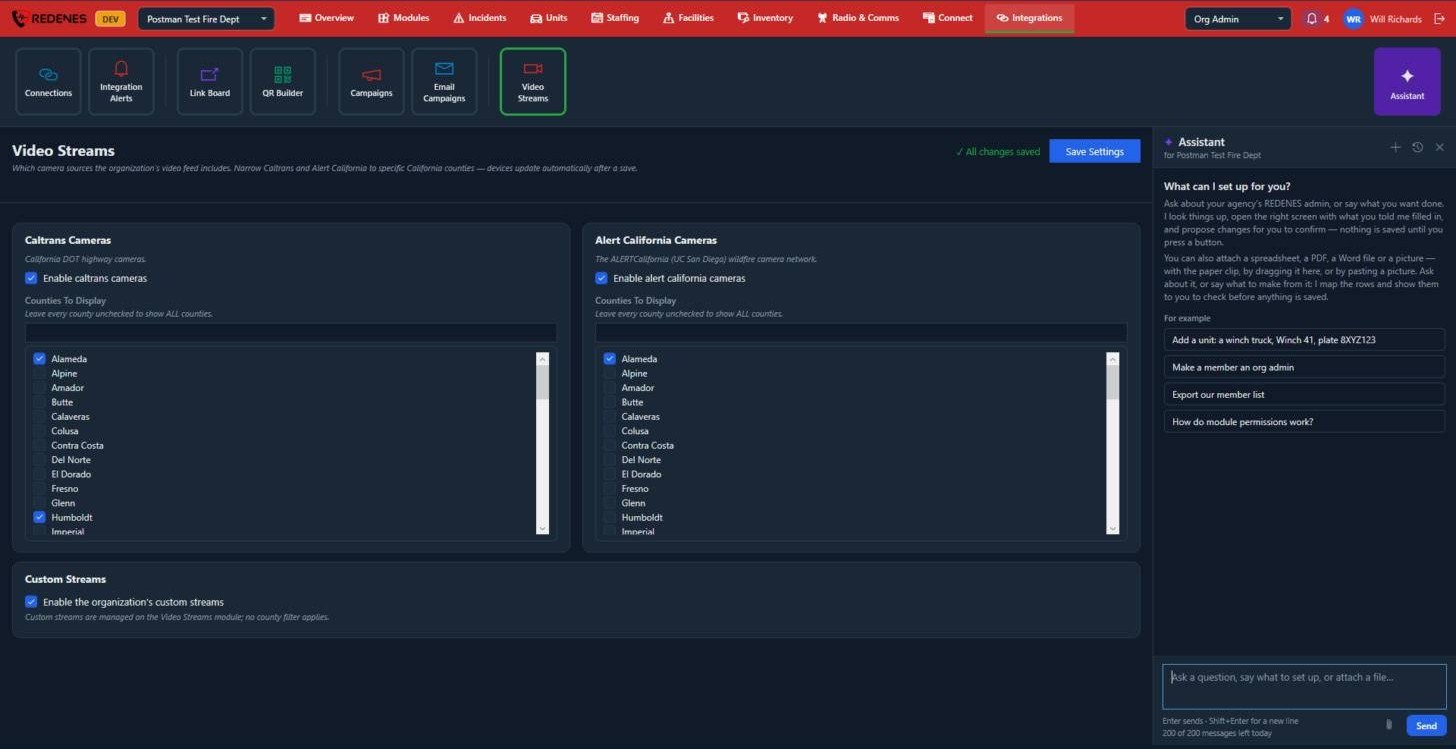 12345
- Click the purple Assistant button 1. The panel opens on the right and the screen you were on stays usable.
- Click one of the examples 2 to see how it works.
- Type 3 a question or a request and press Enter. Shift+Enter starts a new line.
- Attach a file 4 with the paper clip, by dragging it into the panel, or by pasting a picture. It can read a spreadsheet, a PDF, a Word file or a picture.
- At the top 5: + starts a new conversation, the clock opens earlier ones, and X closes the panel.
A conversation
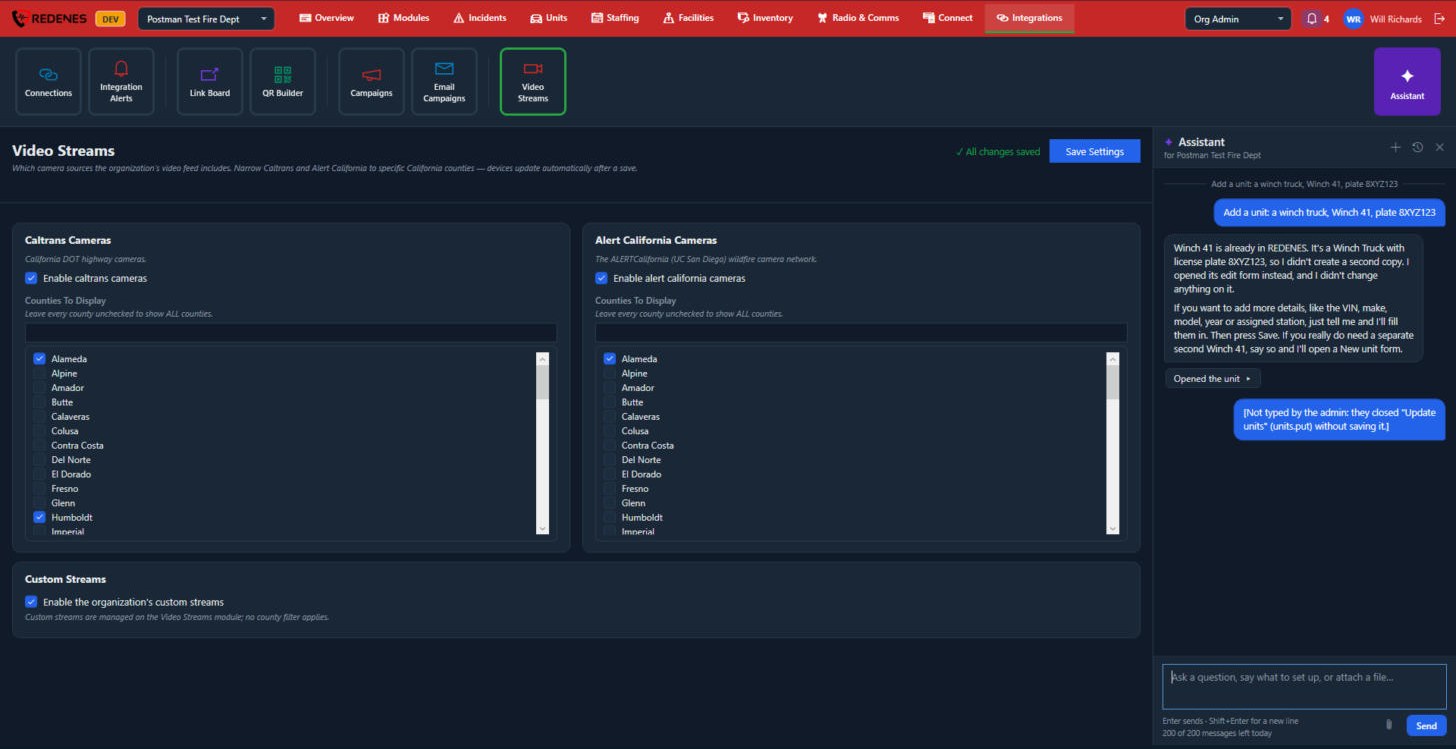 1234
- What you asked 1.
- The answer 2. Here the unit already existed, so the Assistant opened it and changed nothing.
- A step it took 3. Click it to see the details.
- The box 4 for your next message, with the paper clip and Send.
Earlier chats
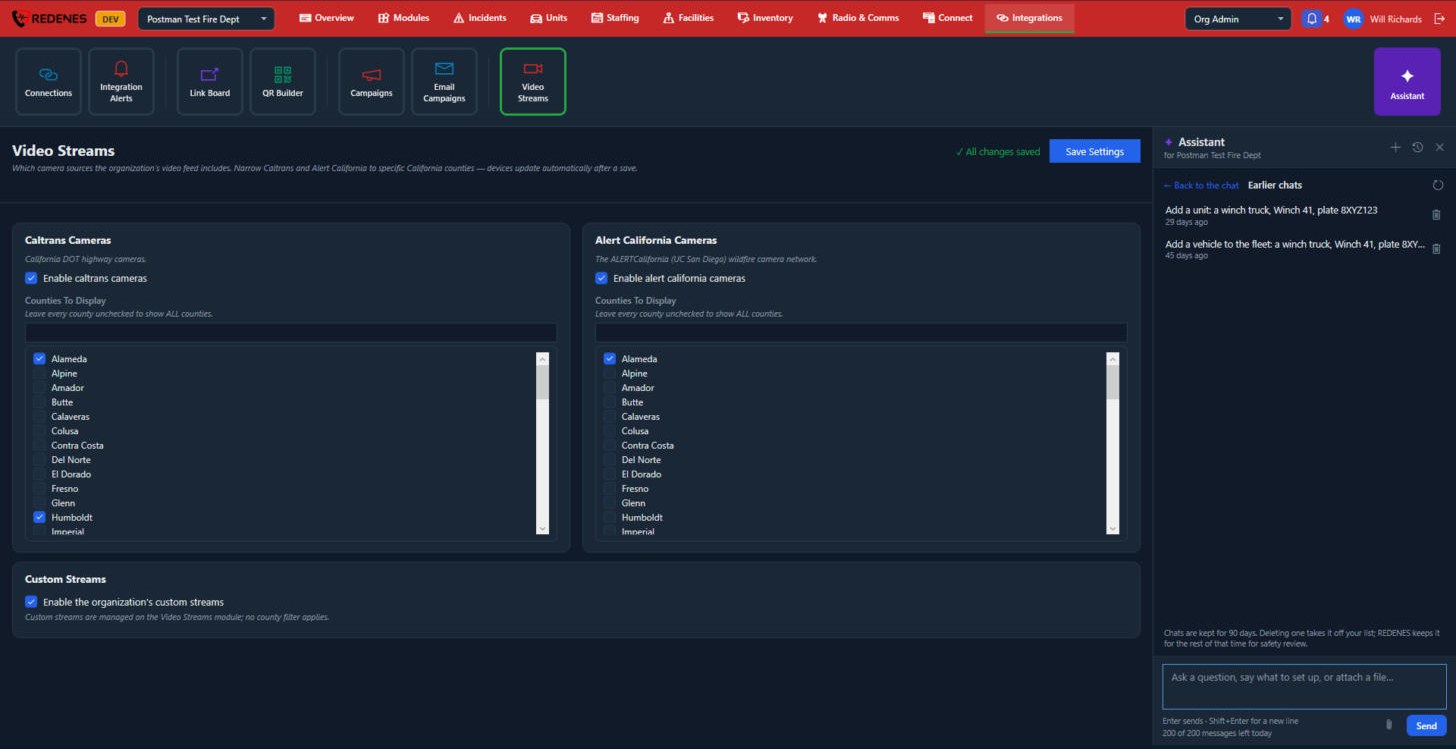 123
- Back to the chat 1.
- Click a chat 2 to open it again. The bin takes it off your list.
- Chats are kept for 90 days 3.
What it can do
- Answer questions, such as "How do module permissions work?"
- Look things up in your agency's setup.
- Open the right screen with what you told it already filled in.
- Propose changes for you to confirm, such as "Add a unit: a winch truck, Winch 41".
- Read a file and turn its rows into members, units or items. It shows you how it matched the columns before anything is saved.
What it will not do
Nothing is saved until you press a button. The Assistant shows you what it is about to do and waits for you.
There is a daily message limit. The count of messages left today is shown under the box.
tip
Be specific, the way you would be with a new colleague. "Add Engine 53, type Engine, at Station 3" works better than "add a truck".