Incident Types
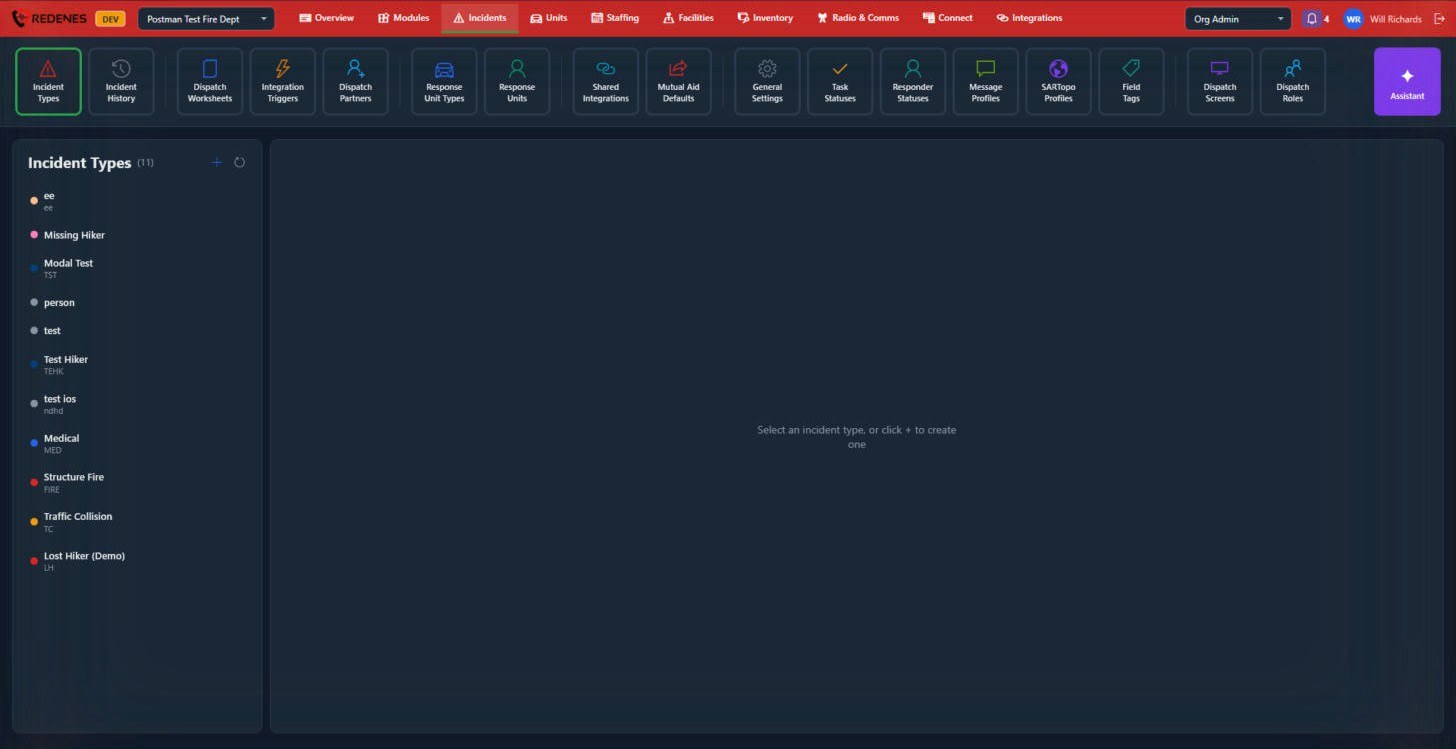
An incident type is a kind of call: Structure Fire, Medical, Traffic Collision, Missing Hiker. The type decides what an incident looks like and what happens when one starts.
Where: IncidentsIncident Types
 12
Add or change a type
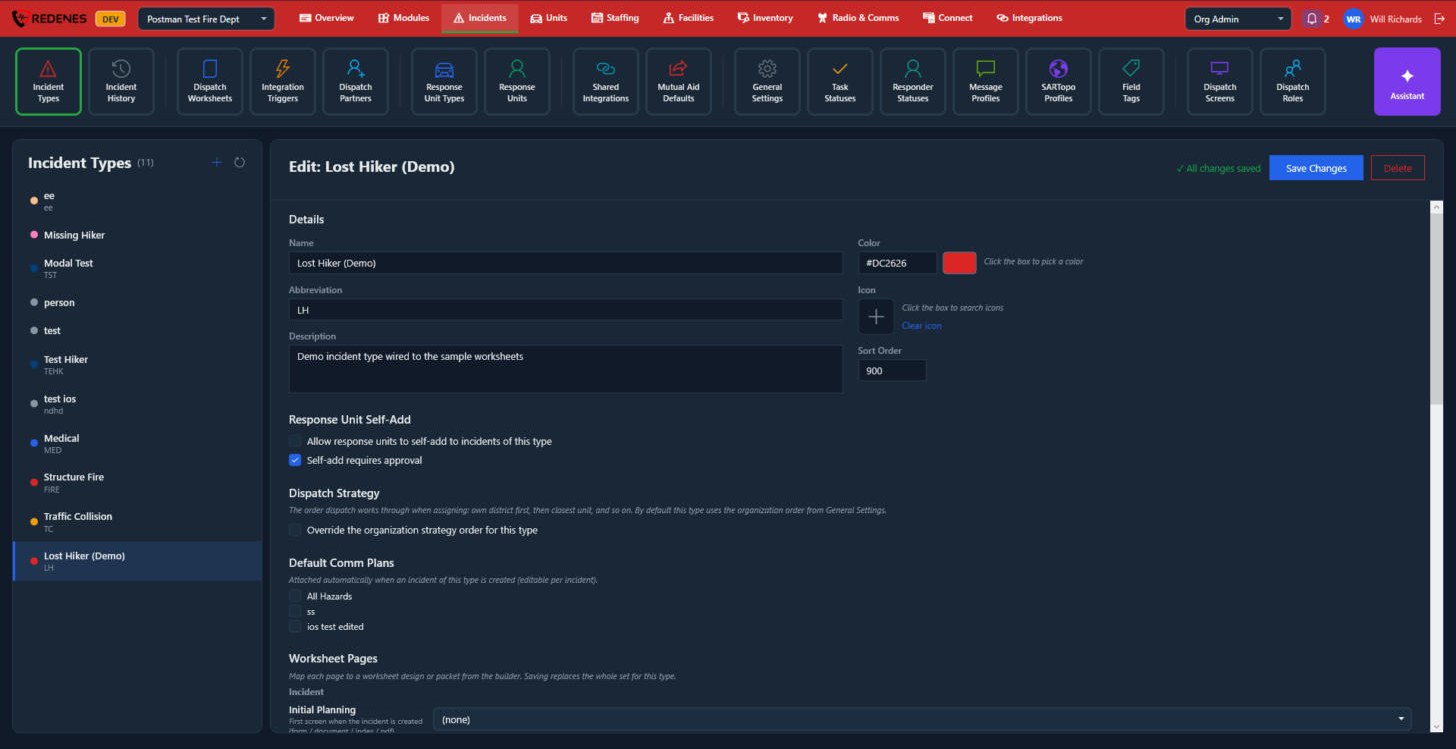
Click + 1 to add a type, or click one in the list 2 to edit it. The type opens on the right. It is a long page, so scroll down to see all of it.
 123456
- The type you clicked 1 is highlighted.
- Details 2: the Name, a short Abbreviation such as FIRE or MED, a Description, the Color, an Icon and the Sort Order in lists. The abbreviation can be part of the incident number. See General Settings.
- Response Unit Self-Add 3: whether response units may add themselves to incidents of this type, and whether that needs approval.
- Dispatch Strategy 4: tick the box to give this type its own order for choosing units. Without it the type uses the agency's order from General Settings.
- Default Comm Plans 5: the radio plans attached to a new incident of this type. They can be changed on each incident.
- Save Changes and Delete 6 stay at the top while you scroll.
 12
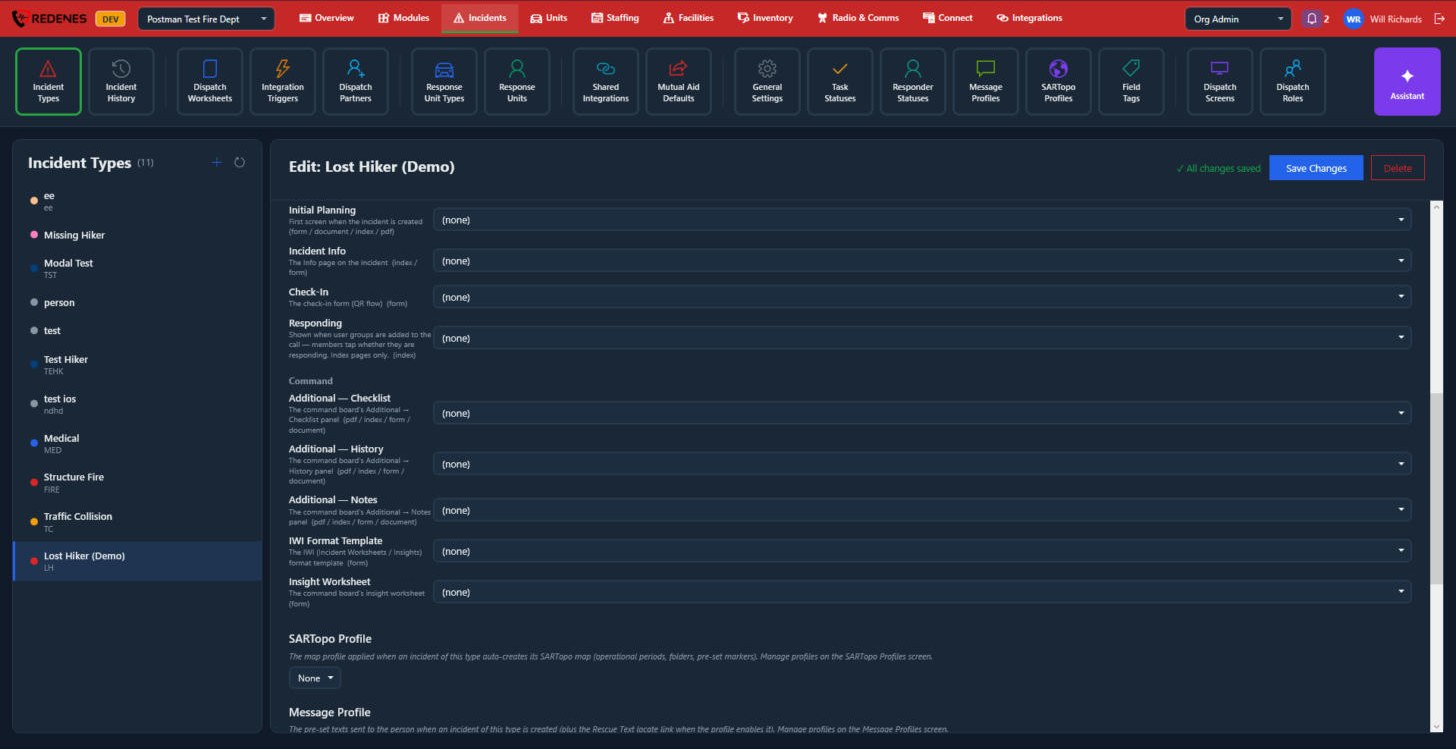
Worksheet Pages says which worksheet design is used for each page of an incident.
| Page | Used for |
|---|---|
| Initial Planning 1 | The first screen when the incident is created. |
| Incident Info | The Info page of the incident. |
| Check-In | The form people fill in when they check in, for example by QR code. |
| Responding | The list where members tap whether they are responding. |
| Additional: Checklist, History, Notes 2 | The three extra panels of the command board. |
| IWI Format Template | The layout of the incident's worksheets and insights. |
| Insight Worksheet | The command board's insight worksheet. |
Pick a design for each page you use and leave the others on (none).
 123
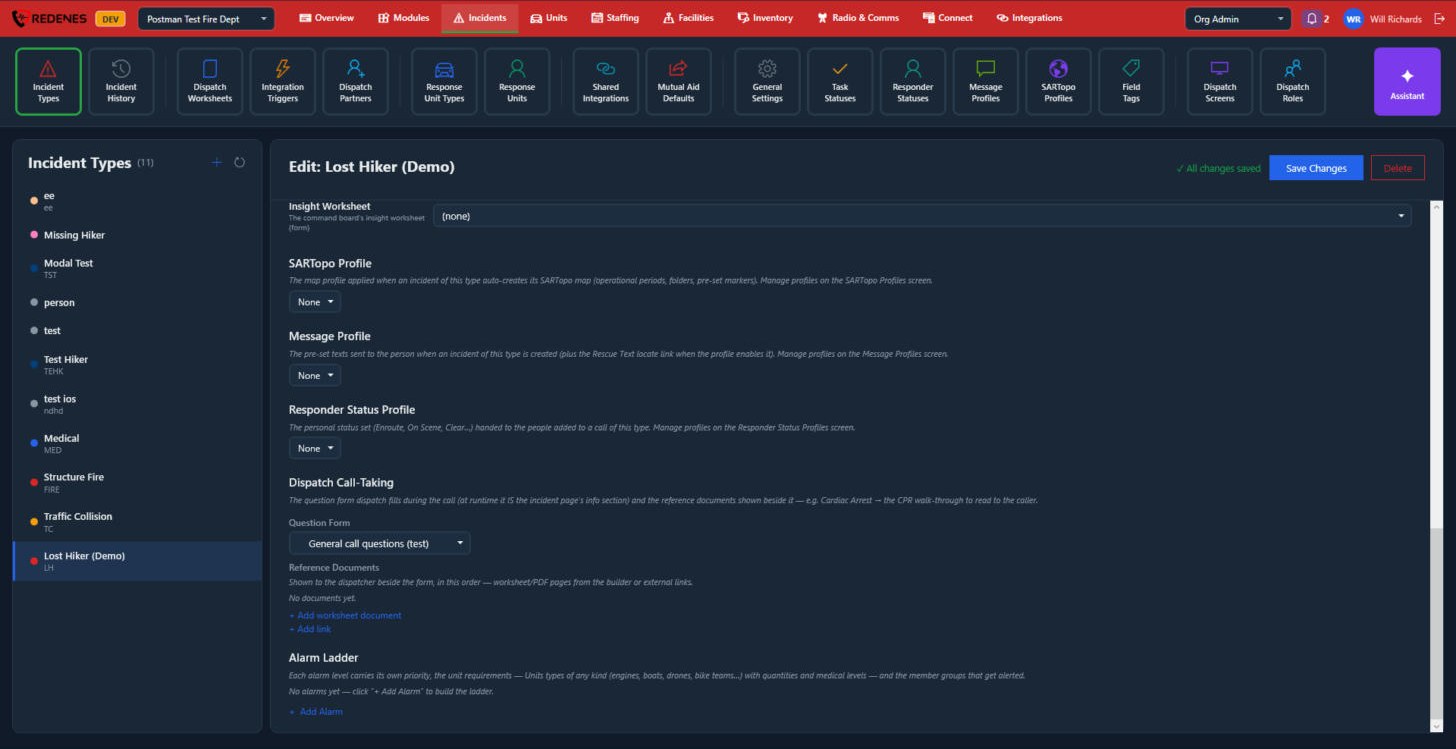
- SARTopo Profile, Message Profile and Responder Status Profile 1: pick the profile this type uses. The profiles are made on their own tiles. See Statuses and Profiles.
- Dispatch Call-Taking 2: the Question Form the dispatcher fills in during the call, and the Reference Documents shown beside it, such as a CPR walk-through. + Add worksheet document adds a page from the builder and + Add link adds a web link.
- Alarm Ladder 3: click + Add Alarm for each alarm level. Each level has its own priority, the unit types and numbers it needs, and the member groups that are alerted.
Keep the list short
Dispatchers pick the type under pressure. A dozen clear types work better than fifty near-duplicates.