Summary
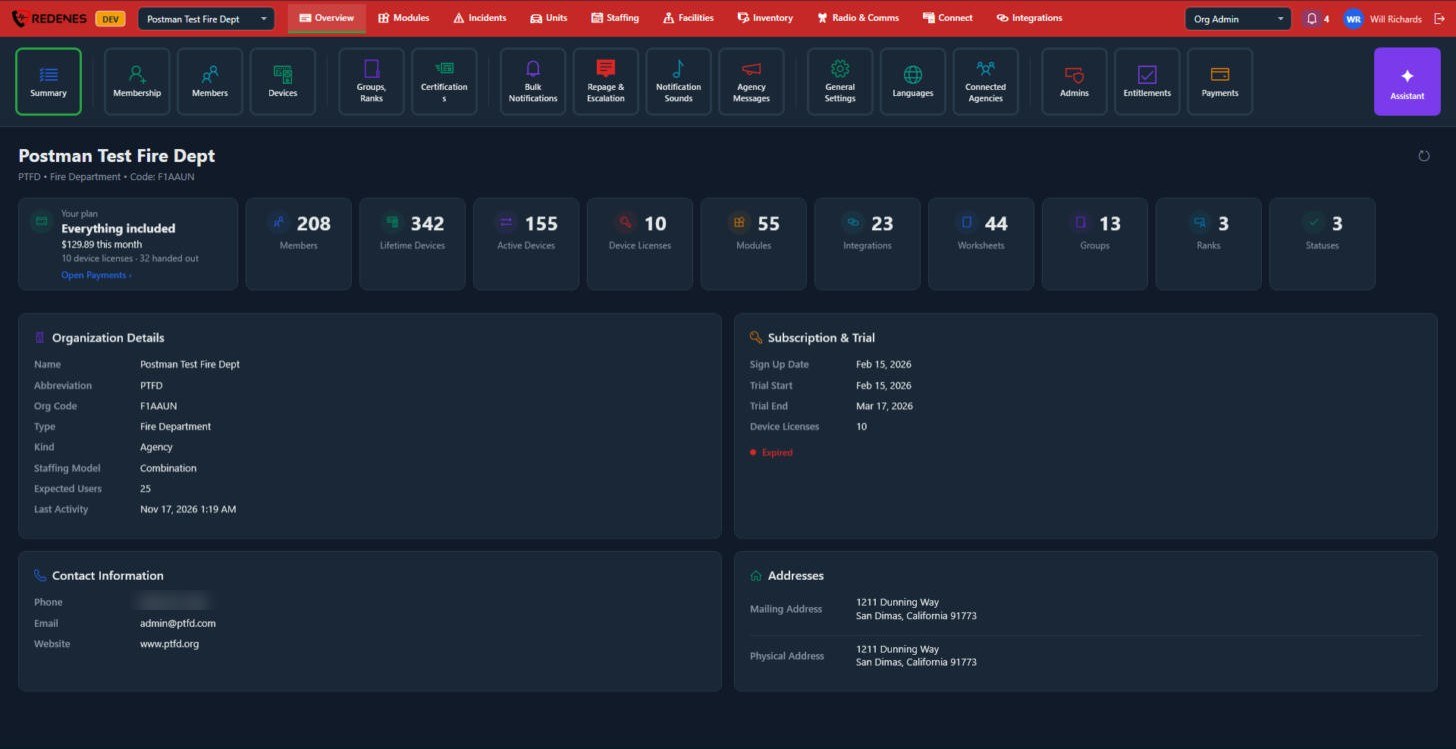
Summary is the agency at a glance: your plan, the headline counts, and the details REDENES holds about your organization.
Where: OverviewSummary
 123
What is on the screen
- Your plan 1: the plan you are on, this month's total and how many device licenses are handed out. Open Payments jumps to Payments.
- Counts 2: members, lifetime devices, active devices, device licenses, modules, integrations, worksheets, groups, ranks and statuses.
- Organization Details 3: name, abbreviation, org code, type, staffing model, expected users and last activity.
- Subscription & Trial: sign-up date, trial dates and license count.
- Contact Information and Addresses: the phone, email, website and addresses on file.
tip
The Org Code is what a new member types in the app to ask to join your agency. See Join an agency.