Integration Alerts
Integration Alerts turn the calls of a dispatch feed (Tablet Command, CHP, WildWeb) into push notifications that each member can switch on for themselves.
You build a list of items, such as "Structure fire" or "Engine 51", sorted into groups. Members then see those items in their push settings and choose which ones to receive, for each duty status.
Where: IntegrationsIntegration Alerts
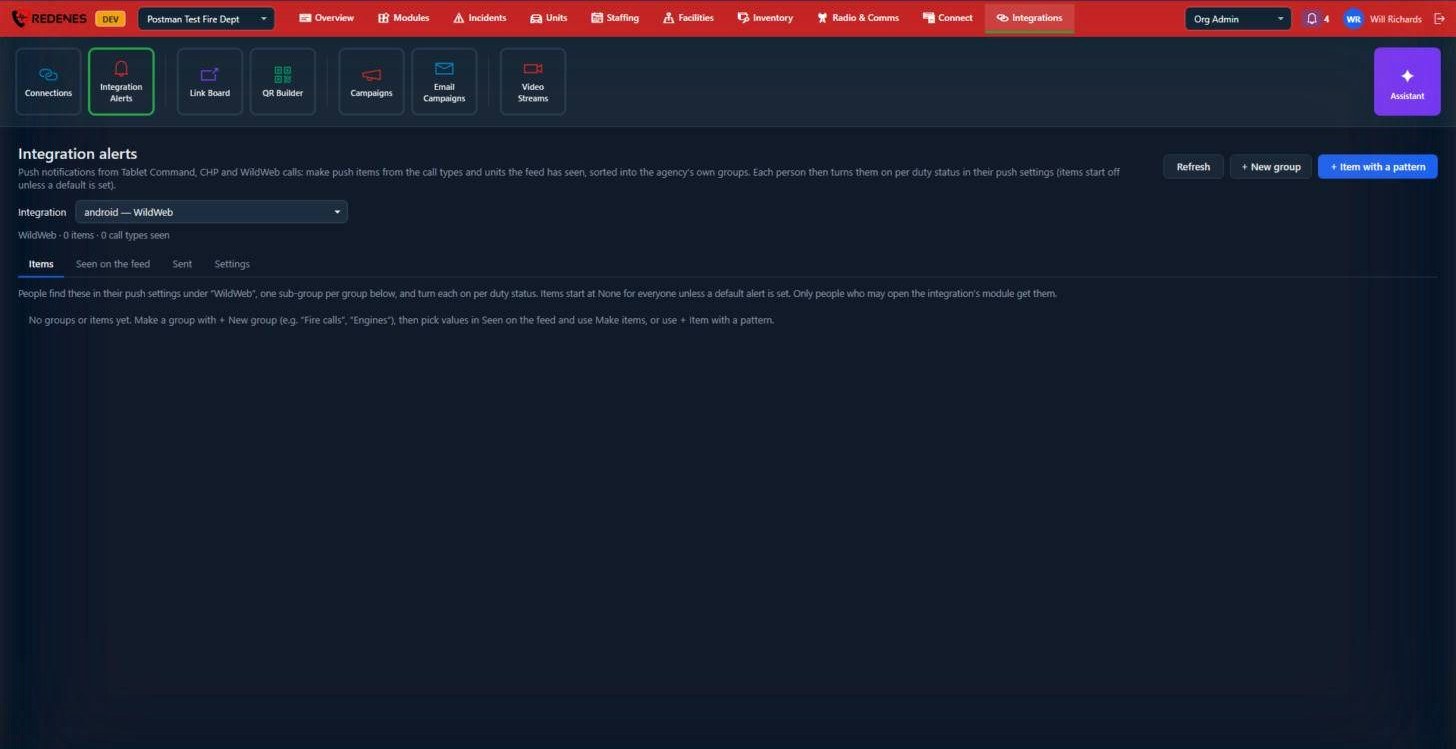 1234
- Pick the Integration 1 you are setting up.
- The tabs 2:
- Items: the groups and items members can choose.
- Seen on the feed: every call type and unit the feed has sent so far. Check the ones you want and click Make items.
- Sent: the alerts that have gone out.
- Settings: options for this integration's alerts.
- + New group 3 makes a group, for example "Fire calls" or "Engines".
- + Item with a pattern 4 makes an item that matches by pattern instead of an exact value, for example every call type that starts with "MVA".
New group and new item
+ New group asks for a name. Members see the group as a section under the integration in their push settings.
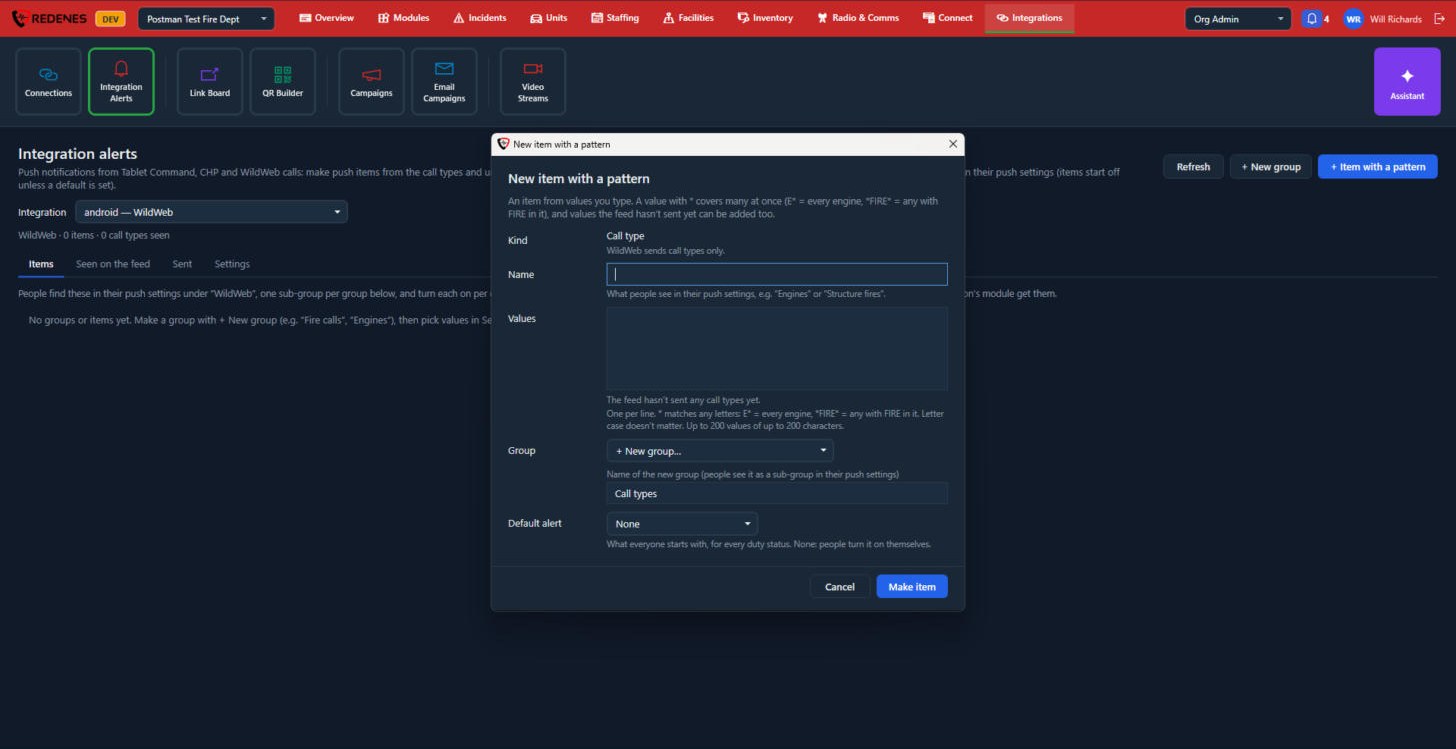 123456
- Kind 1: a call type or a unit. Some feeds send call types only.
- Name 2: what members see, such as Engines or Structure fires.
- Values 3: one per line. A star matches any letters, so
E*is every engine and*FIRE*is anything with FIRE in it. Capital and small letters are treated the same. - Group 4: an existing group, or a new one named here.
- Default alert 5: what everyone starts with. With None, members turn it on themselves.
- Click Make item 6.
Seen on the feed and Sent
Seen on the feed lists everything the feed has sent, newest first. Tick values and use Make items to offer them as alerts. Only those not offered yet and Search narrow the list.
Sent has one row for each alert that fired, with the call and who it went to. Use it to answer "why didn't I get paged?"
Settings
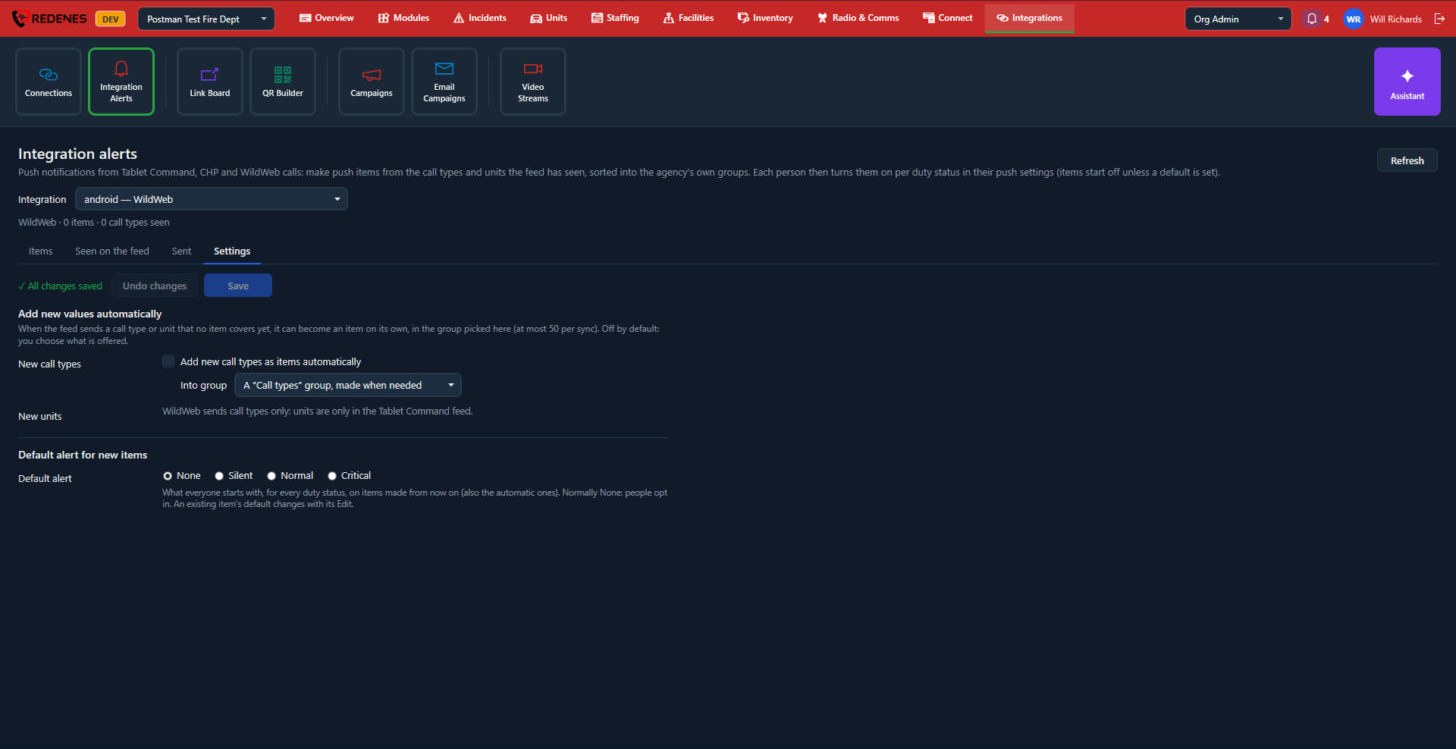 123
- Undo changes and Save 1.
- Add new values automatically 2: when the feed sends a call type or unit that no item covers, it can become an item by itself, in the group you pick. It is off unless you turn it on.
- Default alert for new items 3: None, Silent, Normal or Critical. This is what everyone starts with on items made from now on.
How members get them
Items start off for everyone, unless you set a default alert on the item. Each member turns on what they want in the app under Push notifications, where each integration appears with one section per group.
Only people who are allowed to open the integration's module can receive its alerts.
Let the feed run for a few days before you build the list. Seen on the feed then holds the real call types and unit names, spelled the way the feed sends them.