RadioSync
RadioSync connects REDENES to Motorola Radio Management, so the radios in your fleet and their programming jobs can be seen from REDENES. Only agencies that run Radio Management need this tile.
Where: ConnectRadioSync
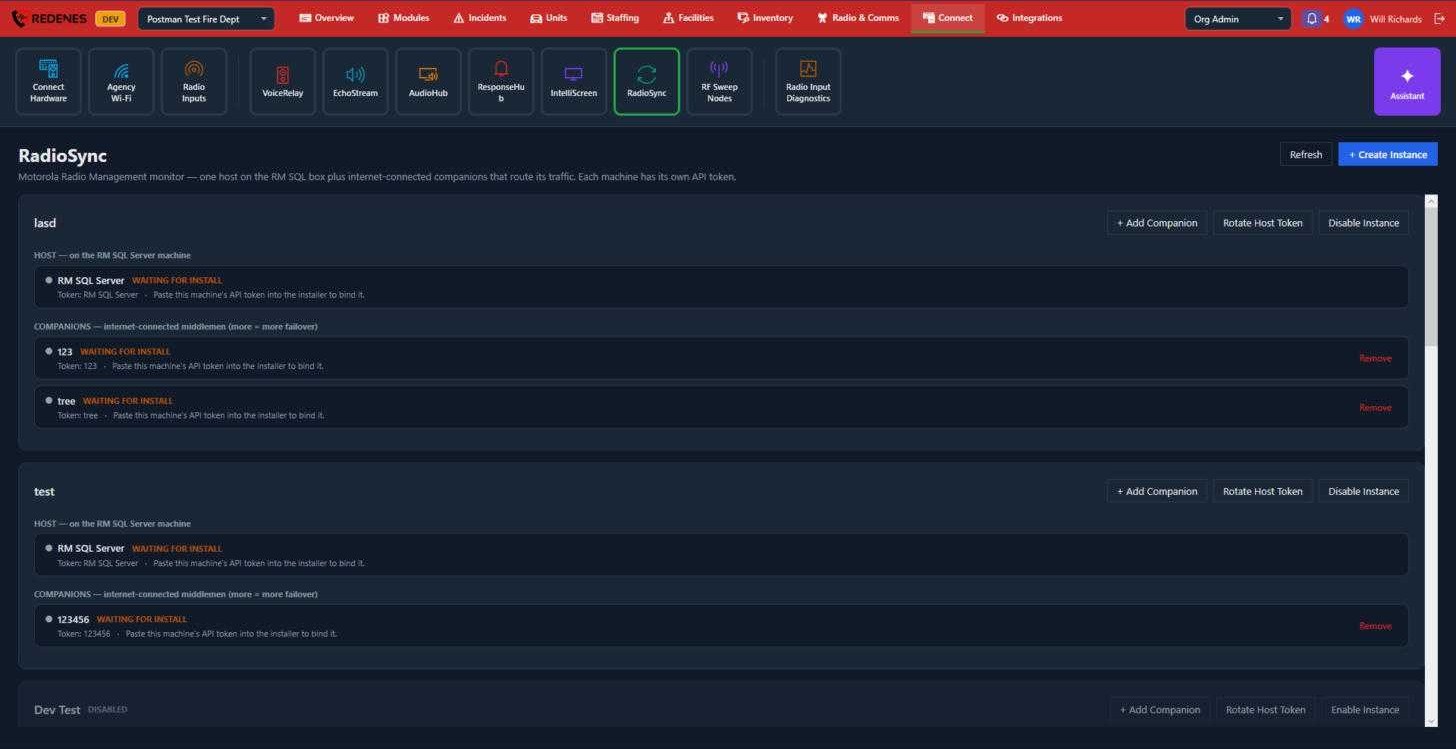 1234
An instance is one Radio Management installation. It has two kinds of machine:
- The host 2 is installed on the Radio Management SQL Server machine.
- Companions 3 are internet-connected PCs that carry the host's traffic to REDENES. One is enough. More give you a backup if one is off.
Set it up
- Click + Create Instance 1 and type a label for it, such as the site or the Radio Management server.
- Run the RadioSync installer on the SQL Server machine and paste in the host's API token shown here.
- Click + Add Companion 4, then run the installer on that PC with the companion's token.
- Each machine changes from WAITING FOR INSTALL to online once its installer has connected.
Keeping it safe
Each machine has its own token. Treat tokens like passwords.
- Rotate Host Token makes a new token for the host. The old one stops working, so you must enter the new one on the host.
- Remove takes a companion out.
- Disable Instance stops the whole instance without deleting it. Enable Instance brings it back.