RF Sweep Nodes
An RF Sweep node is a small radio board a searcher carries. It listens for phones and other devices nearby, shares markers and alerts with other nodes over a mesh, and uploads what it heard when it reaches Wi-Fi. The sweeps themselves, and their map, are in the RF Sweep module. This screen manages the nodes.
Where: ConnectRF Sweep Nodes
 1234
Tabs 1
| Tab | What it shows |
|---|---|
| Nodes | Every node, who carries it and what it is doing. |
| Mesh | The settings of the radio channel the nodes share. |
| Sync Wi-Fi | The networks nodes use to upload. These are your Agency Wi-Fi networks. |
| Mesh traffic | Recent messages passed between nodes. |
A node's row
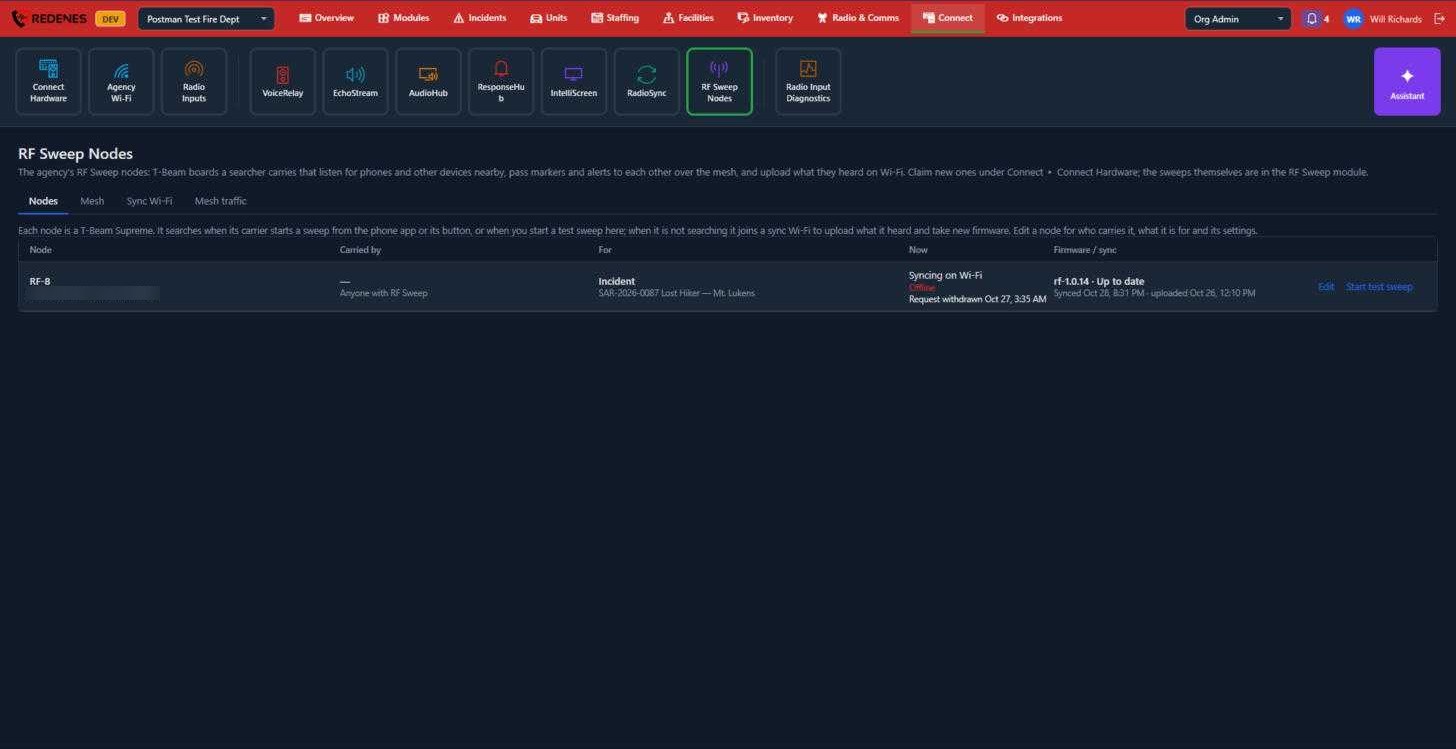
- Carried by and For 2: the member the node is issued to (or anyone with RF Sweep), and the incident or purpose it is assigned to.
- Now and Firmware / sync 3: whether it is searching, syncing or offline, its software version, and when it last uploaded.
- Edit 4 changes who carries it, what it is for and its settings. Start test sweep starts a short sweep from here, so you can check a node without going into the field.
Edit a node
 12345
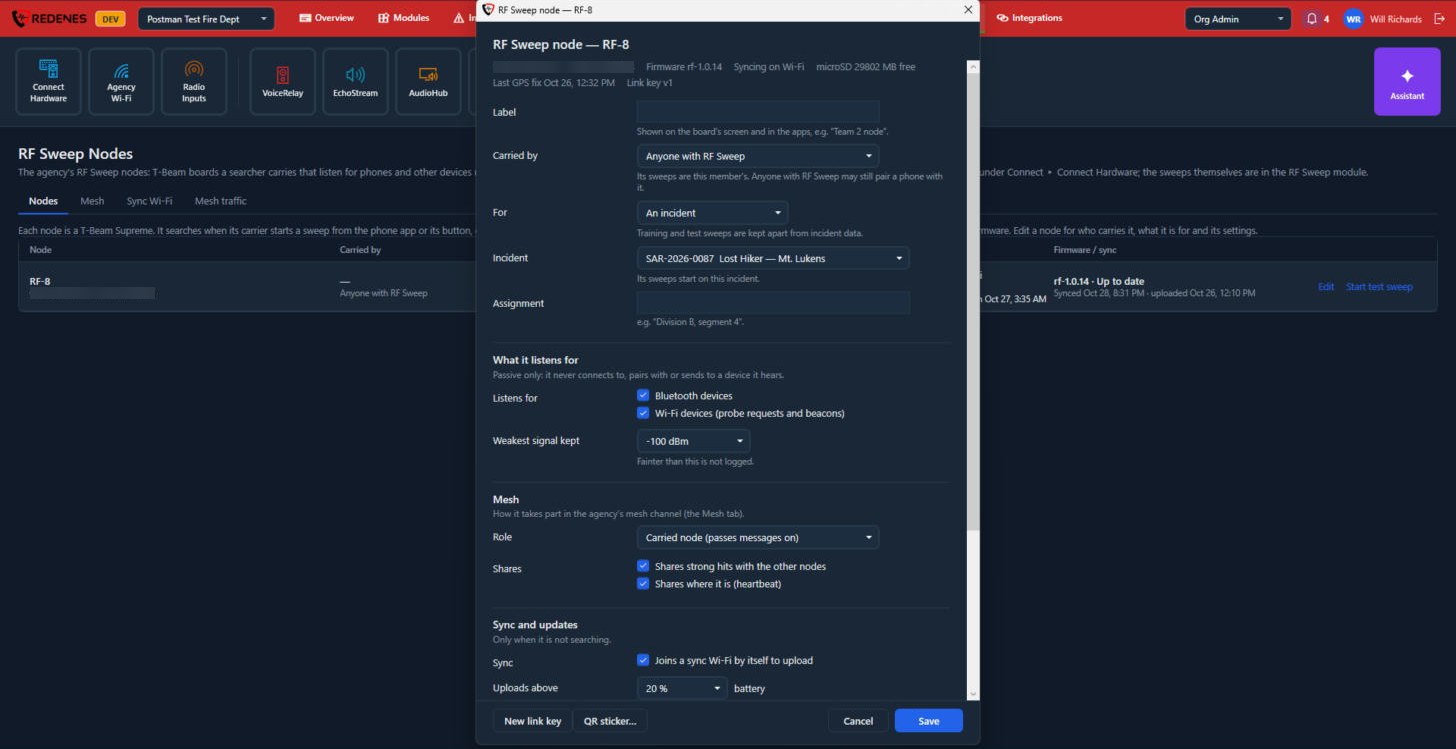
- Label, Carried by, For, Incident and Assignment 1. The label is shown on the board's screen and in the apps.
- What it listens for 2: Bluetooth devices, Wi-Fi devices, and the weakest signal it keeps. The node only listens. It never connects to a device it hears.
- Mesh 3: its role, and whether it shares strong hits and where it is with the other nodes.
- Sync and updates 4: whether it joins a sync Wi-Fi by itself, the battery level it needs to upload and to update, and how long logs stay on its card.
- Cancel and Save 5. QR sticker makes a label for the node.
Scroll down for Alerts and screen: a man-down alert when the carrier does not move while searching, a buzzer for alerts from other nodes, and when the screen turns off.
Start a test sweep
 12345
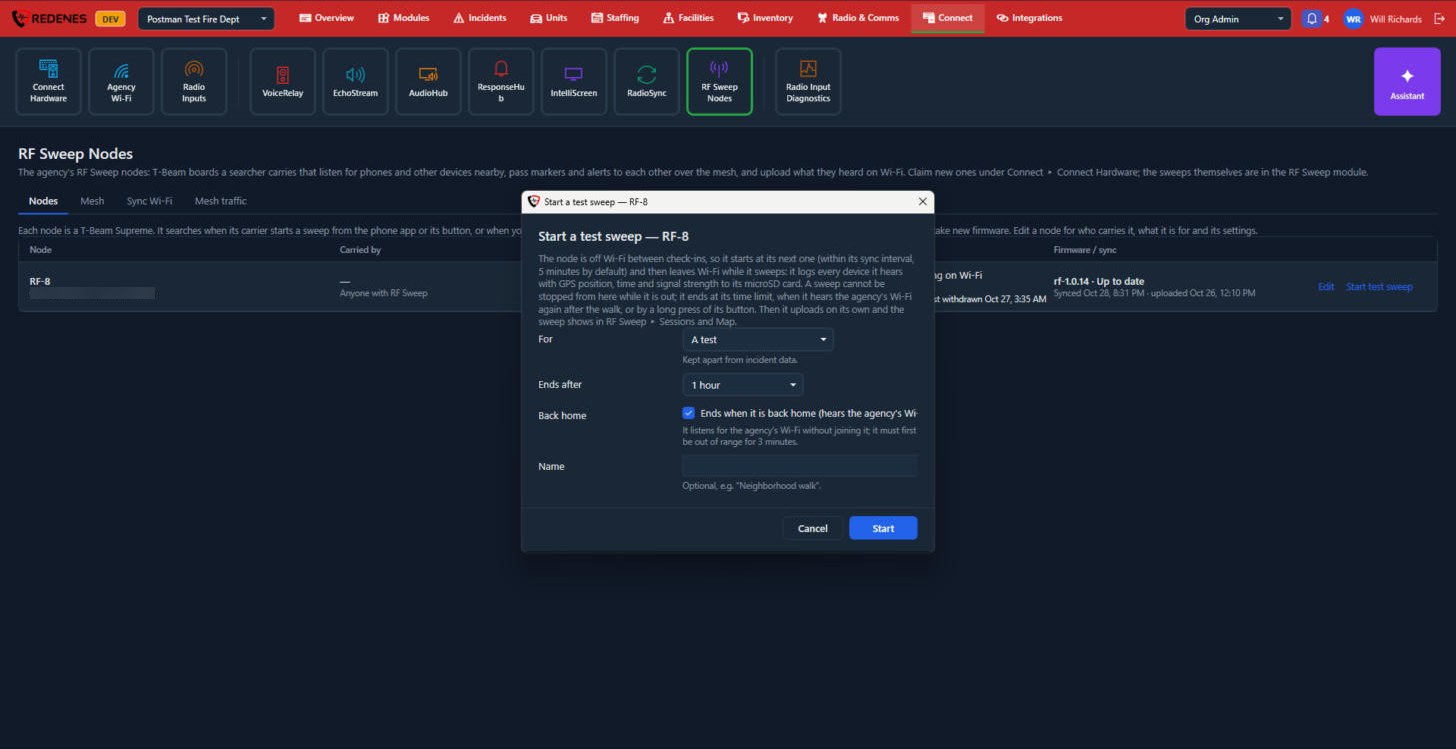
- For 1: a test, which is kept apart from incident data.
- Ends after 2: the time limit.
- Back home 3: end the sweep when the node hears the agency's Wi-Fi again.
- Name 4, if you like.
- Click Start 5.
The node starts at its next check-in, normally within 5 minutes. A sweep cannot be stopped from here once the node is out. It ends at its time limit, back at the agency's Wi-Fi, or with a long press of the node's button.
The Mesh tab
 1234
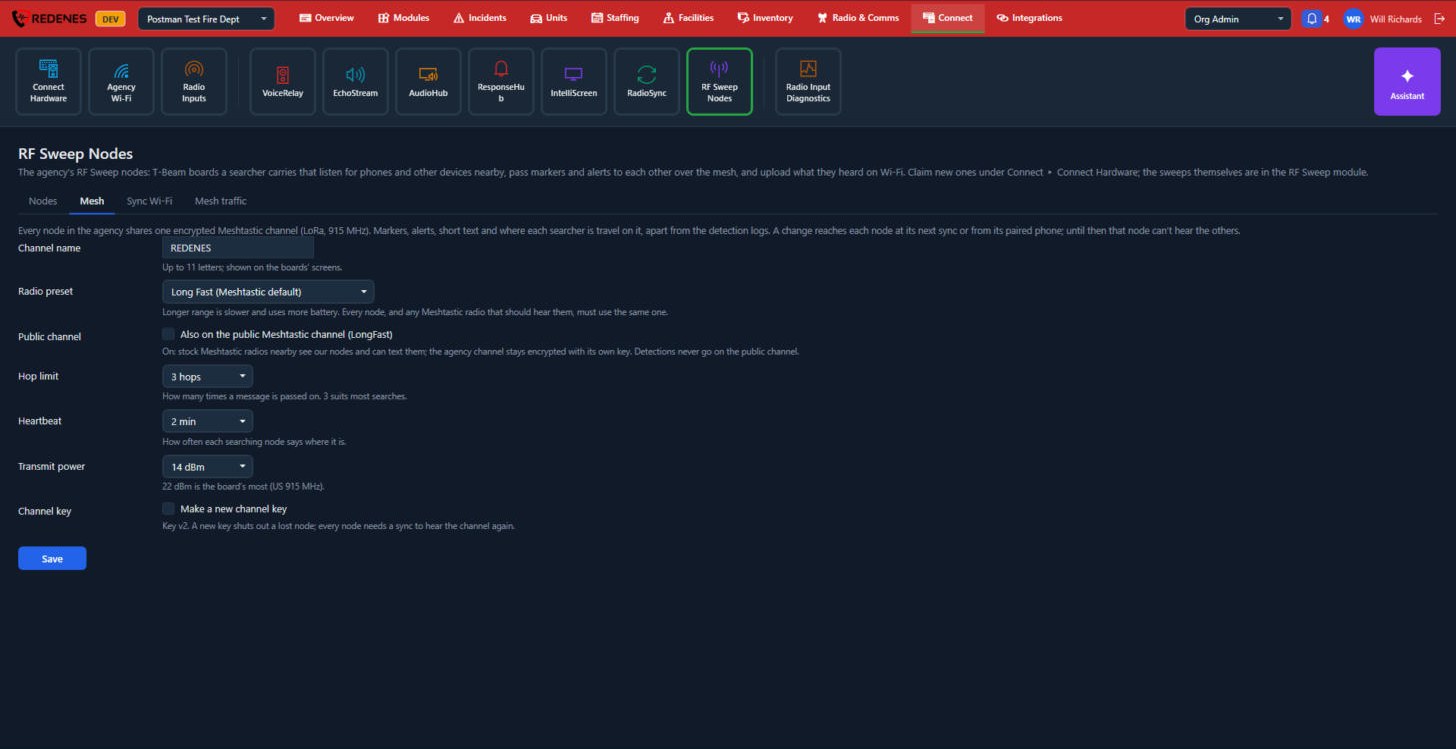
Every node in the agency shares one encrypted channel for markers, alerts, short texts and where each searcher is.
- Channel name, Radio preset and Public channel 1. A longer range preset is slower and uses more battery. Every node must use the same one.
- Hop limit, Heartbeat and Transmit power 2: how many times a message is passed on, how often a searching node says where it is, and how strongly it sends.
- Channel key 3: tick Make a new channel key to shut out a lost node. Every node then needs a sync before it can hear the channel again.
- Save 4.
A change reaches each node at its next sync or from its paired phone.
The Sync Wi-Fi tab
 12
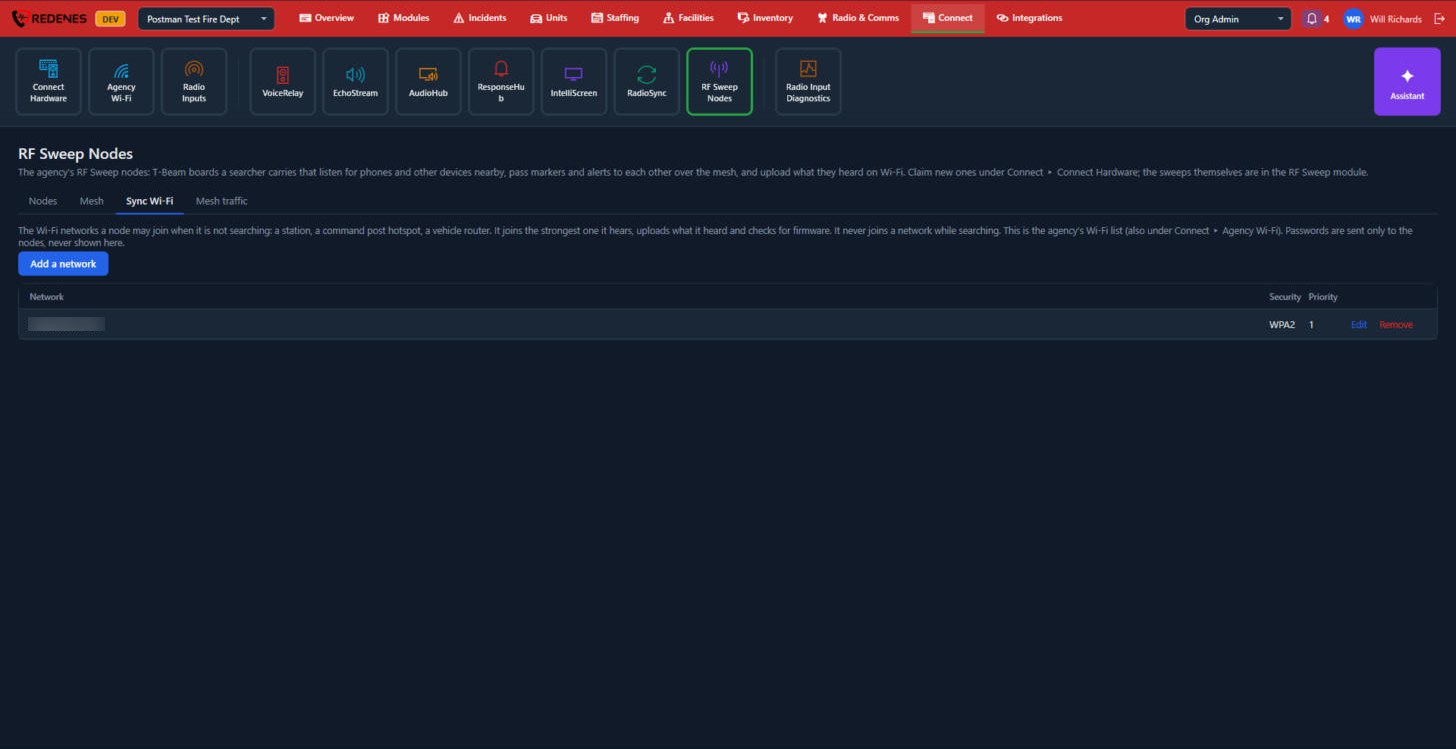
The same list as Agency Wi-Fi. Add a network 1, or Edit and Remove one 2. A node never joins a network while it is searching.
The Mesh traffic tab
 12
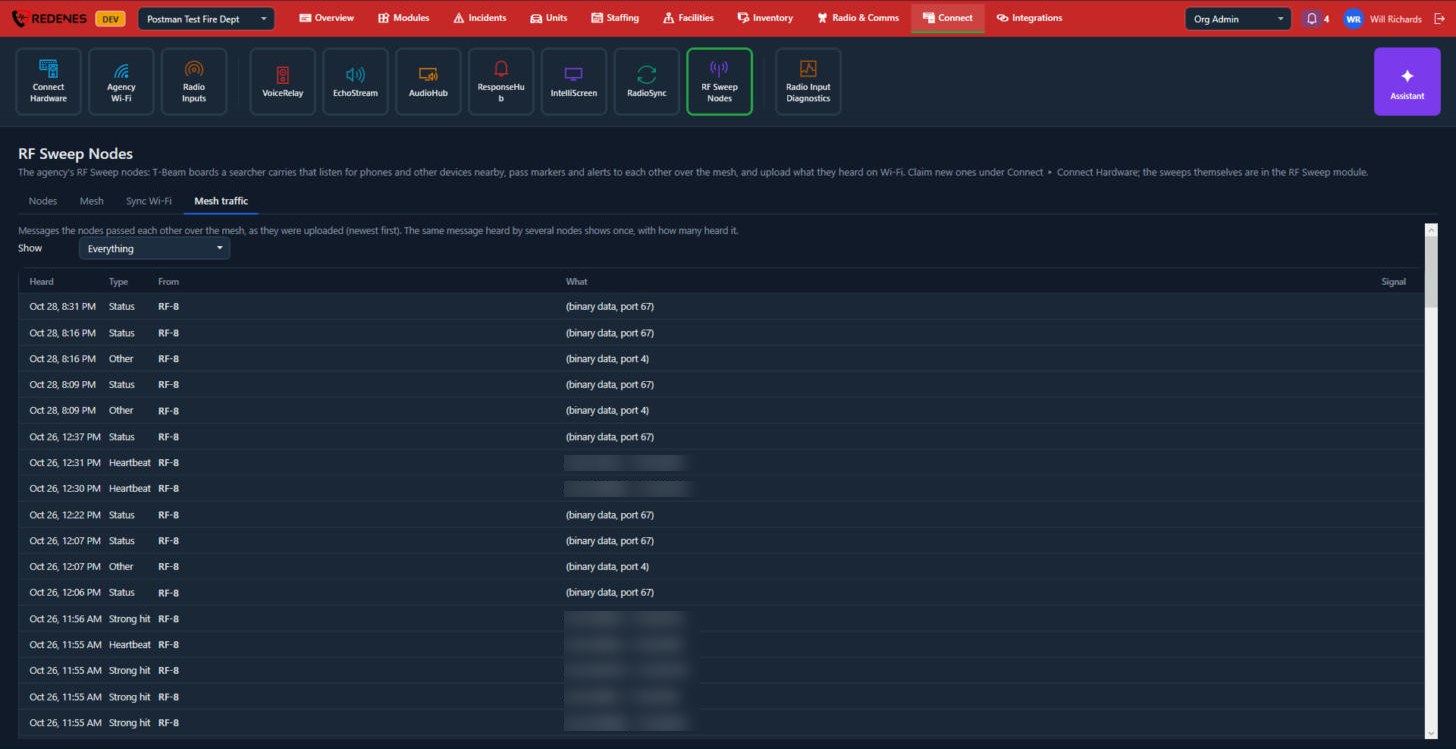
Show 1 filters by kind of message. Each row 2 is a message a node sent over the mesh: when it was heard, its type, which node sent it and what it said. A message heard by several nodes is shown once.
How a node behaves
A node searches when its carrier starts a sweep, from the phone app or with the node's button. When it is not searching it looks for a sync Wi-Fi network, uploads what it heard, and takes new software if there is any.
New nodes are added under Connect Hardware.