Voice calling and inbound calls
Members can place phone calls from the app through REDENES, for example to a reporting party, without showing their own number. People who are called can call that number back.
Voice / Calling
Where: Radio & CommsVoice / Calling
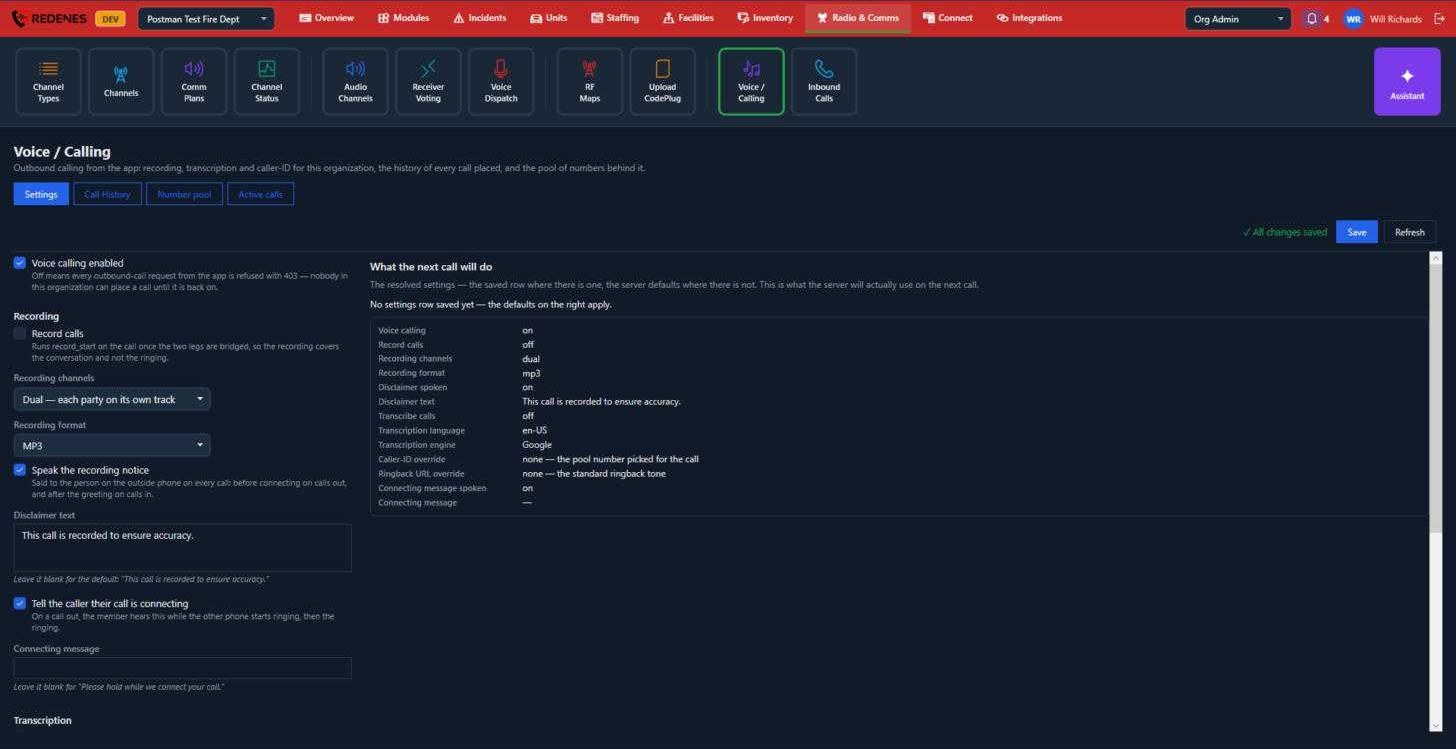 1234
The tabs 1 are Settings, Call History (every call placed), Number pool (the phone numbers your calls come from) and Active calls (calls in progress now).
On Settings:
- Voice calling enabled 2: off means nobody in the agency can place a call from the app.
- Recording 3: whether calls are recorded, with each party on its own track or mixed, and the file format.
- Speak the recording notice: the sentence said to the outside person on every call. Leave Disclaimer text blank for the standard wording.
- Tell the caller their call is connecting: the member hears a short message while the other phone starts ringing.
- Transcription: turns recorded calls into text.
What the next call will do 4 lists the settings in effect, including defaults you have not changed. Check it after saving.
Call History
 12
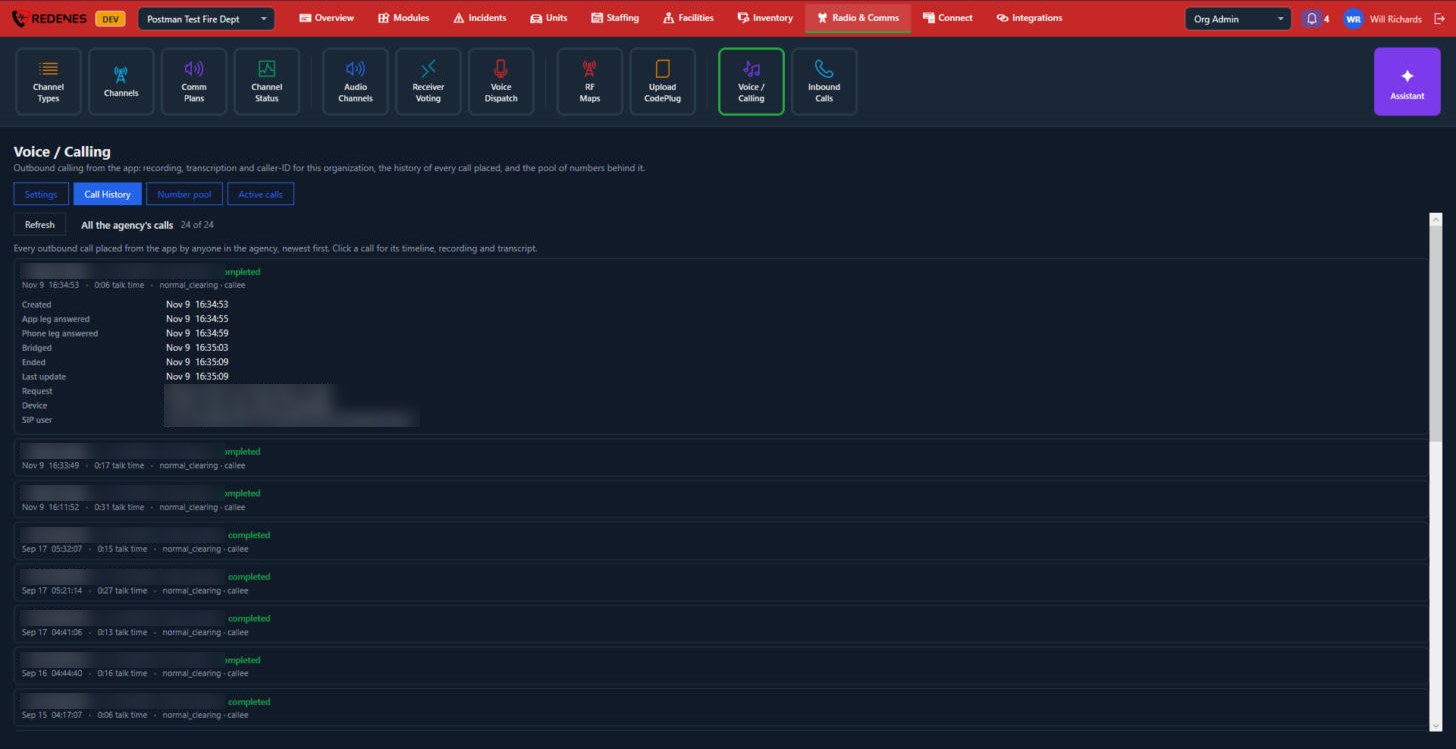
Every call placed from the app by anyone in the agency, newest first. Each row 1 shows the number called, the number it was shown as, who placed it, how it ended and the talk time. Click a call 2 for its timeline: when it was created, when each side answered, when the two were connected and when it ended. A recorded call also has its recording and transcript here.
Number pool
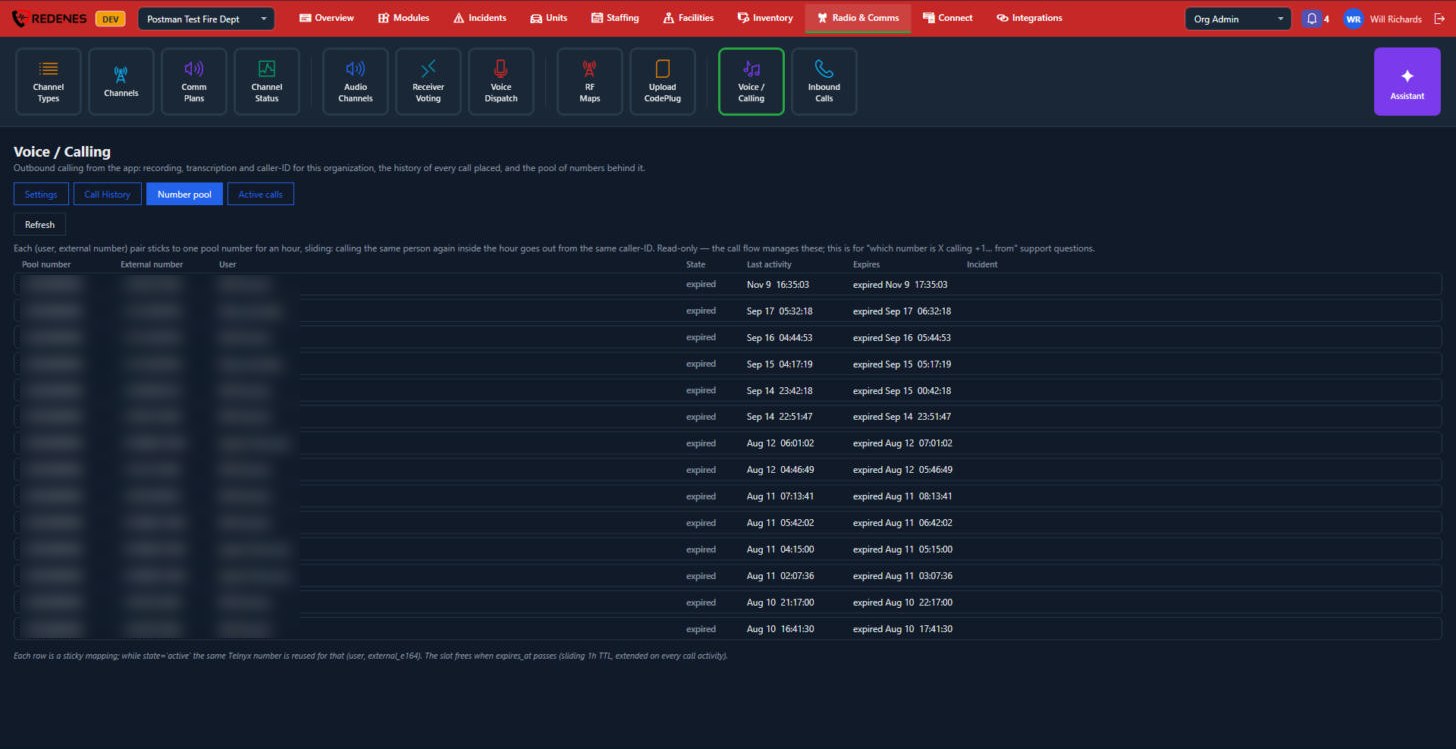
Each member and outside number pair keeps the same pool number for an hour, so calling the same person again within the hour comes from the same caller ID. The list is read-only. Use it to answer "which number did this call come from".
Active calls
Lists the calls in progress right now. A call that has ended moves to Call History.
Rules on recording phone calls differ by state and country. Keep the recording notice on unless your agency's counsel has told you otherwise.
Inbound Calls
When someone calls an incident's number back, these settings decide whose phones ring and in what order. The first person to answer gets the call.
Where: Radio & CommsInbound Calls
 12345
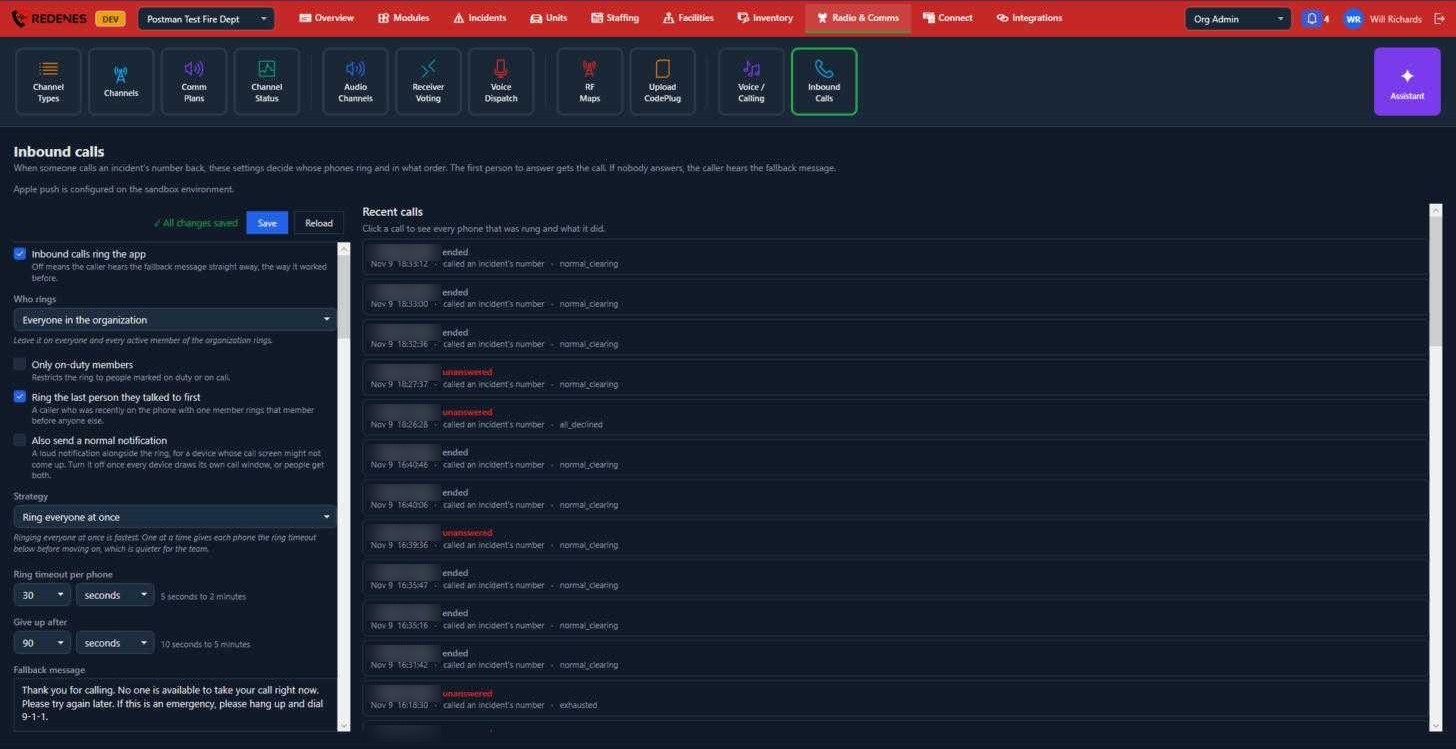
- Inbound calls ring the app 1: off means the caller hears the fallback message straight away.
- Who rings 2: everyone, or a chosen group. Only on-duty members limits it to people on duty or on call. Ring the last person they talked to first sends a returning caller to the member they just spoke with.
- Strategy and timing 3: ring everyone at once (fastest), or one at a time (quieter). Ring timeout per phone is how long each phone rings, and Give up after is when the caller gets the fallback message.
- Fallback message 4: what the caller hears when nobody answers. Keep the instruction to dial 9-1-1 for emergencies.
- Recent calls 5: click a call to see every phone that was rung and what each one did. This is the first place to look when someone says their phone did not ring.
Members also need call notifications allowed on their phone. See Push notifications.
Lower on the Inbound Calls page
Scroll down in the settings on the left.
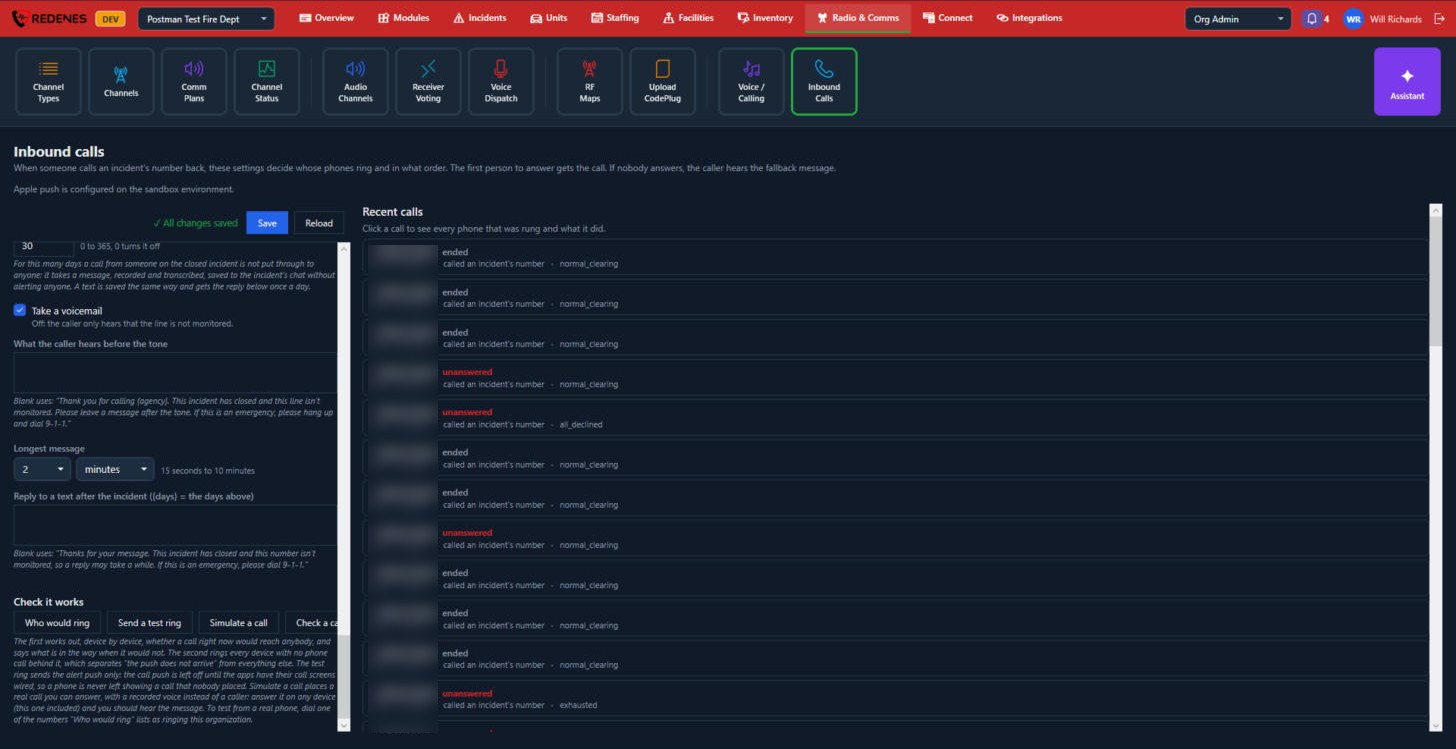 123
- After the incident closes 1: for the number of days you set, a call from someone on a closed incident is not put through. It takes a message, which is recorded, transcribed and saved to the incident's chat without alerting anyone.
- Take a voicemail: off means the caller only hears that the line is not monitored.
- What the caller hears before the tone and the Longest message.
- Reply to a text after the incident: sent once a day to someone who texts the number.
- Check it works 2:
- Who would ring works out, device by device, whether a call right now would reach anybody, and says what is in the way when it would not.
- Send a test ring rings every device with no phone call behind it, to check that the alert arrives.
- Simulate a call places a real call you can answer, with a recorded voice in place of a caller.
- Each recent call 3 shows who called, when, and how it ended: ended for an answered call, or unanswered in red.