Dispatch Screens and Roles
Two tiles that set up the dispatcher console.
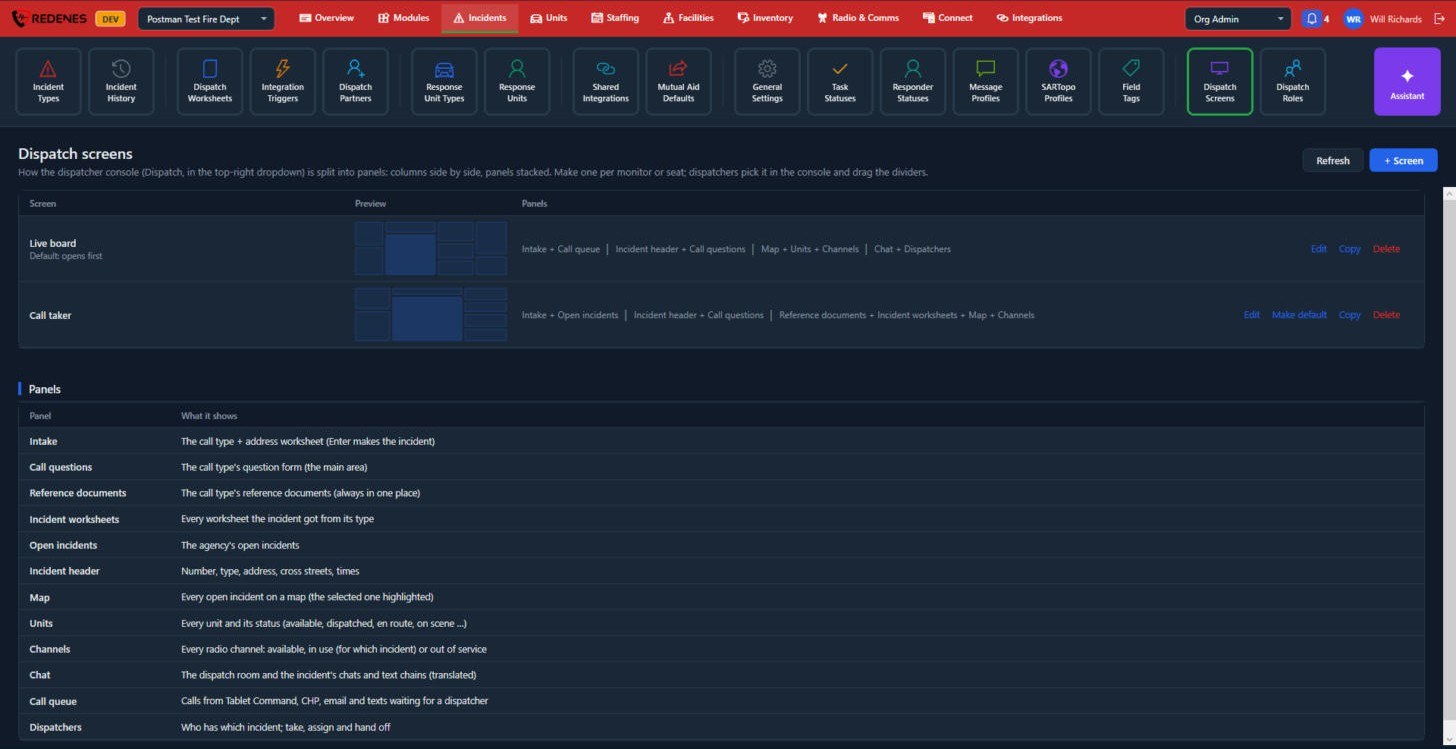
Dispatch Screens
Where: IncidentsDispatch Screens
 123
A dispatch screen is how the console is split into panels: columns side by side, panels stacked. Make one per monitor or seat. Dispatchers pick a screen in the console and can drag its dividers.
- Click + Screen 3, add columns and choose the panels for each.
- The Preview 1 shows the layout.
- Make default sets the screen that opens first.
 12345
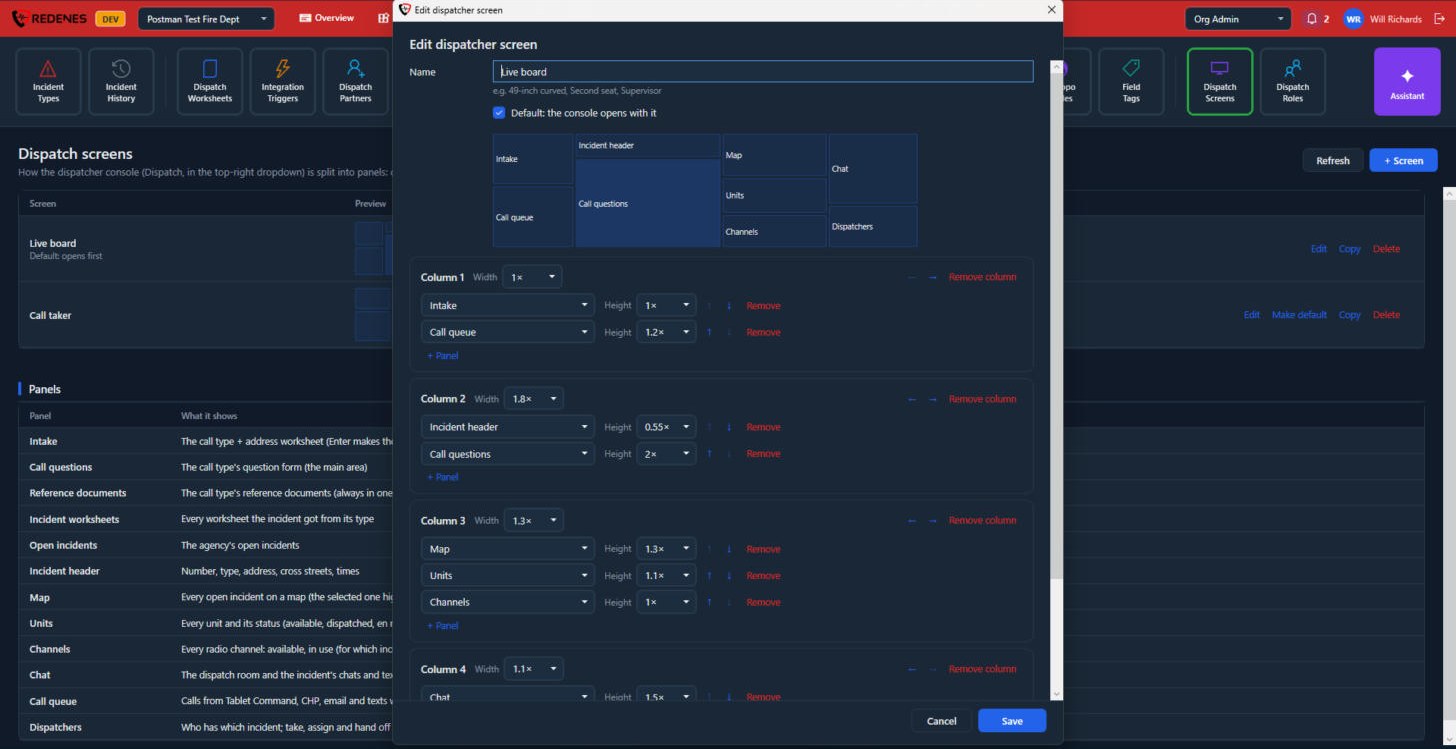
- Name and Default 1: the default screen is the one the console opens with.
- The preview 2 changes as you work.
- Each Column 3 has a Width. 2x is twice as wide as 1x. The arrows move the column left or right and Remove column takes it out.
- Each panel in a column 4 has a Height, arrows to move it up or down, and Remove.
- + Panel 5 adds a panel to the column. A button at the bottom of the window adds a column.
Copy on a screen's row makes a second screen like it, which is the quick way to make one for another seat.
The panels you can use 2:
| Panel | Shows |
|---|---|
| Intake | The call type and address worksheet. |
| Call questions | The call type's question form. |
| Reference documents | The call type's reference documents. |
| Incident worksheets | Every worksheet the incident got from its type. |
| Open incidents | The agency's open incidents. |
| Incident header | Number, type, address, cross streets and times. |
| Map | Every open incident on a map. |
| Units | Every unit and its status. |
| Channels | Every radio channel and whether it is in use. |
| Chat | The dispatch room and the incident's chats and text chains. |
| Call queue | Calls from integrations waiting for a dispatcher. |
| Dispatchers | Who has which incident; take, assign and hand off. |
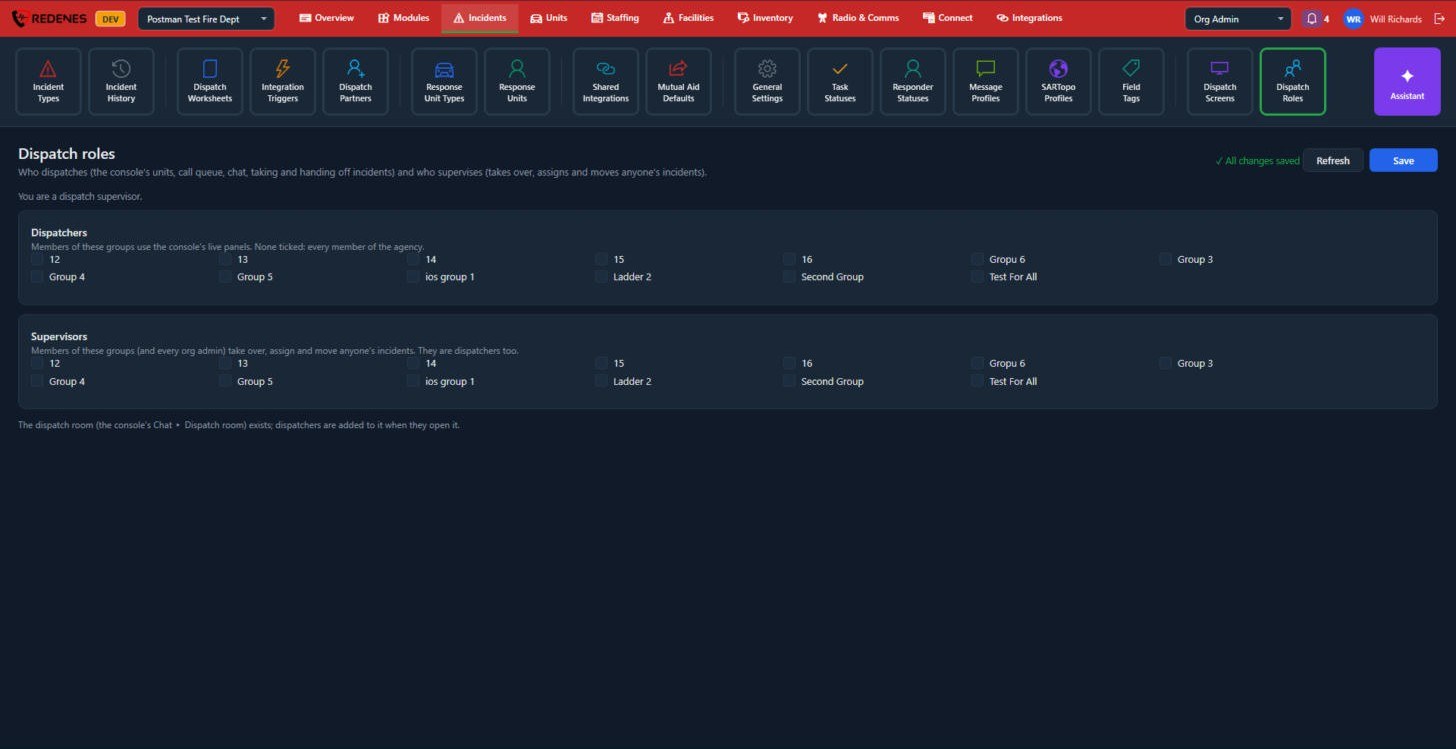
Dispatch Roles
Where: IncidentsDispatch Roles
 12
- Dispatchers 1: members of the ticked groups use the console's live panels. If none are ticked, every member of the agency can.
- Supervisors 2: members of these groups, and every org admin, can take over, assign and move anyone's incidents. They are dispatchers too.
Click Save at the top right.