Dispatch Partners
Set up dispatch with another agency: you dispatch for them, they dispatch for you, or both.
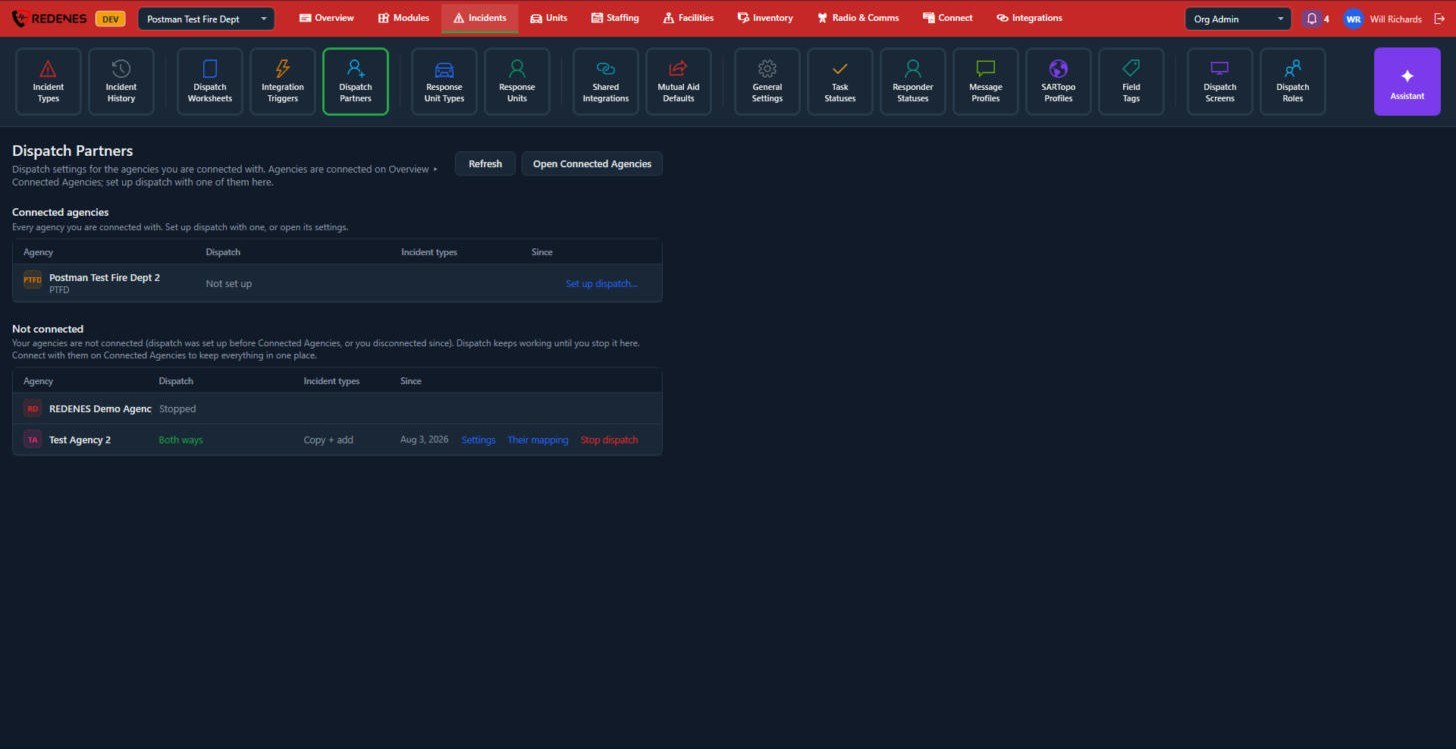
Where: IncidentsDispatch Partners
 123
- Connect with the agency first on Connected Agencies. Open Connected Agencies takes you there.
- The agency then shows under Connected agencies 1. Click Set up dispatch 2.
- Choose the direction, and how their incident types map to yours.
Not connected 3 lists agencies where dispatch was set up before the connection existed, or where you disconnected since. Dispatch keeps working until you stop it here. Settings, Their mapping and Stop dispatch are on each row.
 1234
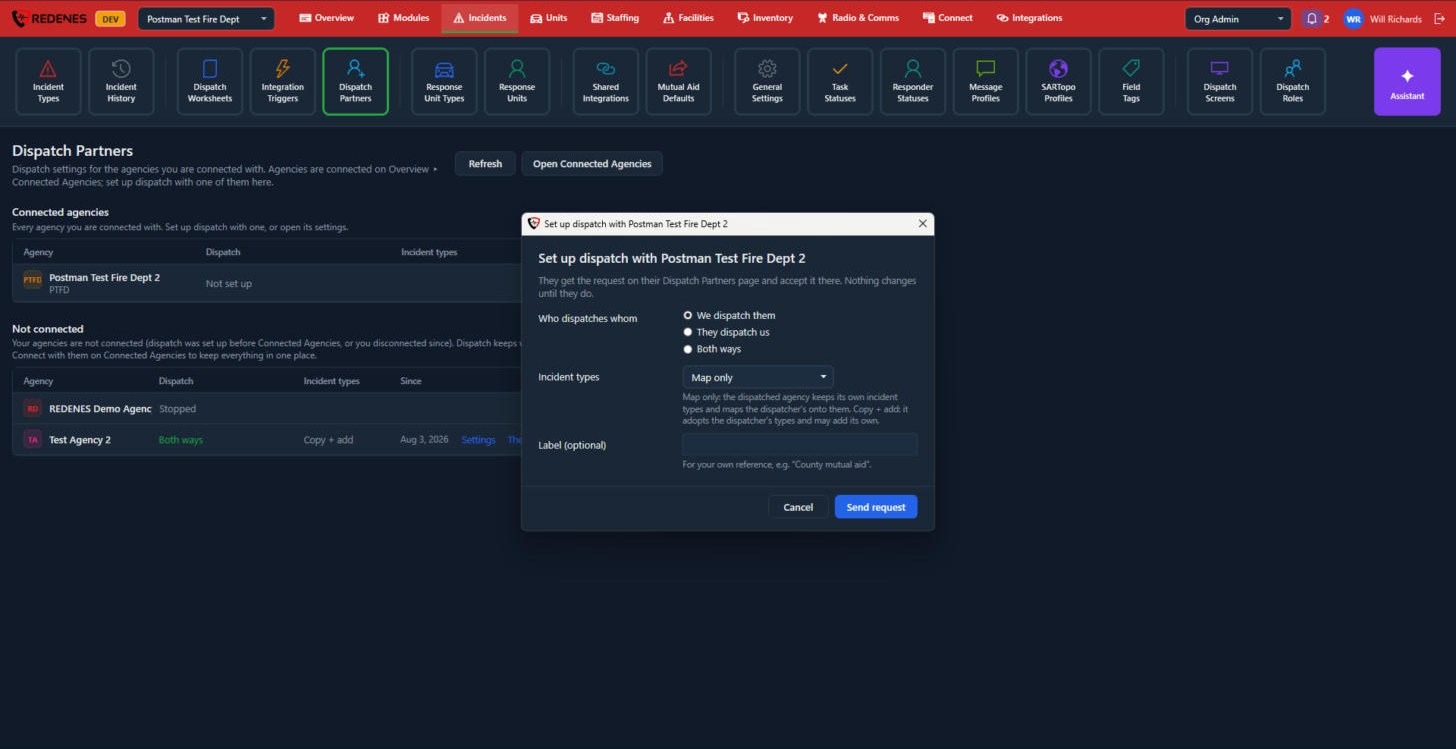
- Who dispatches whom 1: We dispatch them, They dispatch us or Both ways.
- Incident types 2: with Map only the dispatched agency keeps its own incident types and matches the dispatcher's types to them. With Copy + add it takes over the dispatcher's types and may add its own.
- Label 3 is for your own reference.
- Send request 4. The other agency gets the request on its own Dispatch Partners page. Nothing changes until they accept it.
A partner's settings
 123
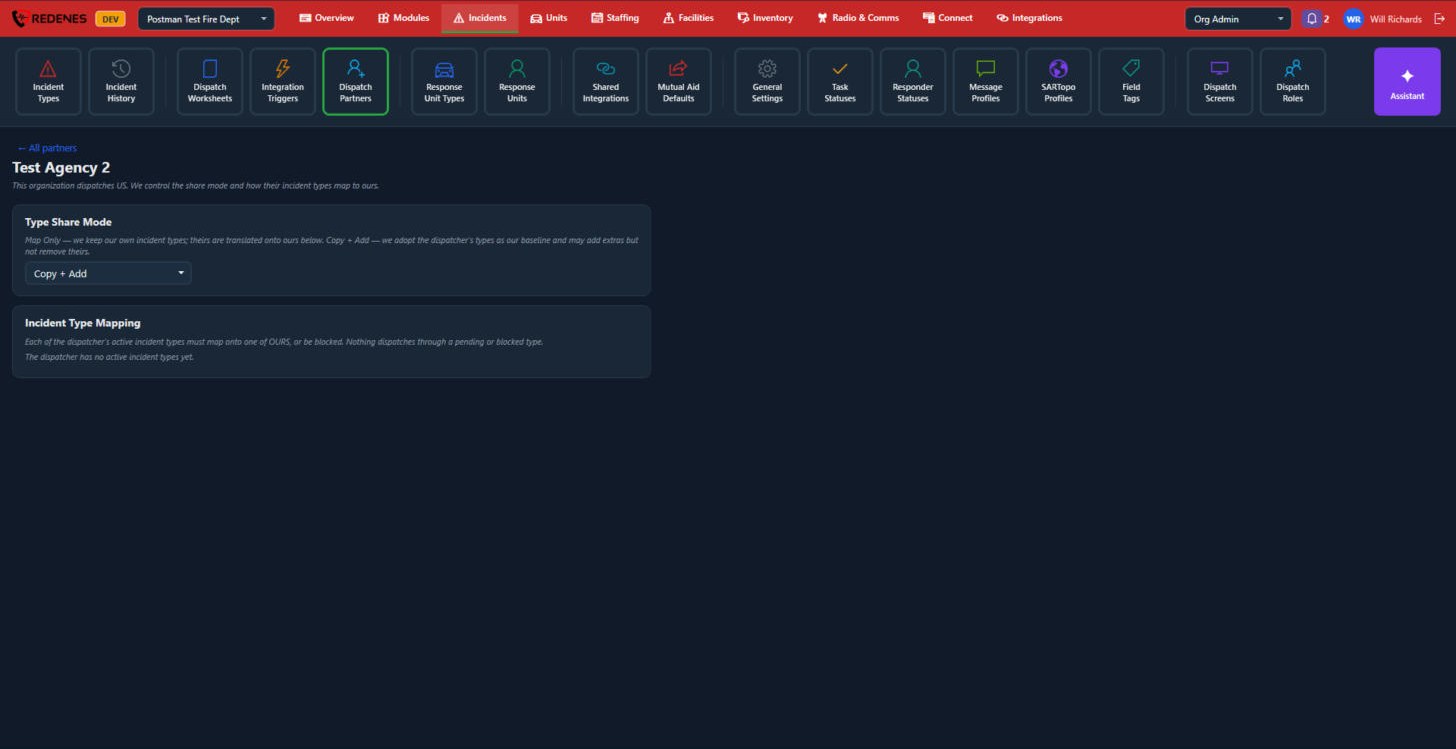
- Type Share Mode 1: change between Map Only and Copy + Add.
- Incident Type Mapping 2: every active incident type of the dispatcher must be matched to one of yours, or blocked. Nothing is dispatched through a type that is still waiting or blocked.
- All partners 3 takes you back to the list.