Dispatch Worksheets
These are the worksheets a call is taken on. First the intake form (call type and address), then the questions for that call type. They are normal worksheets made in the Worksheet Designer, and the apps open them as worksheets too.
Where: IncidentsDispatch Worksheets
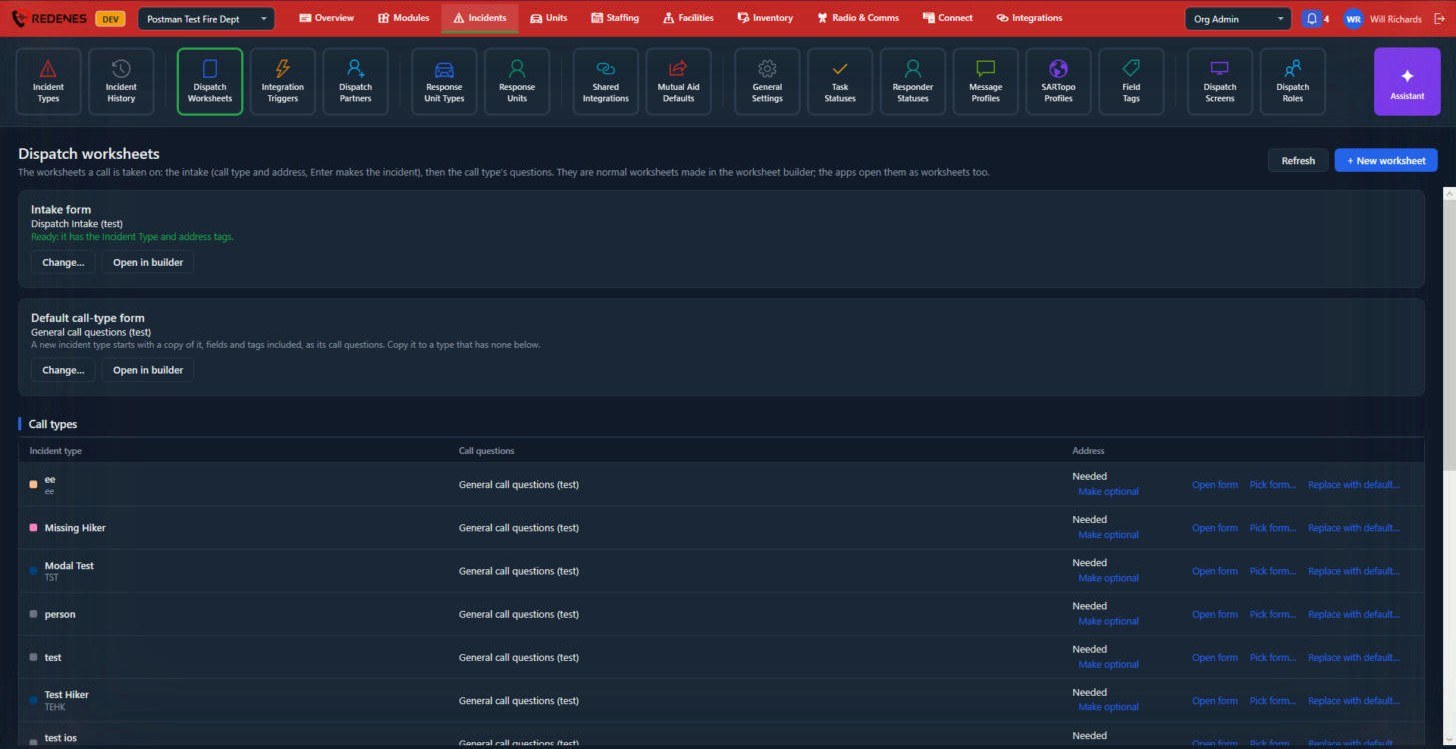 123
Intake form 1
The first form every call starts with. It needs a field tagged Incident Type and one tagged Address. A green line confirms the form is ready. Change picks another form; Open in builder edits it.
Default call-type form 2
A new incident type starts with a copy of this form as its call questions.
Call types 3
One row per incident type:
- Call questions: the form the dispatcher fills in for that type. Open form edits it, Pick form chooses a different one, and Replace with default copies the default again.
- Address: whether an address is Needed before the incident can be made. Make optional relaxes that for types where a location may not be known yet.
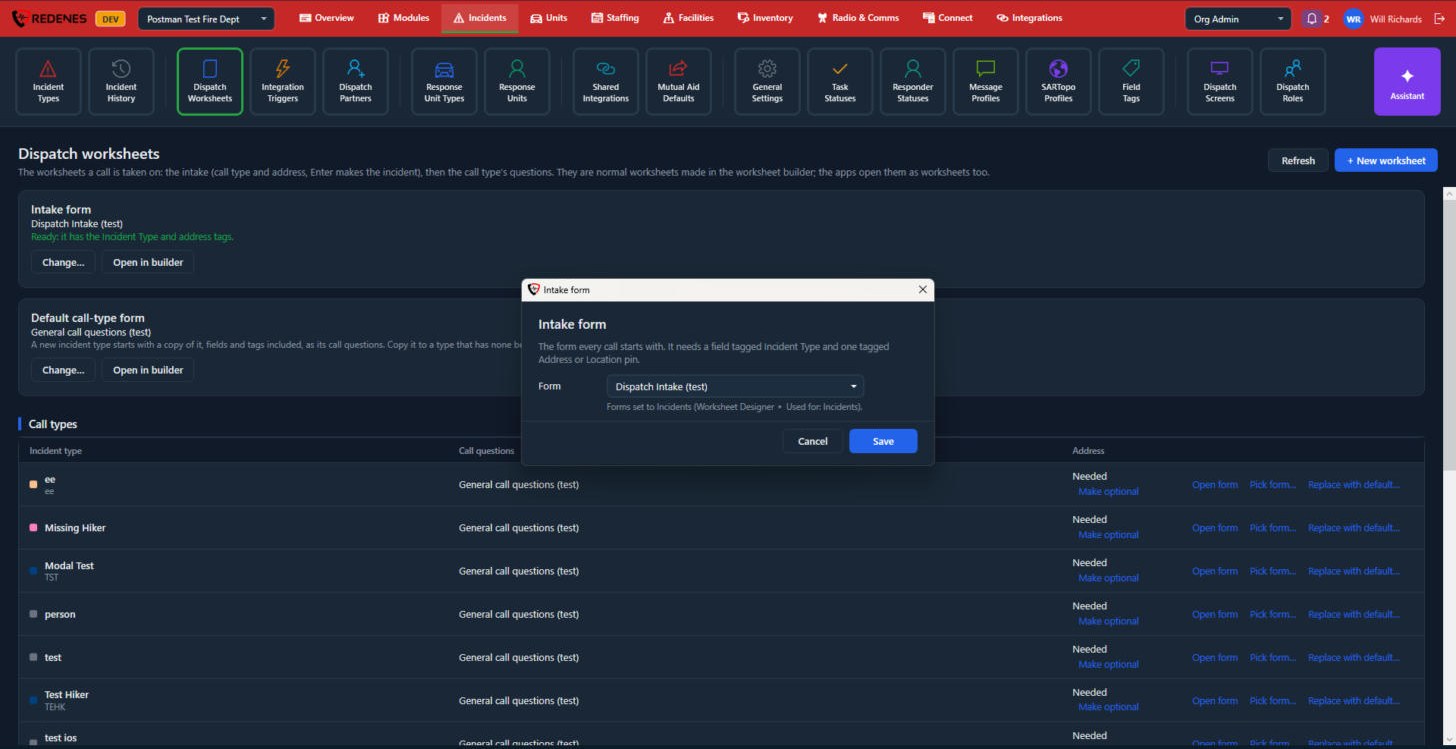 123
Change opens a small window where you pick the Form 1 and click Save. Only worksheets set to Used for: Incidents in the Worksheet Designer are offered. The links on each call type's row 2 and Make optional 3 are described above.
Make a new dispatch worksheet
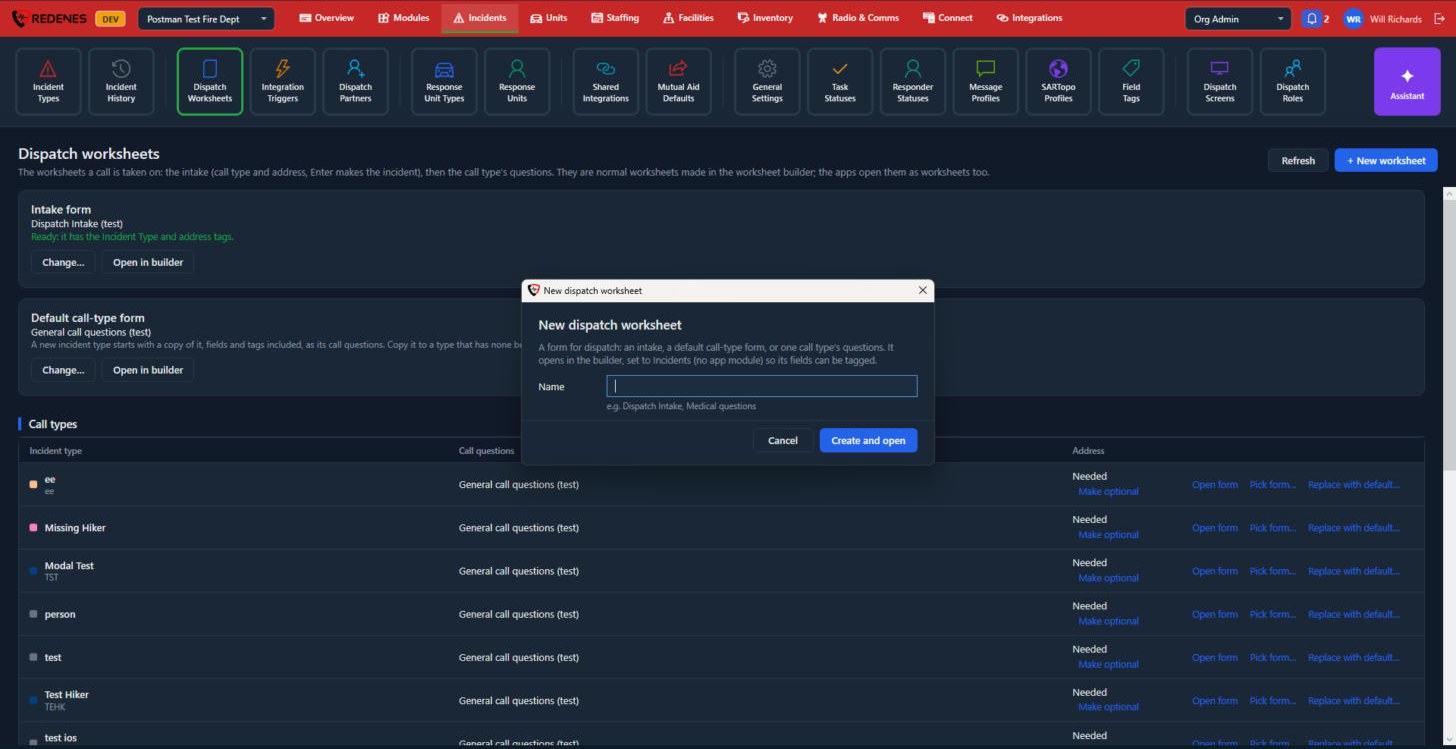 12
Click + New worksheet at the top right, type a Name 1 and click Create and open 2. The new form opens in the builder, already set to Incidents so its fields can be tagged.