Integration Triggers
A trigger lets an outside source start an incident through the same intake as a dispatcher's call: Tablet Command, CHP, a dispatch email, or a text to an agency number.
Where: IncidentsIntegration Triggers
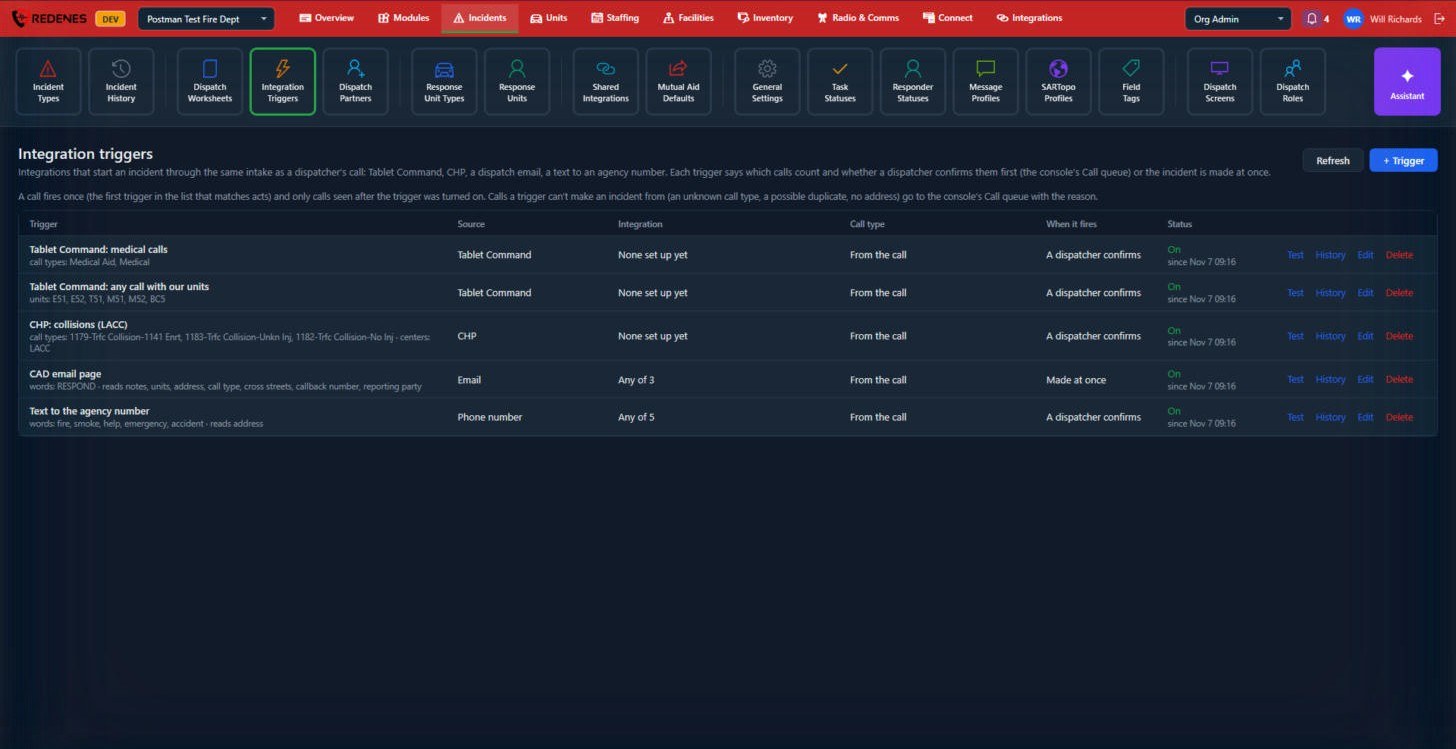 1234
Add a trigger
Click + Trigger 1 and choose:
- the Source 2 and which of your integrations it listens to,
- which calls count: certain call types, certain units, or certain words in an email or text,
- when it fires 3: A dispatcher confirms puts the call in the dispatch console's Call queue first, Made at once creates the incident straight away.
Good to know
- A call fires once. The first trigger in the list that matches is the one that acts.
- Only calls seen after the trigger was turned on count.
- If a trigger cannot make an incident from a call (an unknown call type, a possible duplicate, no address), the call goes to the console's Call queue with the reason.
Check a trigger 4
Test shows what the trigger would do with a sample, History lists what it has done, and Edit and Delete change or remove it.
The trigger window
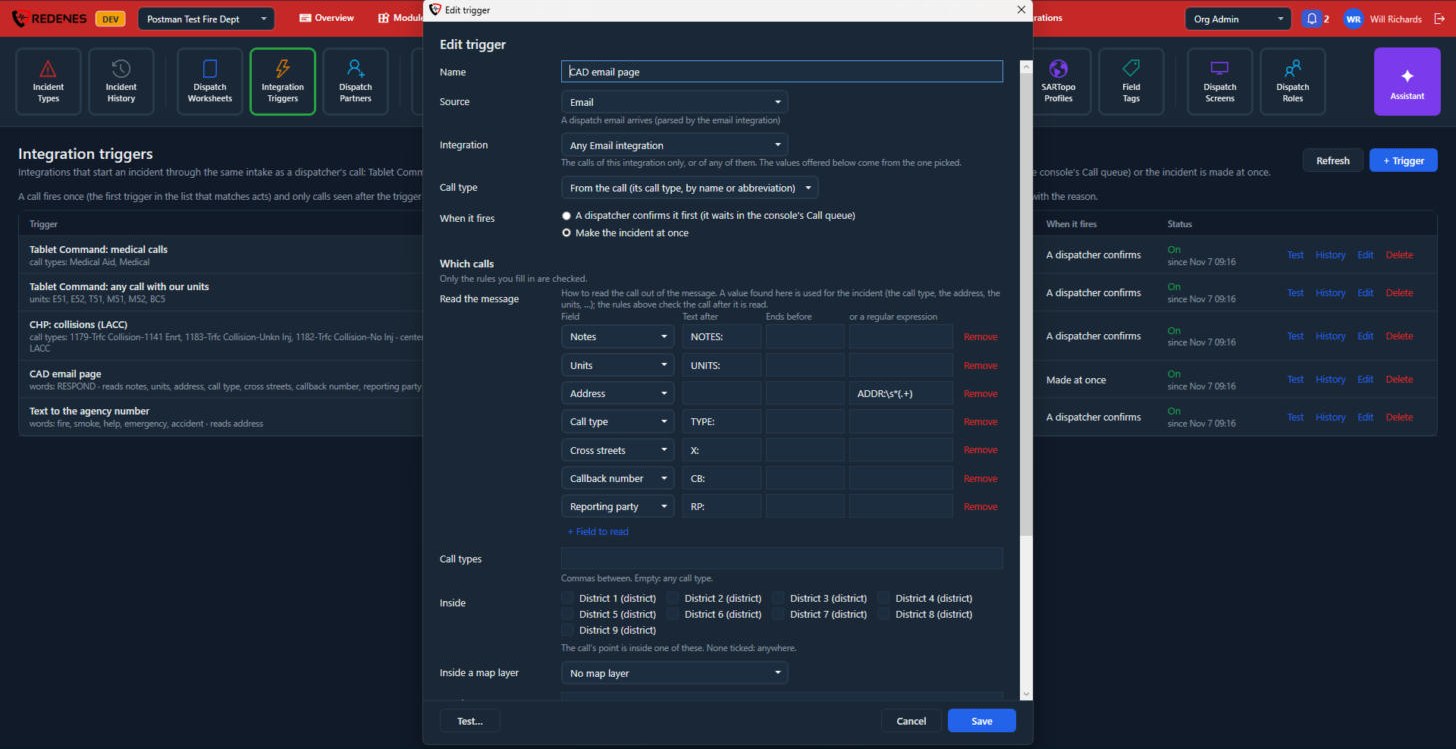
+ Trigger and Edit open the same window.
 1234567
- Name, Source and Integration 1: what you call the trigger, where the calls come from, and whether it listens to one of your integrations of that kind or to any of them.
- Call type 2: take the incident type from the call itself, by name or abbreviation, or always use one type.
- When it fires 3: a dispatcher confirms it first, or the incident is made at once.
- Read the message 4, for emails and texts: how to find each value in the message. Pick the Field, then type the Text after which the value starts and, if needed, the text it Ends before. For an unusual layout you can use a regular expression. + Field to read adds a row and Remove takes one out.
- Call types 5: only these call types count. Leave it empty for any call type.
- Inside and Inside a map layer 6: only calls whose location is inside one of the ticked districts, or inside an area of the layer you pick.
- Test 7 tries the rules before you save.
Only the rules you fill in are checked.
 12
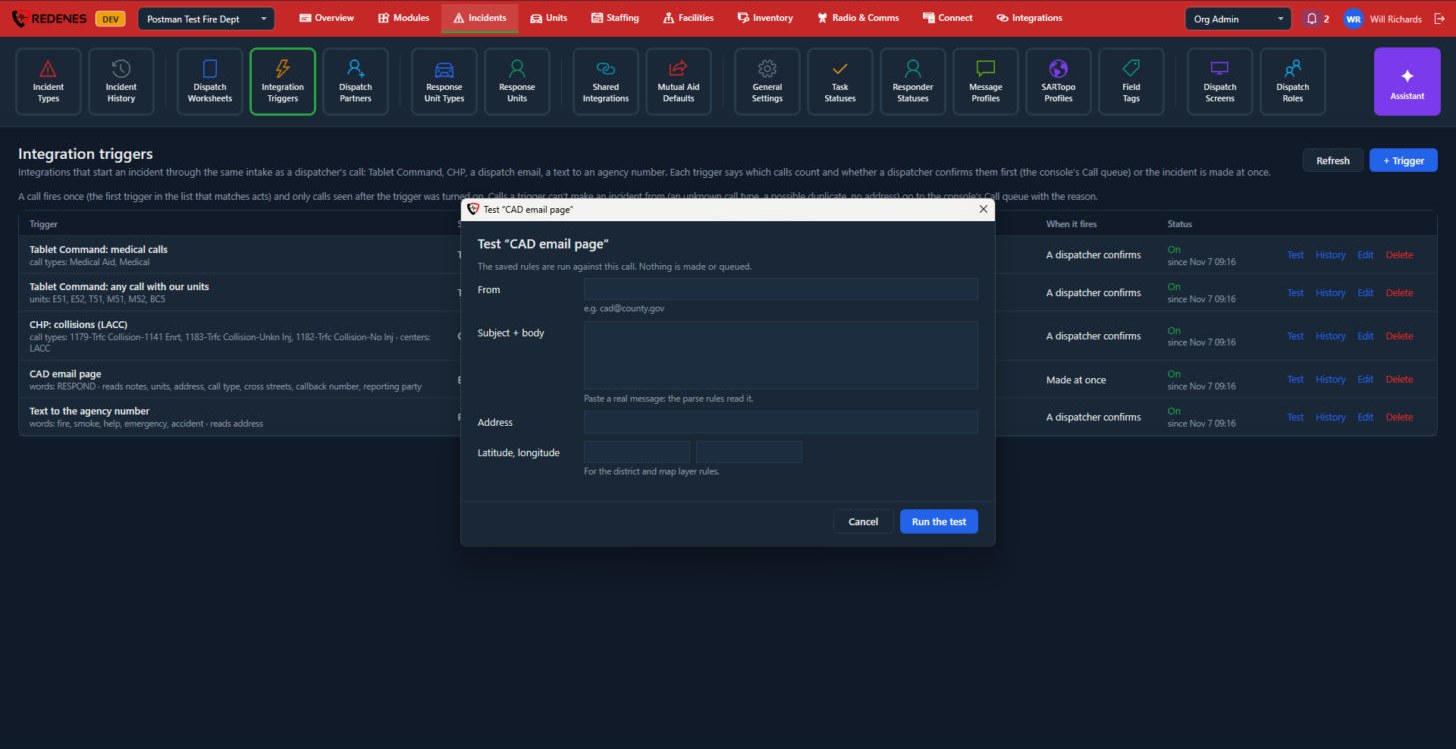
In Test, paste a real message and, if your rules use a location, an address or coordinates 1. Click Run the test 2. The saved rules are run against it and you see what would happen. No incident is made and nothing is put in the queue.
History lists the calls that matched the trigger: made, queued, or why they failed.