Response Unit Types and Response Units
A response unit is something you send to an incident that is not a vehicle from your fleet: a strike team, a hand crew, a search team, an outside resource.
Where: IncidentsResponse Unit Types
Where: IncidentsResponse Units
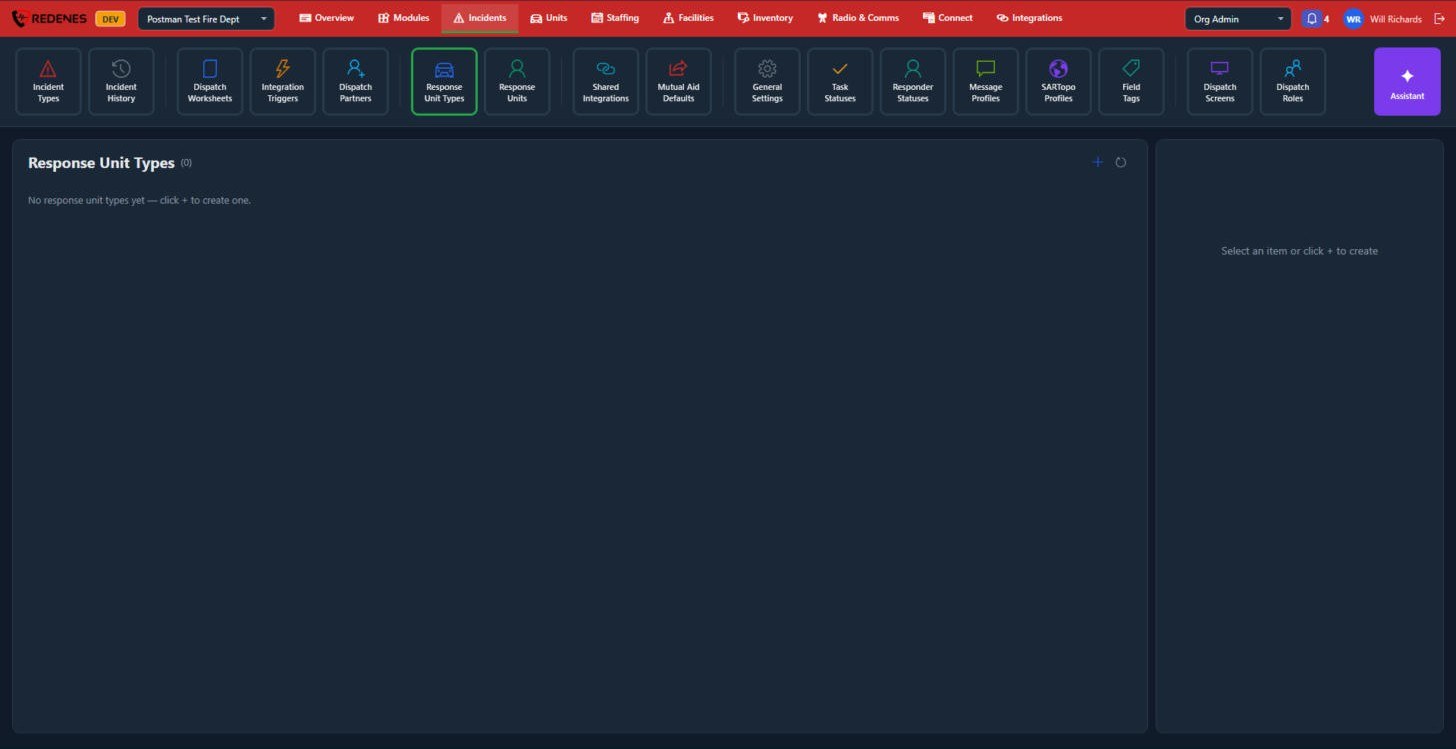 1
- Create your Response Unit Types first, for example Strike Team or Ground Search Team. Click + 1.
- Then add the Response Units themselves and give each one a type.
Response units can then be assigned on the command board like any other unit. Vehicles and other equipment you own are set up on the Units tab.
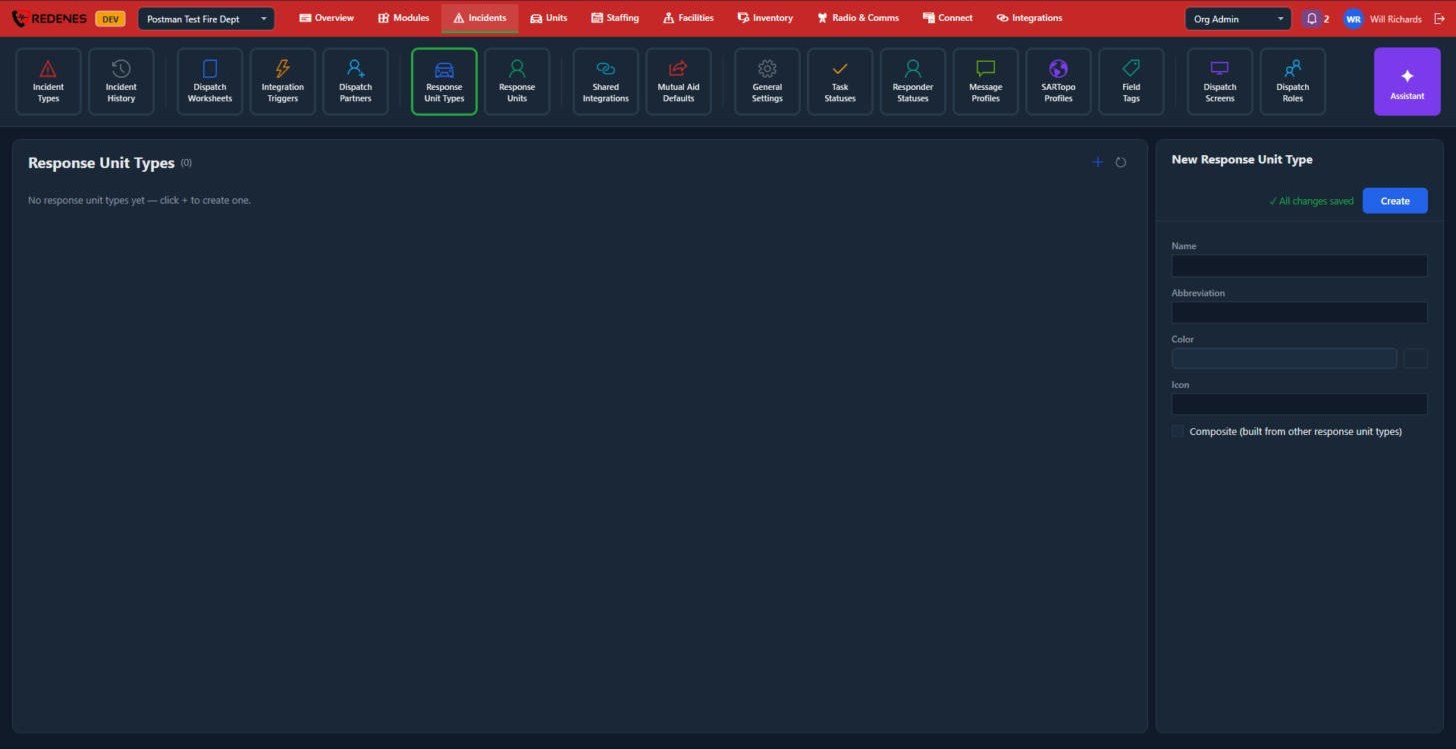 123
For a type, click + 1 and fill in the Name, Abbreviation, Color and Icon 2. Tick Composite when the type is built from other response unit types, such as a task force. Click Create 3.
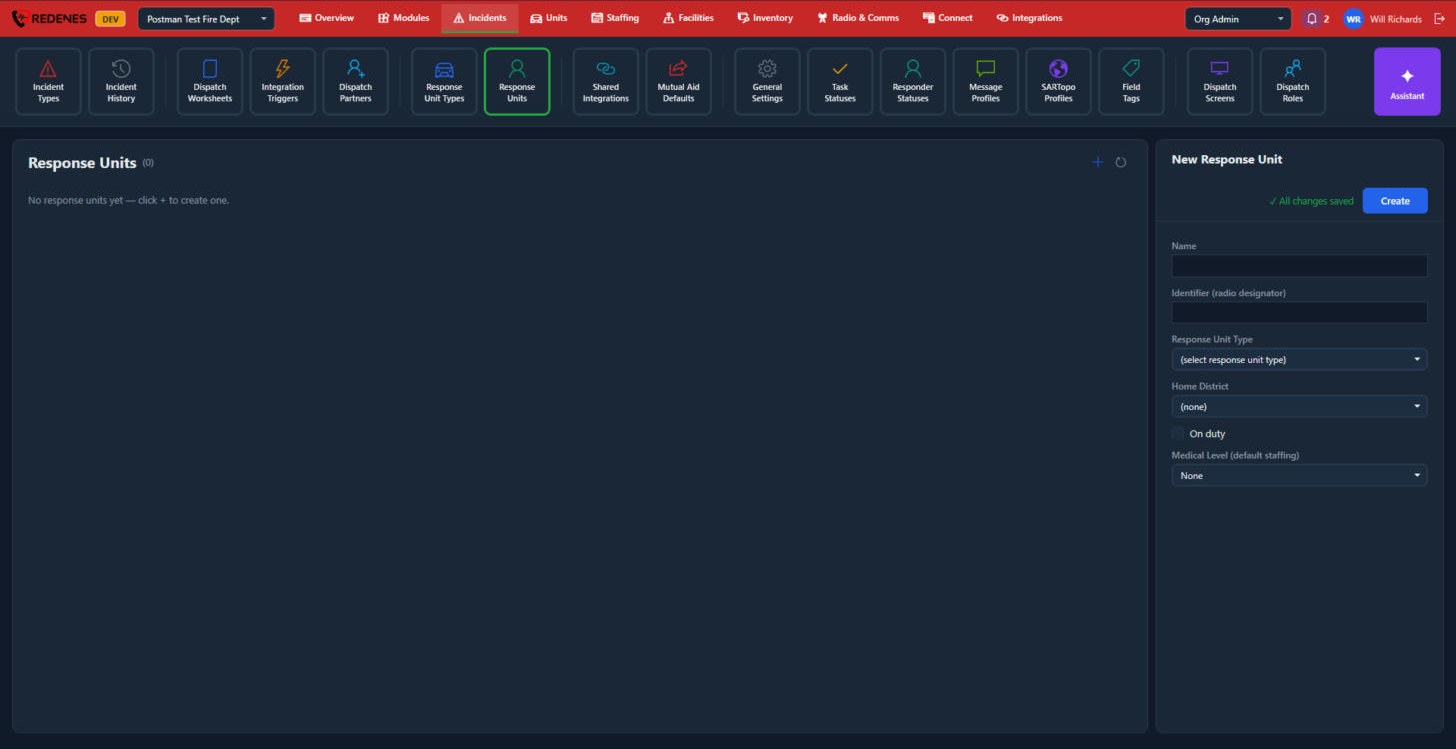 12
For a unit, fill in 1:
- the Name and its Identifier, which is what it is called on the radio,
- the Response Unit Type and its Home District,
- whether it is On duty now,
- the Medical Level its usual crew has.
Then click Create 2. Click a type or unit in the list later to change it.