Shared Integrations
Share a connection you built with a connected agency or dispatch partner. They never see your login or configuration. They map it to one of their own modules and can copy your worksheet designs in one click.
Where: IncidentsShared Integrations
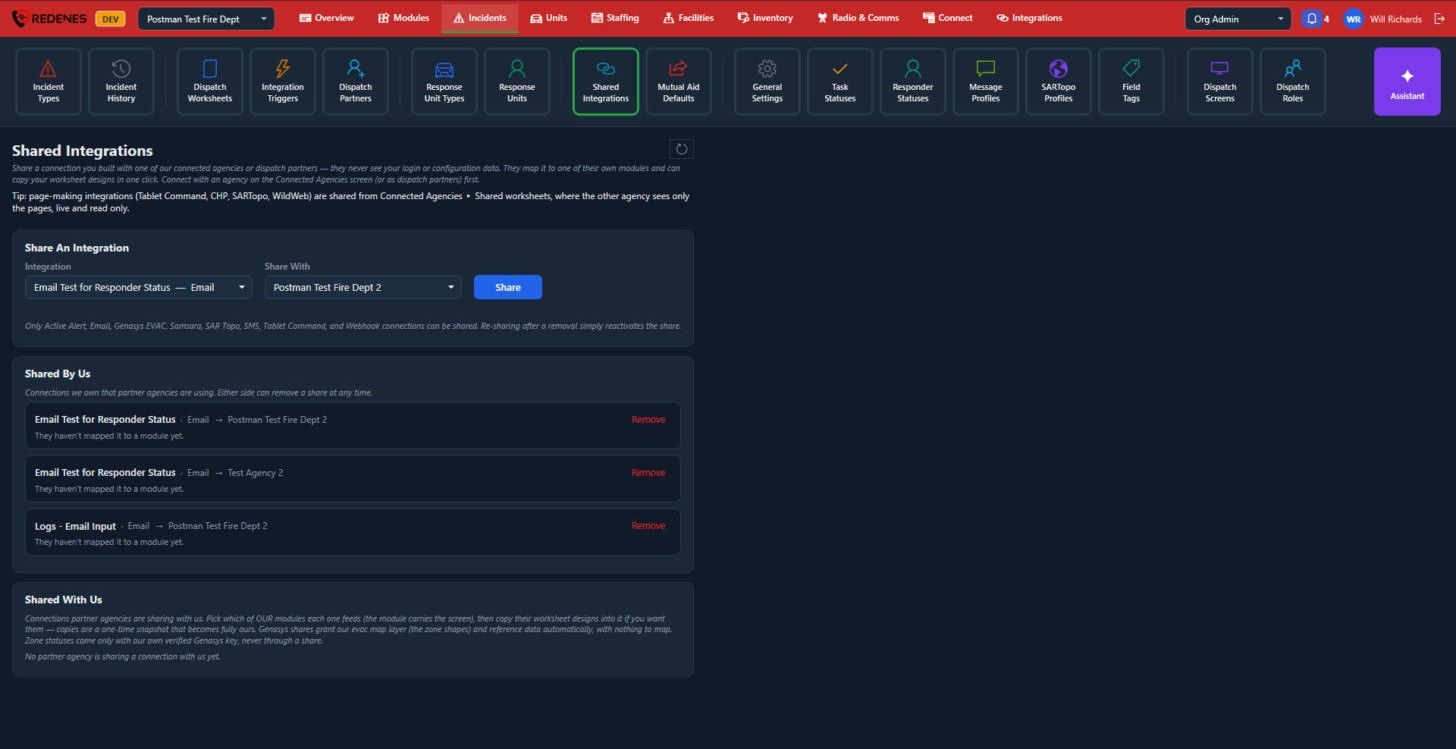 123
Share an integration 1
Pick the Integration, pick who to Share With, and click Share. Active Alert, Email, Genasys EVAC, Samsara, SAR Topo, SMS, Tablet Command and Webhook connections can be shared.
Shared By Us 2
Connections you own that partners are using. Either side can Remove a share at any time. Sharing again later simply turns it back on.
Shared With Us 3
Connections partners share with you. Pick which of your modules each one feeds, then copy their worksheet designs if you want them. Copies are a one-time snapshot that becomes fully yours.
Integrations that make pages (Tablet Command, CHP, SARTopo, WildWeb) are shared from Connected Agencies, under Shared worksheets. The other agency sees only the pages, live and read only.