Calendar Types
Calendar types are the kinds of event your members can put on the agency calendar, such as Training or Meeting.
Where: ModulesCalendar Types
 12
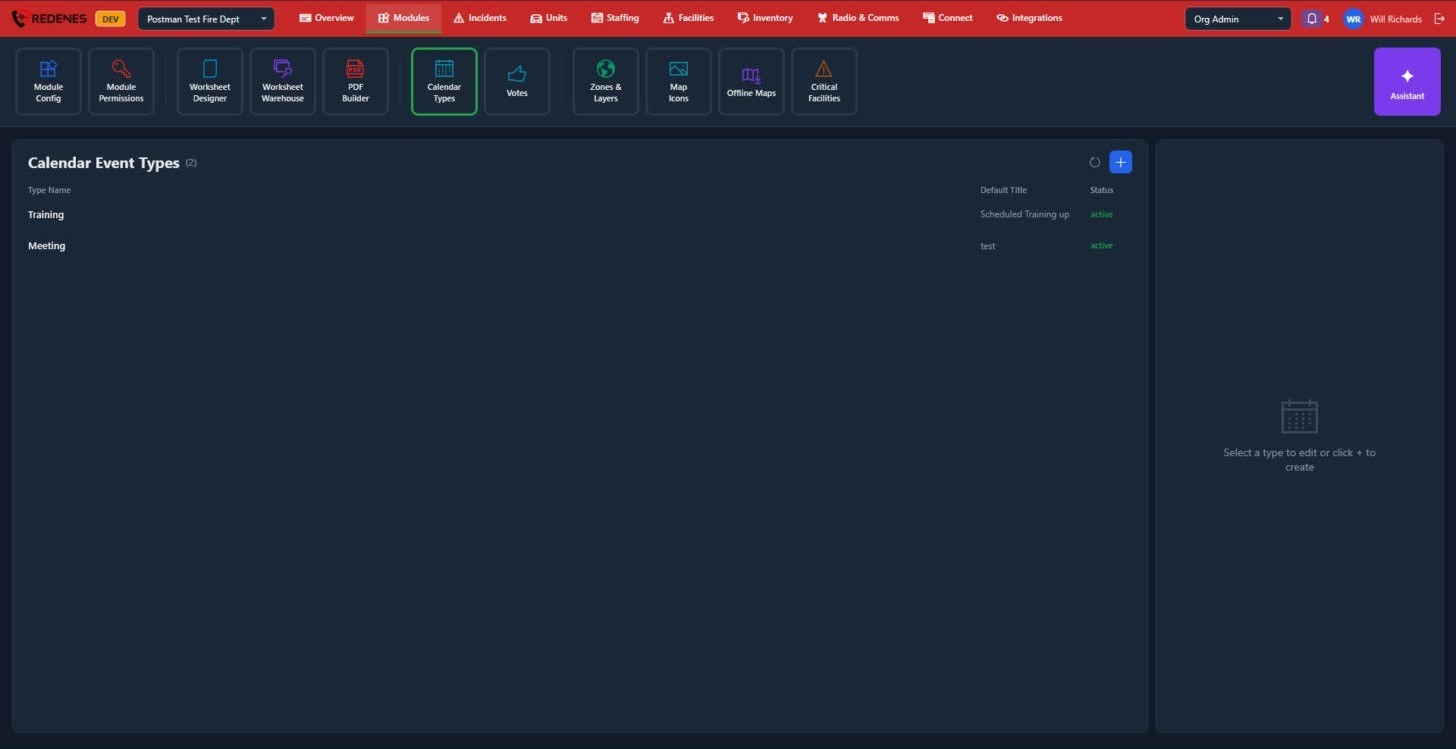
Click a type 1 to edit it, or + 2 to add one.
 12345
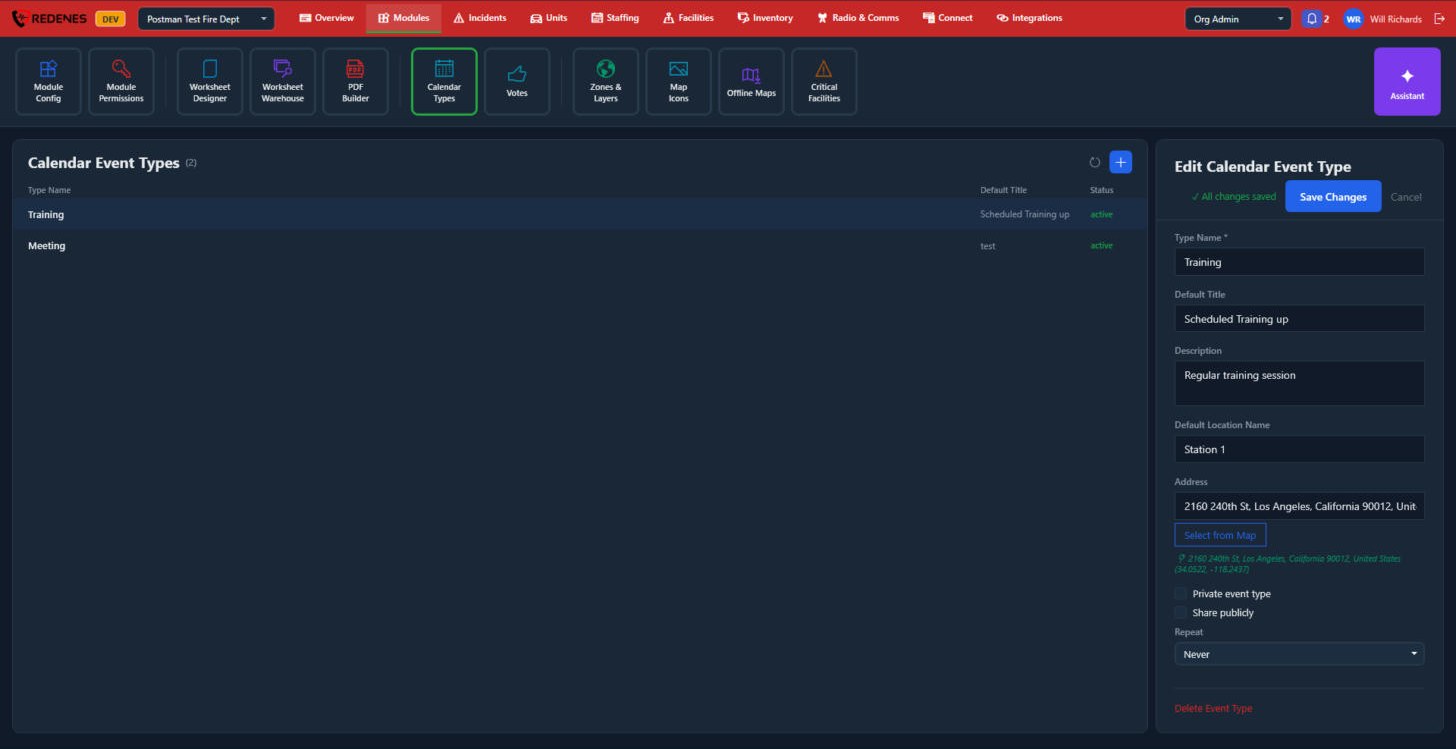
The settings open on the right of the type you clicked 1. Everything here is a starting value that is filled in when a member starts a new event of this type. They can still change it for that event.
- Type Name, Default Title and Description 2.
- Default Location Name and Address 3. Click Select from Map to pick the place on a map.
- Private event type keeps events of this type off the shared calendar. Share publicly lets them be shared outside the agency. Repeat sets how often the event repeats 4.
- Delete Event Type 5.
Click Save Changes at the top of the panel.
See how members use it: Calendar.