Critical Facilities
Critical facilities are the places that need special attention in an incident or after an earthquake: hospitals, care homes, schools, stations, utilities, bridges and overpasses. They are your agency's Locations, so they show wherever Locations show.
Where: ModulesCritical Facilities
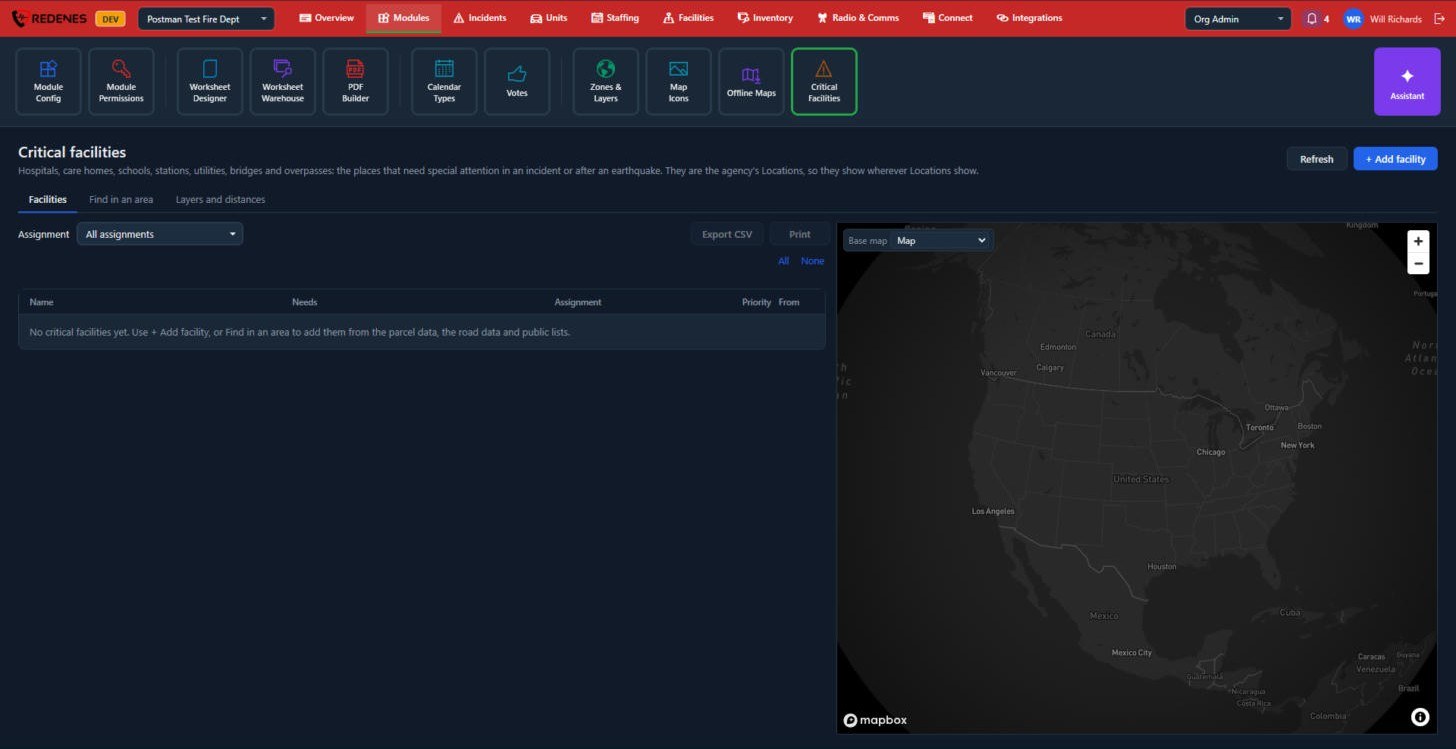 123
The tabs 1
| Tab | What it is for |
|---|---|
| Facilities | Your list, with what each place needs, who it is assigned to and its priority. |
| Find in an area | Draw an area and let REDENES find candidates in it from parcel data, road data and public lists. |
| Layers and distances | Choose which map layers and distances are used when facilities are checked. |
Build your list
- + Add facility 2 adds one place by hand.
- Find in an area adds many at once. Review what it found and keep the ones that matter.
Hand the list out 3
Filter by Assignment, then Export CSV or Print a check sheet for each crew.
Add a facility
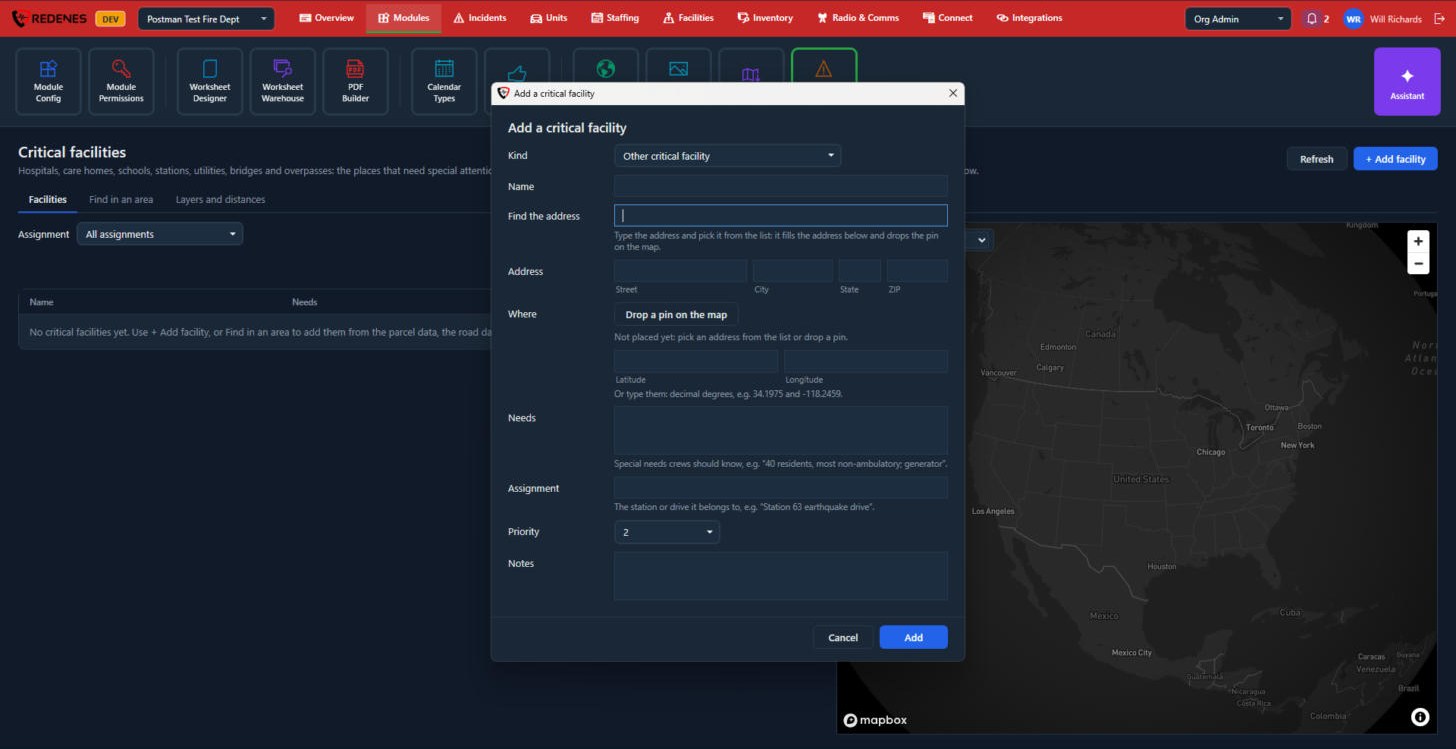 1234
- Kind and Name 1.
- Find the address 2: type it and pick it from the list. That fills in the address and puts the pin on the map.
- Or Drop a pin on the map, or type the latitude and longitude 3.
- Needs is what crews should know, such as how many residents and whether they can walk. Assignment is the station or drive it belongs to. Then the Priority and Notes 4.
Click Add.
Find in an area
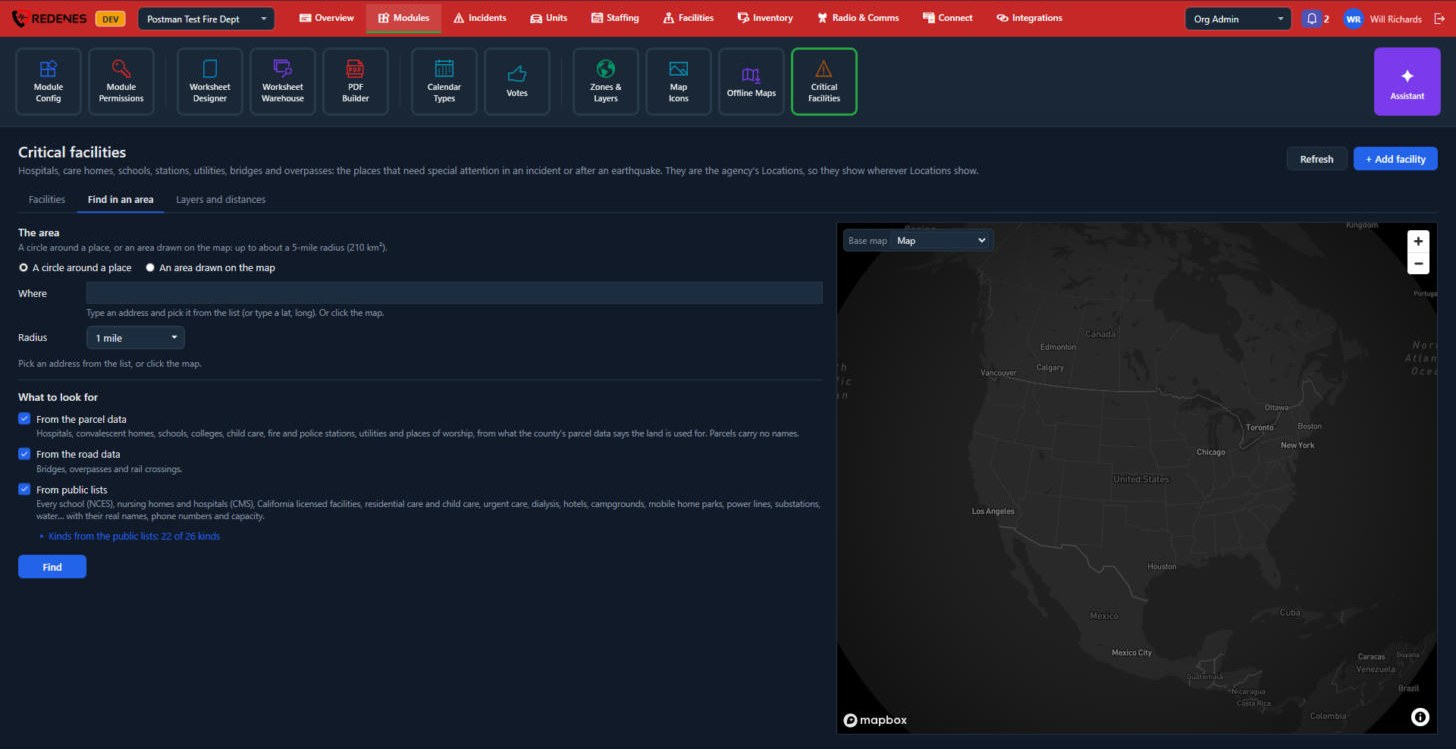 123
- The area 1: a circle around a place, with a radius, or an area you draw on the map. It can be up to about a 5-mile radius.
- What to look for 2:
| Source | Finds |
|---|---|
| From the parcel data | Hospitals, care homes, schools, child care, stations, utilities and places of worship, from what the county says the land is used for. These have no names. |
| From the road data | Bridges, overpasses and rail crossings. |
| From public lists | Schools, nursing homes, hospitals, licensed care, clinics, hotels, campgrounds, power lines and more, with their real names, phone numbers and capacity. Click the line below to choose the kinds. |
- Click Find 3, review the results and keep the ones that matter.
Layers and distances
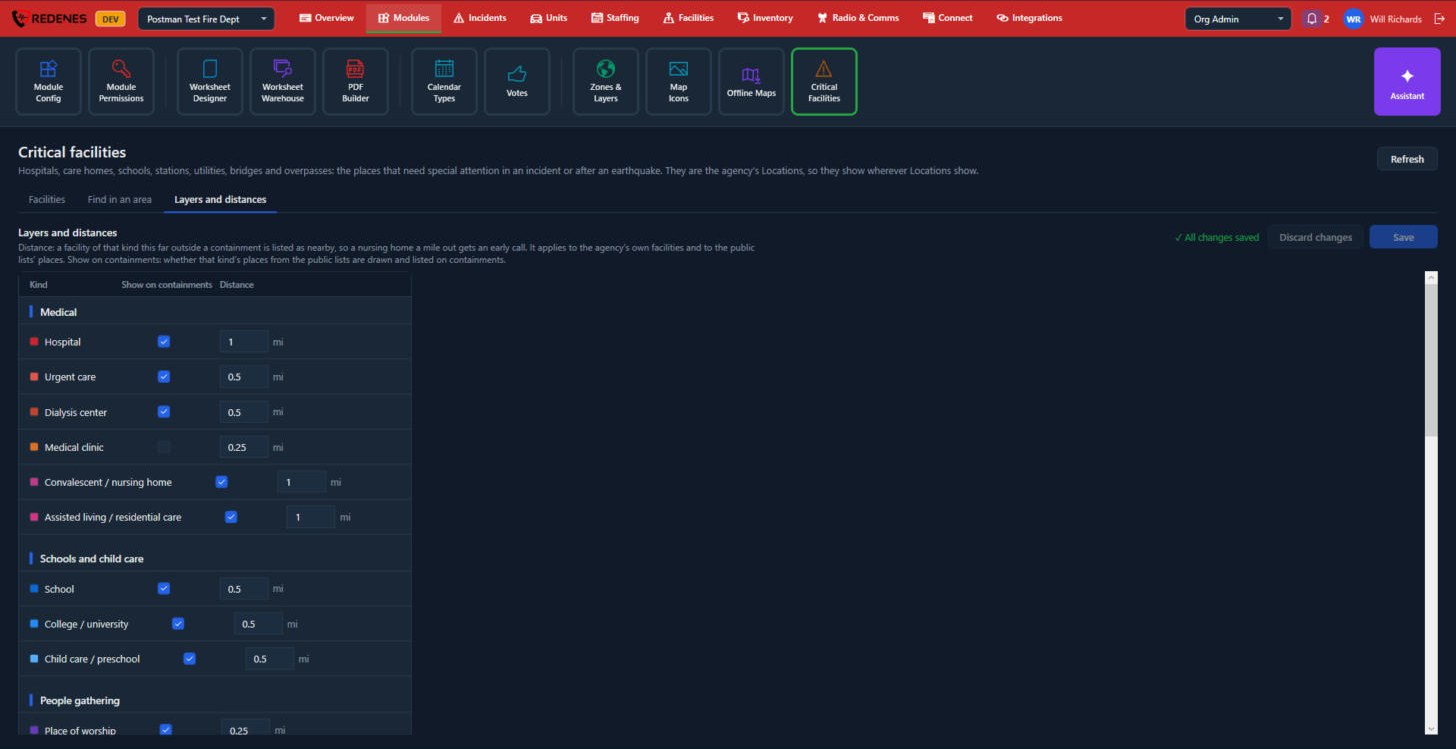 123
One row for each kind of facility 2, with two settings 1:
- Show on containments: whether places of that kind from the public lists are drawn and listed on a containment.
- Distance: a facility of that kind this far outside a containment is still listed as nearby, so a nursing home a mile out gets an early call.
Save keeps your changes and Discard changes drops them 3.