Offline Maps
An offline map pack is an area of the map that members' phones download ahead of time, so the map still works with no signal.
Where: ModulesOffline Maps
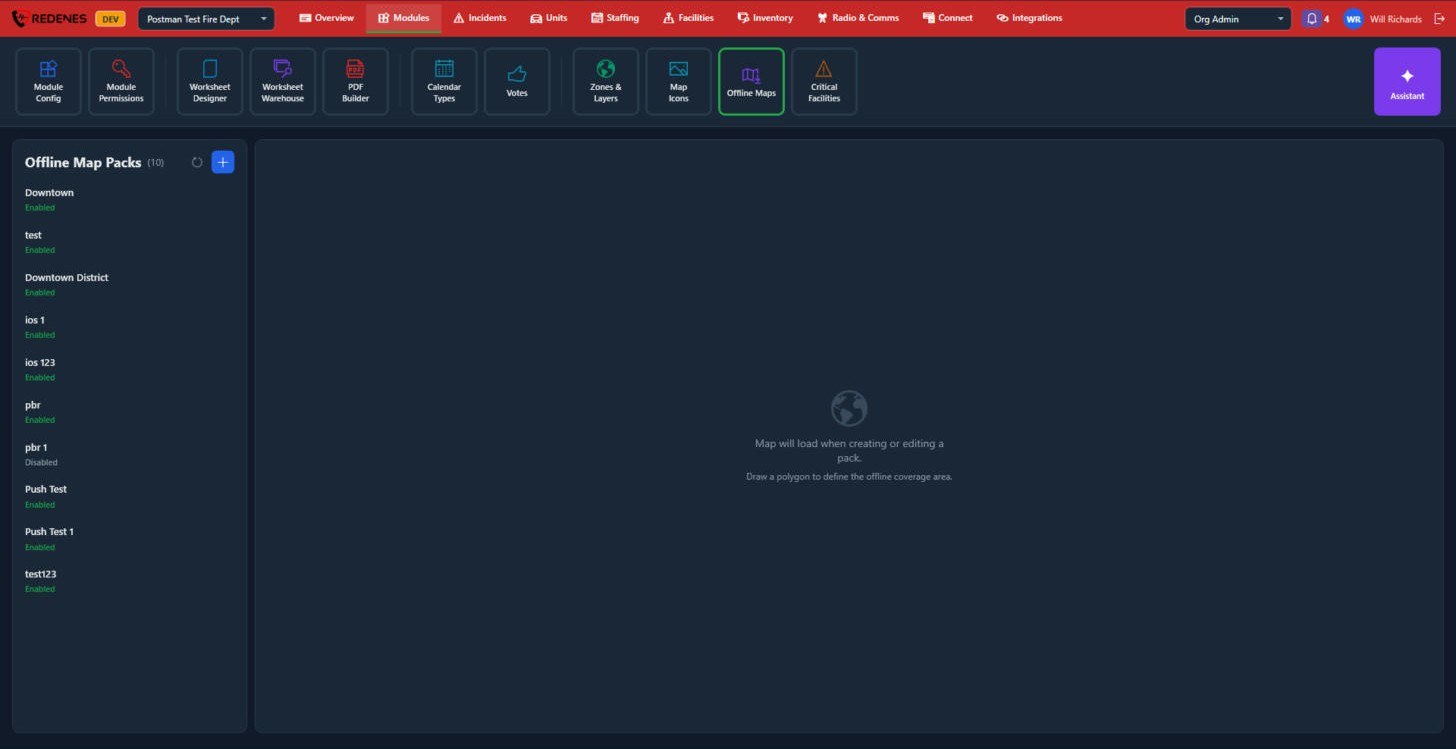 12
Make a pack
- Click + 1. A map opens.
- Draw a polygon around the area you need covered.
- Name the pack and save it.
Keep packs to the areas you really work in. A very large pack takes a long time to download and uses a lot of storage on every phone.
Enabled and disabled 2
Phones download Enabled packs. Set a pack to Disabled to stop new downloads without deleting it.
See what members see: Working offline.
A pack's settings
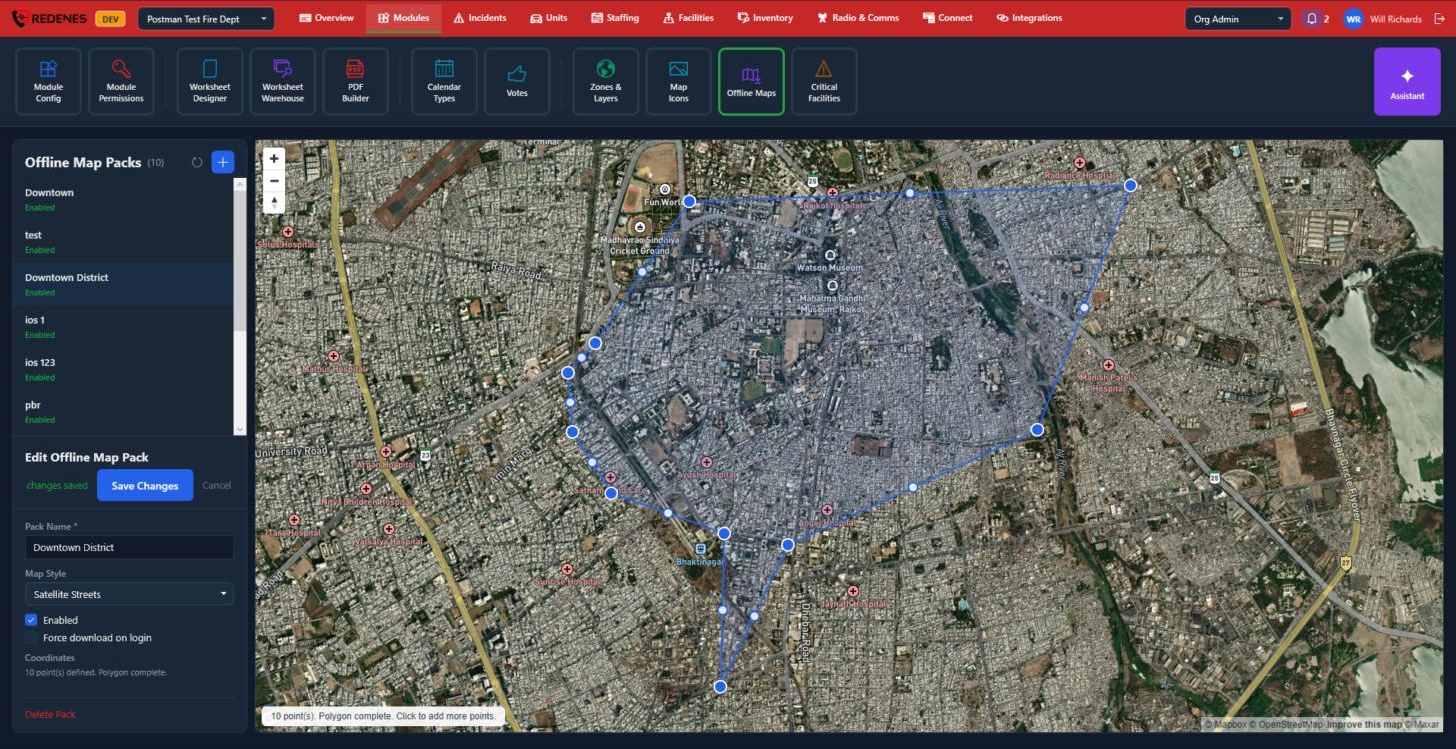
Click a pack in the list.
 1234
- The pack you clicked 1 is highlighted and its area is drawn on the map.
- Pack Name, Map Style, Enabled and Force download on login 2. Map Style picks streets or satellite. With Force download on login the phone downloads the pack as soon as the member signs in, without asking.
- Delete Pack 3.
- The line on the map 4 counts the points of the area. Click the map to add points, or drag a point to move it.
Click Save Changes.