Worksheet Warehouse
The Warehouse is a library of ready-made worksheet designs. Copy one into your agency and it is yours to edit and publish.
Where: ModulesWorksheet Warehouse
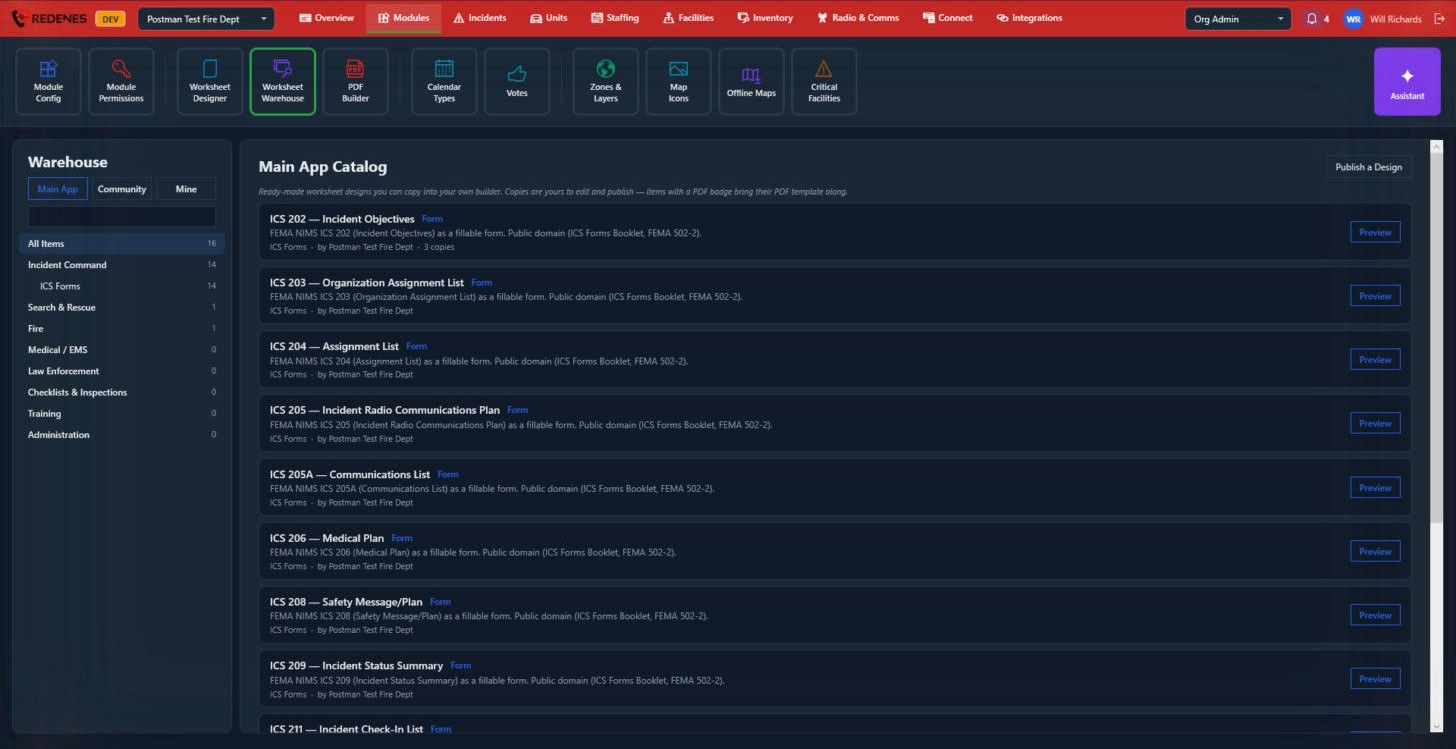 1234
Browse
- Main App, Community and Mine 1: the REDENES catalog, designs shared by other agencies, and the ones you published.
- Categories 2: Incident Command, Search & Rescue, Fire, Medical / EMS, Law Enforcement, Checklists & Inspections, Training and Administration.
Copy a design
- Click Preview 3 to see the design.
- Copy it into your agency. It appears in the Worksheet Designer.
- Edit it if you need to, then publish it and attach it to a module.
Designs with a PDF badge bring their PDF template along, so the printed form is ready too.
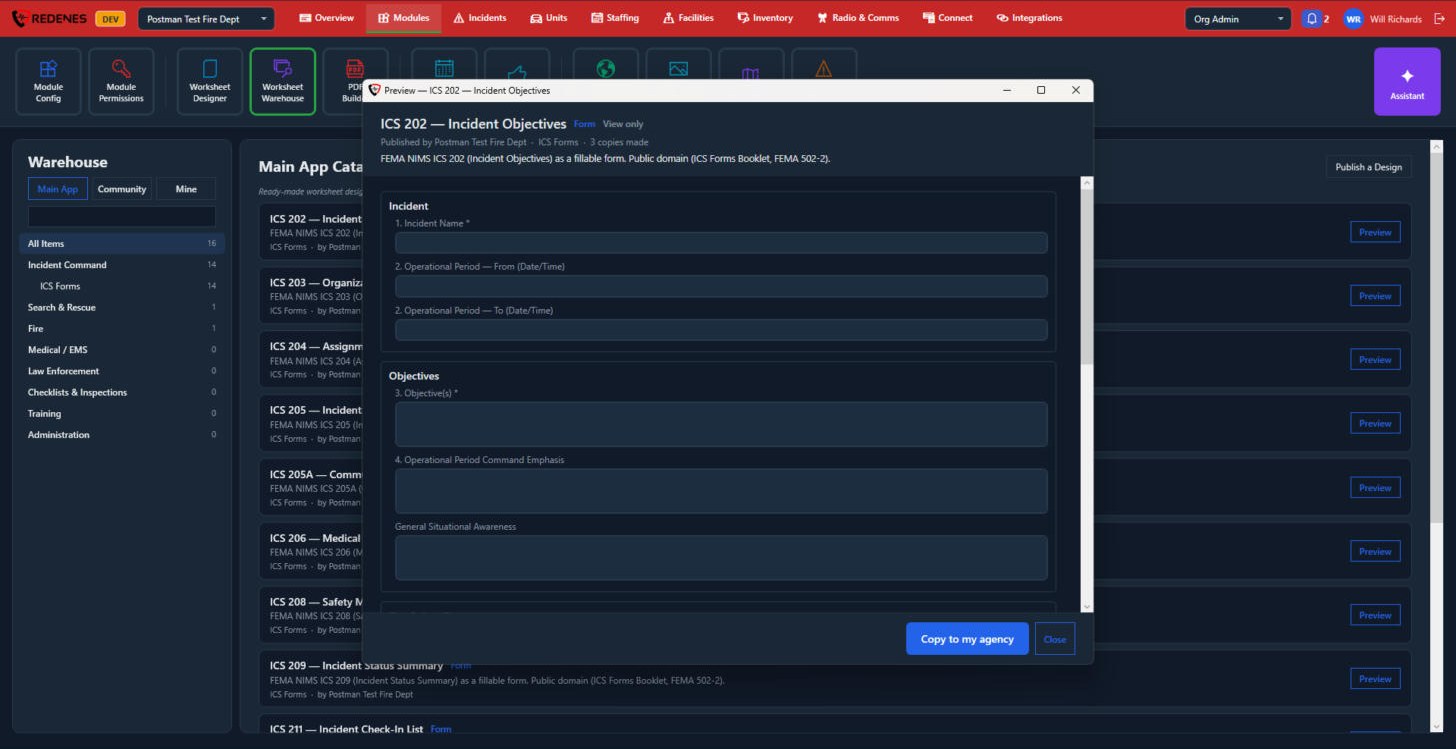 12
The preview shows who published the design and how many copies were made 1, then the form itself, view only. Click Copy to my agency 2 to get your own copy.
Share one of yours
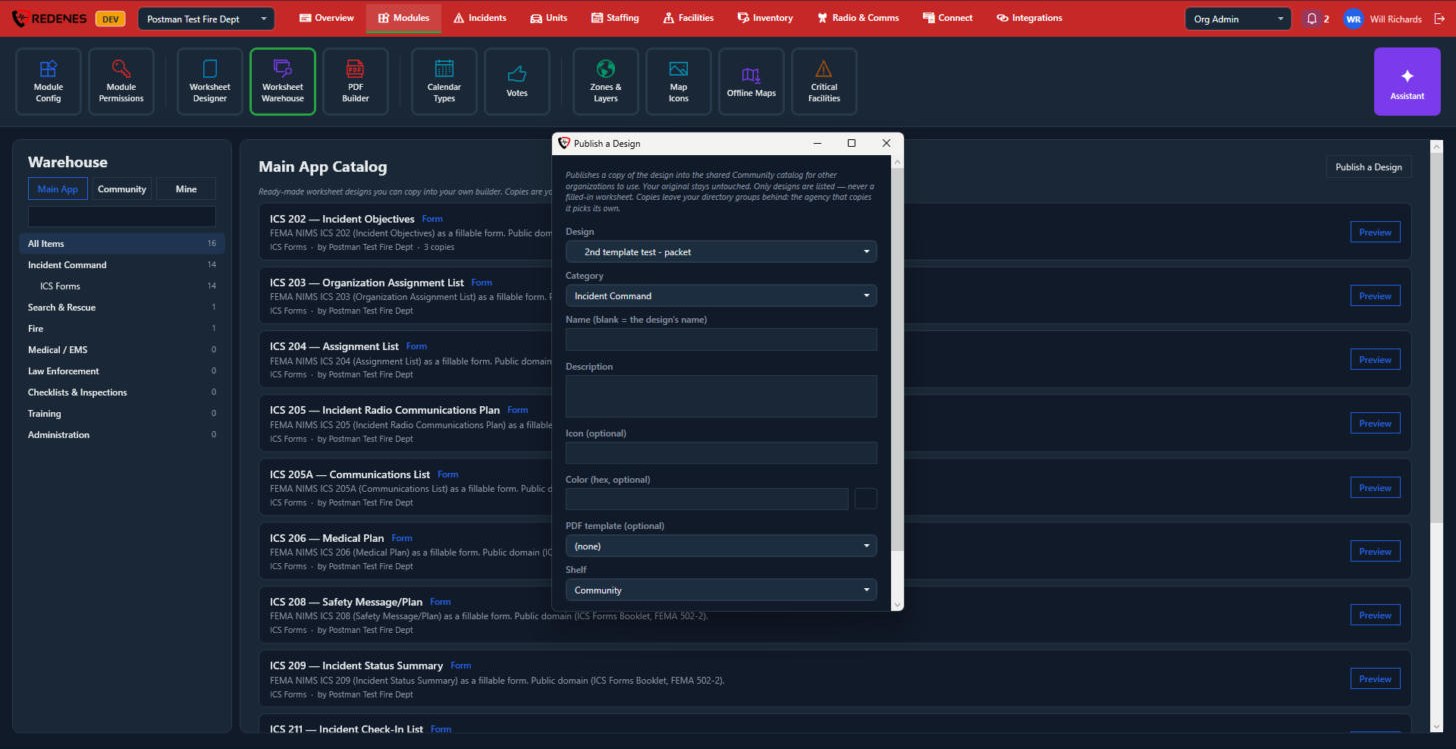
Publish a Design 4 puts one of your designs in the Community catalog for other agencies to copy. They get a copy; your original and your data are never shared.
 123
- Pick the Design and its Category 1.
- Give it a Name and Description 2. Leave the name empty to use the design's own name. An icon and color are optional.
- Choose a PDF template to send along, and the Shelf 3.
- Publish.
Mine lists everything your agency has published. Open an item there to change its listing or retire it. Copies that other agencies already made are not affected.