Agency Messages
Send one announcement to every signed-in member of the agency.
Where: OverviewAgency Messages
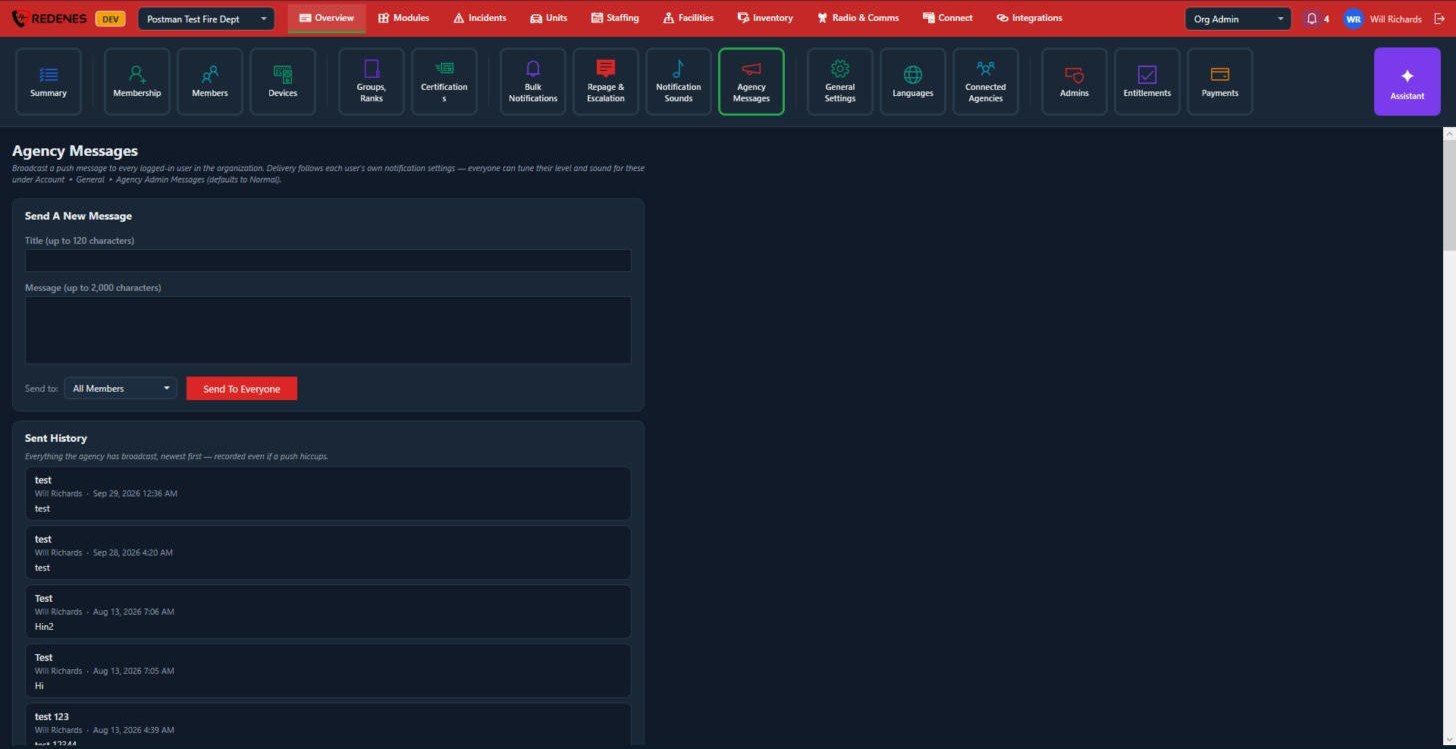 12
Send a message 1
- Type a Title (up to 120 characters) and the Message (up to 2,000 characters).
- Leave Send to on All Members, or narrow it to iOS Devices, Android Devices or Desktop.
- Click Send To Everyone.
Each member's own notification settings decide how loudly it arrives. They can tune the level and sound under Account, General, Agency Admin Messages in the app.
Sent History 2
Every message the agency has broadcast, newest first, with who sent it and when. A message is recorded even if a member's push was silenced.