Languages
Set the language your agency works in, the languages your worksheets offer for the person a call is about, and whether text conversations are translated.
Where: OverviewLanguages
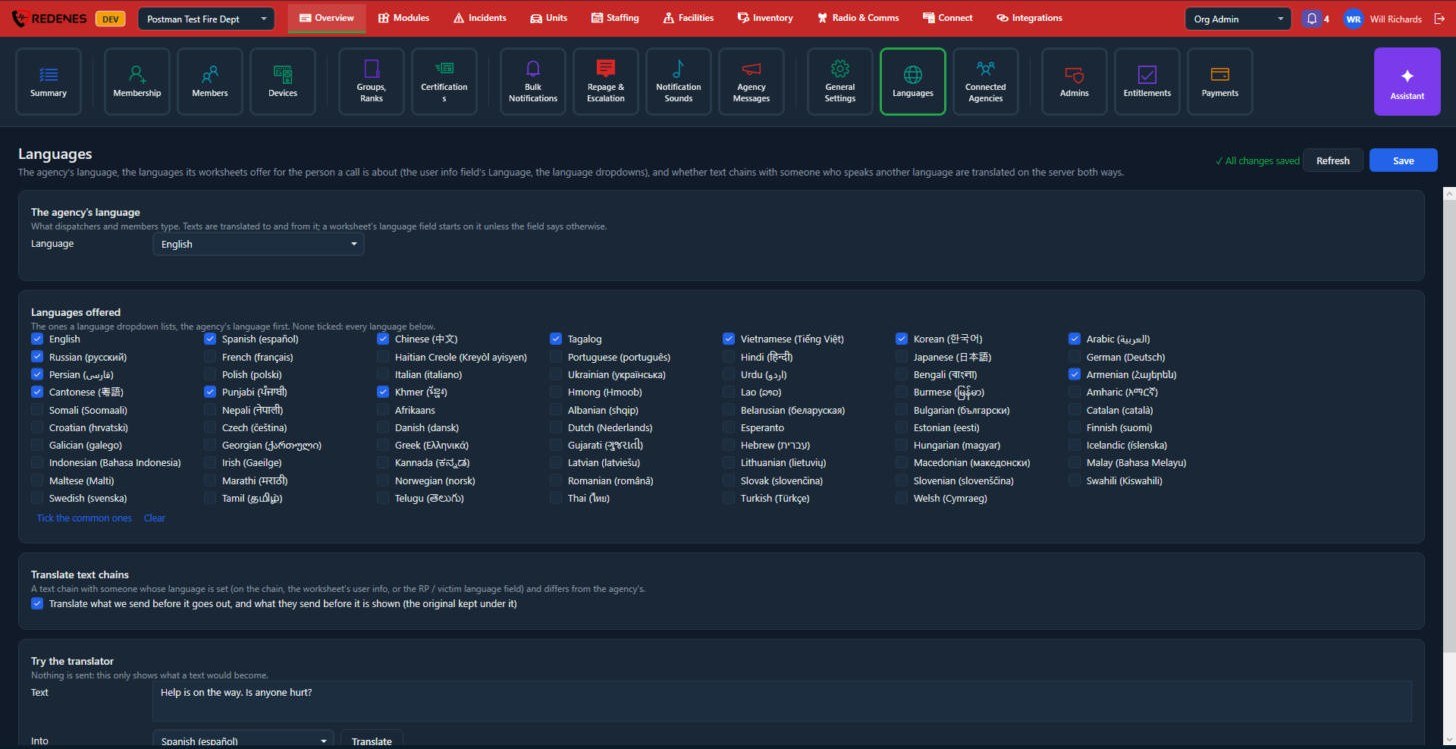 1234
- The agency's language 1: what dispatchers and members type. Texts are translated to and from it.
- Languages offered 2: the choices in a worksheet's language dropdown, with the agency's language first. Tick the common ones is a quick start. If none are ticked, every language is offered.
- Translate text chains 3: when a person's language differs from the agency's, REDENES translates what you send before it goes out, and what they send before it is shown. The original is kept underneath.
- Try the translator 4: type a sentence and see what it would become. Nothing is sent.
Click Save at the top right when you are done.
 12
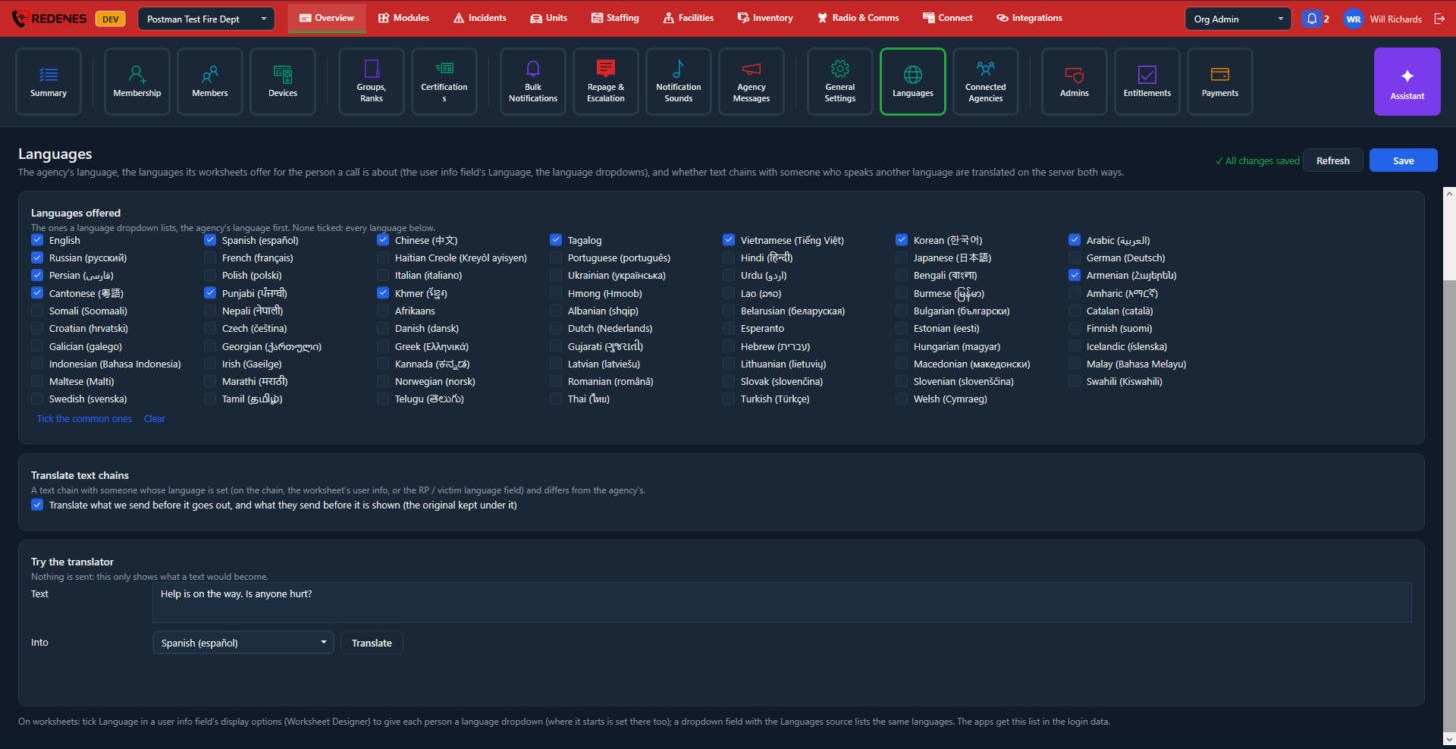
Further down the page are Translate text chains 1 and Try the translator 2. In the translator, type a sentence in Text, choose a language under Into and click Translate. It only shows the result. Nothing is sent to anyone.
To give a worksheet a language dropdown, tick Language in a user info field's display options in the Worksheet Designer.