Repage and Escalation
When someone does not acknowledge an alert, REDENES can send it again (repage), then text them, then call them. This screen sets the timing. Whether a member is repaged and escalated at all is their own notification setting, per duty status.
Where: OverviewRepage & Escalation
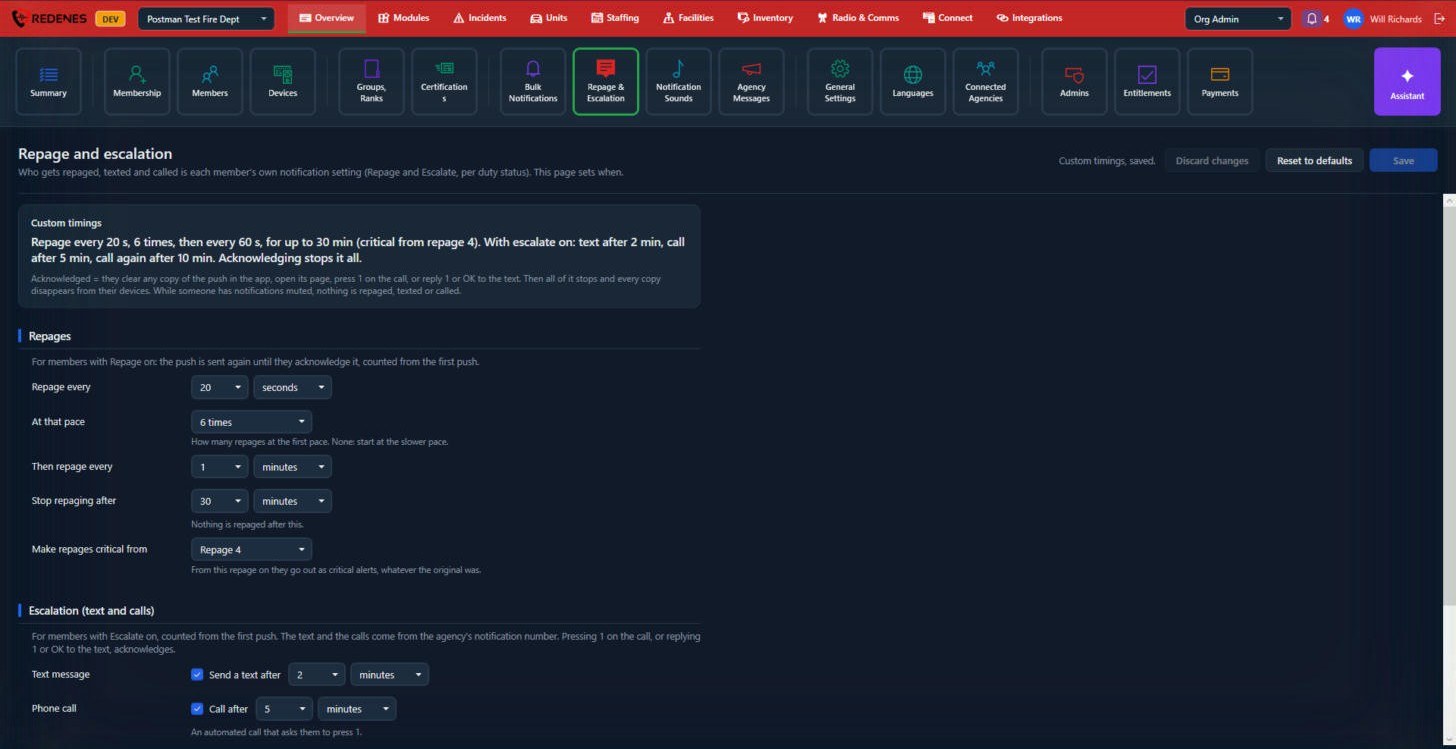 1234
Read the summary first 1
The box at the top restates your settings as a sentence, for example Repage every 20 s, 6 times, then every 60 s, for up to 30 min. If the sentence is not what you want, change the settings below until it is.
Repages 2
| Setting | Meaning |
|---|---|
| Repage every | The first, fast pace. |
| At that pace | How many repages go out at the fast pace. |
| Then repage every | The slower pace after that. |
| Stop repaging after | Nothing is repaged after this long. |
| Make repages critical from | From this repage on, they go out as critical alerts that sound even on a silenced phone. |
Escalation 3
- Send a text after a set time.
- Call after a set time. It is an automated call that asks the person to press 1.
Texts and calls come from your agency's notification number.
What counts as acknowledged
A member acknowledges by clearing any copy of the alert in the app, opening its page, pressing 1 on the call, or replying 1 or OK to the text. Everything then stops and the copies disappear from their devices. While a member has notifications muted, nothing is repaged, texted or called.
Save, Discard changes and Reset to defaults are at the top right 4.
The lower part of the page
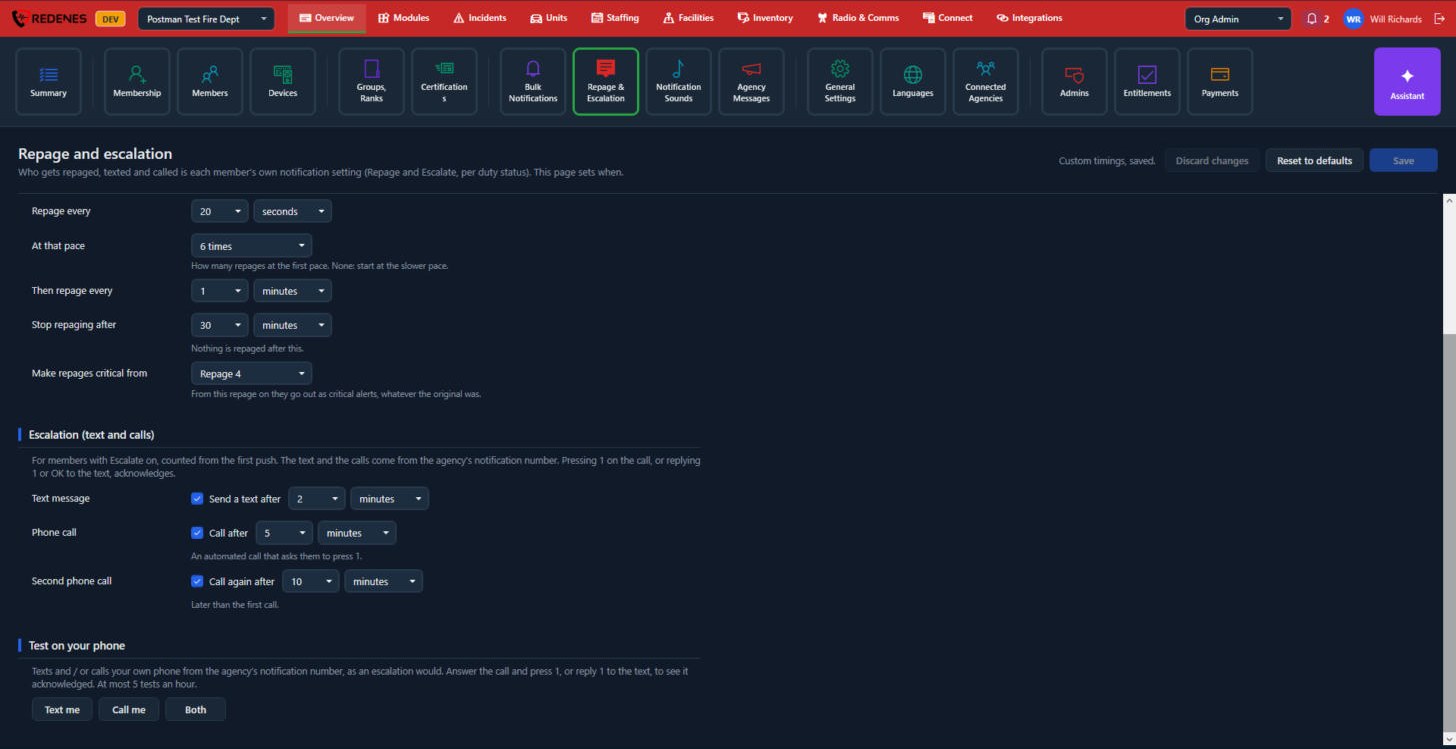 12
- Escalation 1 has three steps, each with its own tick box and time: Send a text after, Call after and Call again after. Untick a step to leave it out. All times count from the first push.
- Test on your phone 2: Text me, Call me or Both sends the escalation to your own phone from the agency's notification number, so you can hear exactly what members get. Answer and press 1, or reply 1 to the text, to see it acknowledged. You can run 5 tests an hour.