Certifications
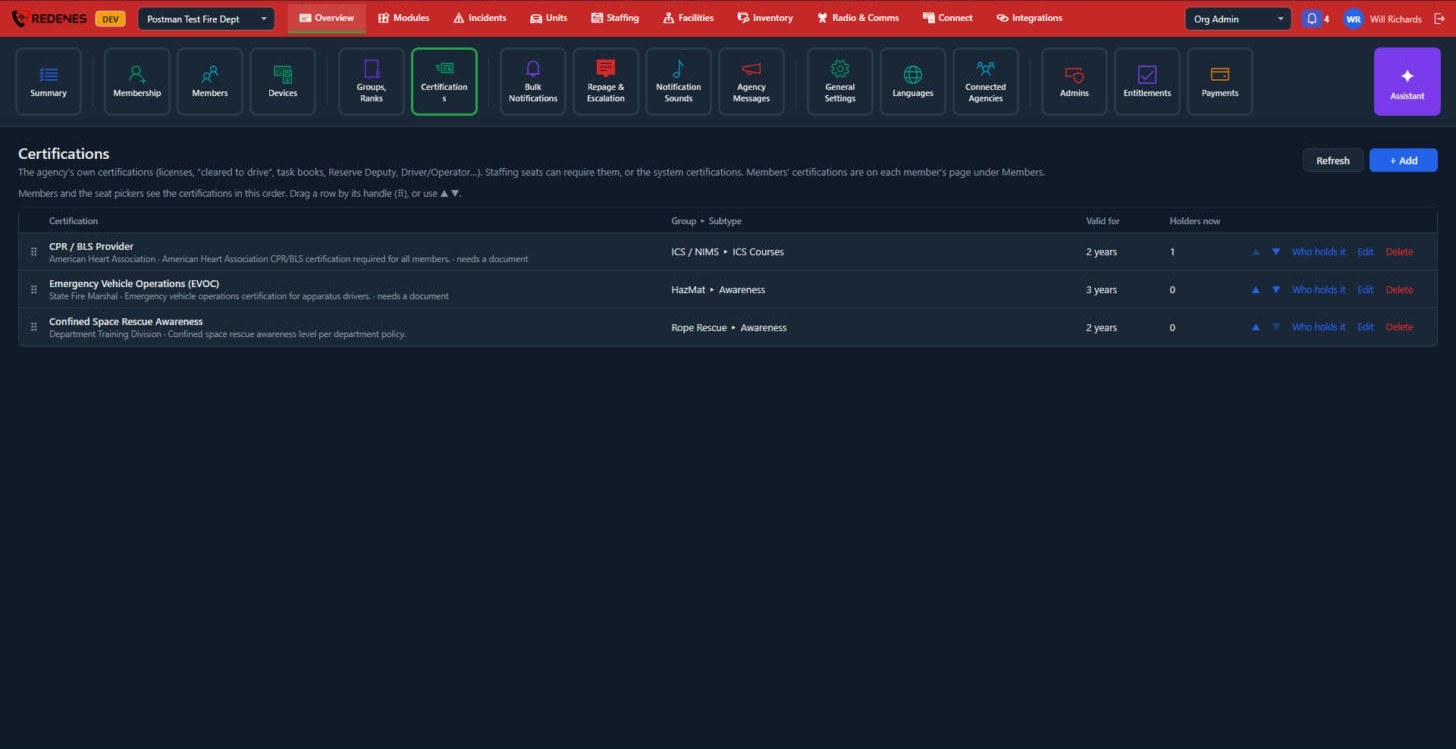
Certifications is your agency's own list of qualifications: licenses, "cleared to drive", task books, Driver/Operator and so on. Staffing seats can require them.
Where: OverviewCertifications
 123
Add a certification
- Click + Add 1.
- Give it a name, who issues it, and a group and subtype so it sits with similar ones.
- Set Valid for (how long before it expires) and whether it needs a document as proof.
Keep the list in order
Members and the seat pickers see certifications in this order. Drag a row by its handle 2, or use the up and down arrows.
See who holds one
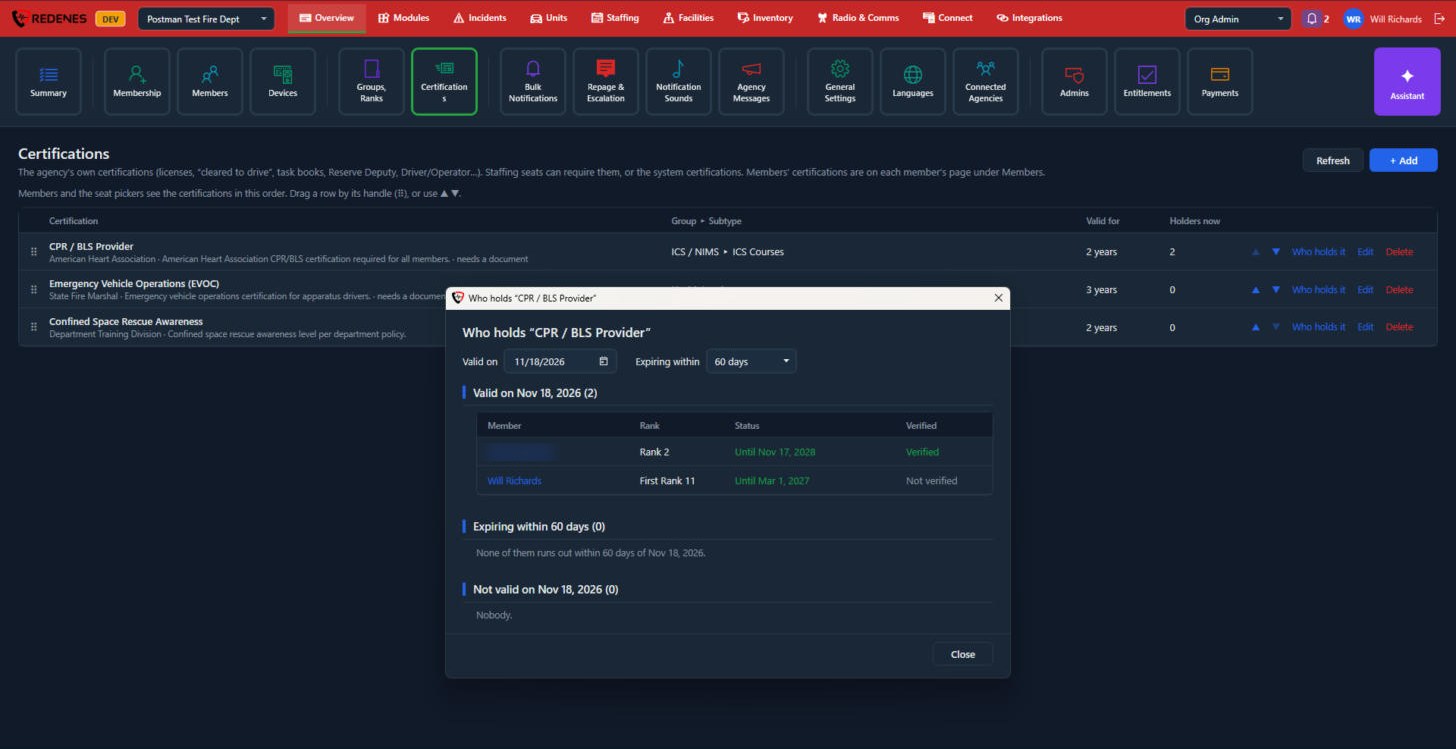
Click Who holds it 3. Each member's own certifications, with expiry dates and documents, are on their page under Members.
 1234
- Valid on and Expiring within 1: pick a date and how far ahead to look. Use a future date to see who will still be valid on the day of an event.
- Valid 2: members whose certification is good on that date, with their rank, the date it runs to, and whether it was verified. Click a name to open the member.
- Expiring within 3: the ones that run out soon, so you can remind people.
- Not valid 4: members whose certification has run out.
Add or edit a certification
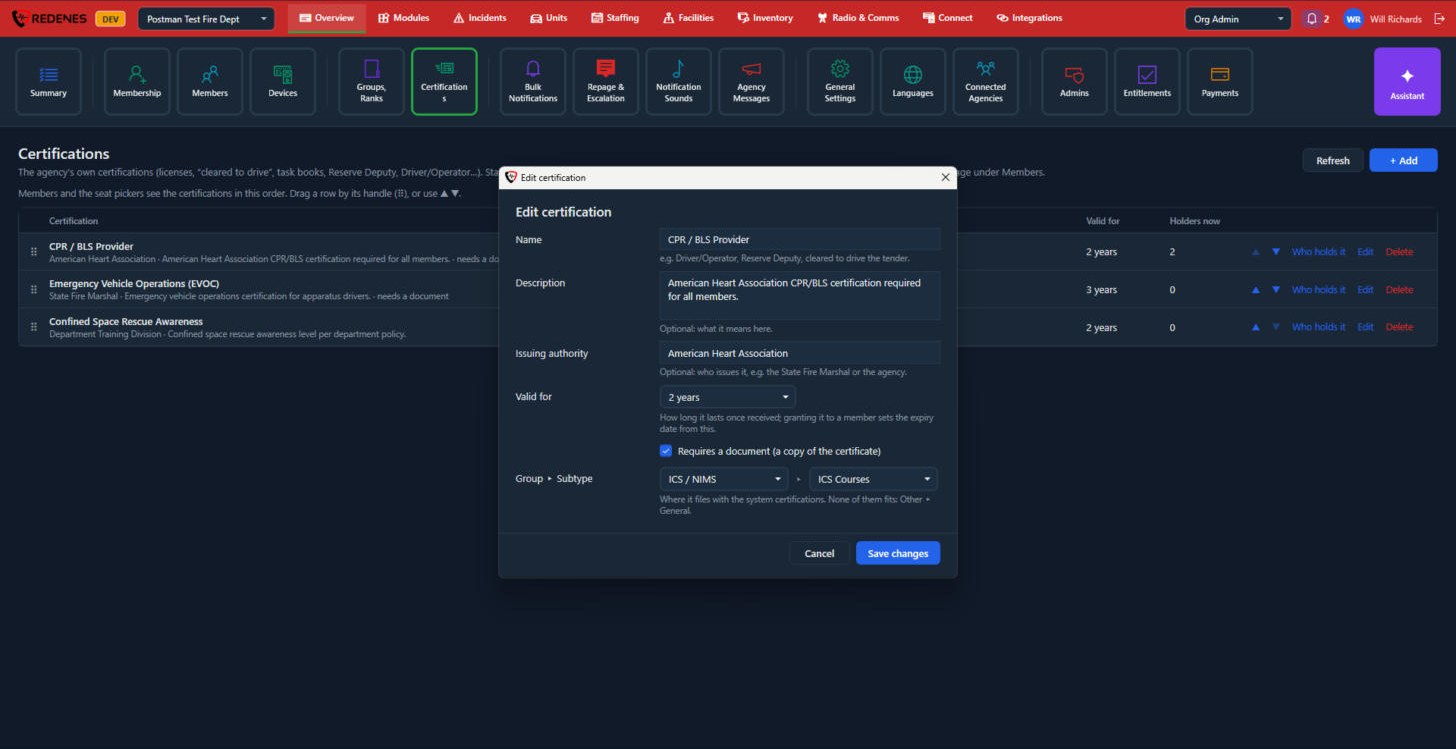
+ Add and Edit open the same window.
 1234
- Name, Description and Issuing authority 1. Only the name is required.
- Valid for 2: how long it lasts once received. Granting it to a member sets the expiry date from this.
- Requires a document 3: tick it when a copy of the certificate must be attached.
- Group and Subtype 4: where it is filed alongside the system certifications. If none fits, use Other, then General.
Delete on a row removes the certification from the agency's list.